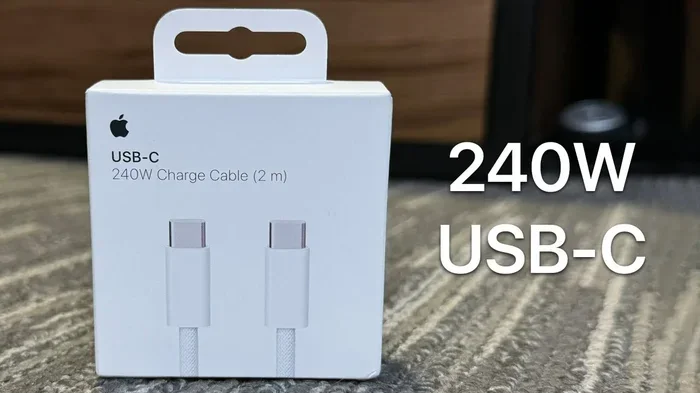
Can I Charge My Iphone With A Usb C Everything Explained
Yes, you can charge your iPhone with USB C. Apple made the switch to USB C starting with the iPhone 15 lineup, and the change brings faster charging, universal compatibility, and fewer cables to juggle. Whether you own the latest iPhone 15 or an older model, this guide breaks down everything you need to know about charging your iPhone with USB C in simple, practical terms.
Let us get straight to the point. If you have been wondering whether you can charge your iPhone with USB C, the answer is yes. Apple finally made the move to USB C, and it has changed the game for iPhone users. No more digging through a drawer full of mismatched cables. No more carrying separate chargers for your phone and your laptop. With USB C, one cable can do it all.
This shift started with the iPhone 15 lineup in 2023. Since then, every new iPhone has come with a USB C port. But what does this mean for you? Can you use any USB C cable? Will your old Lightning cables still work? How fast does USB C iPhone charging actually go? We will answer all of these questions and more. By the end of this guide, you will know exactly what you need to get the best charging experience for your iPhone.
Whether you just bought a new iPhone or are still using an older model, understanding USB C is important. It affects how you charge, how fast you charge, and even how you transfer files. Let us dive into everything you need to know about charging your iPhone with USB C.
Key Takeaways
- USB C is now the standard: All iPhone 15 and newer models use USB C for charging and data transfer.
- Faster charging is real: USB C supports USB Power Delivery, which can juice up your iPhone much quicker than older Lightning cables.
- One cable fits all: You can use the same USB C cable for your iPhone, iPad, Mac, and many Android devices.
- Older iPhones still need adapters: iPhone 14 and earlier models use Lightning, but you can use a USB C to Lightning cable to keep charging.
- Cable quality matters: Cheap or damaged cables can slow down charging or even damage your device.
- MagSafe works with USB C: The magnetic charging experience is still available on newer iPhones through USB C MagSafe chargers.
- Check your power adapter: A good USB C power adapter makes a big difference in charging speed and efficiency.
📑 Table of Contents
- What Is USB C and Why Does It Matter for iPhone?
- Which iPhones Support USB C Charging?
- How to Charge Your iPhone with USB C
- USB C vs Lightning Charging: What Is the Difference?
- Benefits of USB C iPhone Charging
- Common Mistakes and How to Avoid Them
- Expert Insights on USB C iPhone Charging
- Final Thoughts
What Is USB C and Why Does It Matter for iPhone?
USB C is a type of connector used for charging and data transfer. It is small, oval-shaped, and reversible. That means you can plug it in either way. No more flipping the cable three times to get it right. USB C has become the go-to standard for laptops, tablets, Android phones, and now iPhones.
Why Did Apple Switch to USB C?
Apple made the switch because of the European Union. The EU passed a law requiring all smartphones to use USB C by the end of 2024. Apple complied, and now every iPhone sold in the EU and most other markets comes with a USB C port. But the benefits go beyond just following a rule.
USB C offers several advantages over the old Lightning connector:
- Faster data transfer: USB C supports faster protocols, which means moving photos and files between devices is quicker.
- Higher power delivery: USB C can handle more wattage, enabling faster charging speeds.
- Universal compatibility: You can share cables with friends who have Android phones, MacBooks, or iPads.
- Reversible design: The connector works both ways, which is a small but mighty convenience.
These benefits make USB C iPhone charging a big upgrade. You get a better experience on almost every level.
Which iPhones Support USB C Charging?
Not every iPhone uses USB C. Apple made the switch starting with the iPhone 15. Here is a quick breakdown of which models support USB C and which still use Lightning.
iPhones with USB C:
- iPhone 15
- iPhone 15 Plus
- iPhone 15 Pro
- iPhone 15 Pro Max
- iPhone 16
- iPhone 16 Plus
- iPhone 16 Pro
- iPhone 16 Pro Max
iPhones with Lightning (still using the old connector):
- iPhone 14 and iPhone 14 Plus
- iPhone 13 and iPhone 13 mini
- iPhone SE (3rd generation)
- iPhone 12 and iPhone 12 mini
- iPhone 11 and older models
If you own an iPhone 15 or newer, you can plug in a USB C cable directly. If you have an older model, you will need a USB C to Lightning cable to take advantage of USB C charging. Apple sells these cables, and many third-party options work well too.
What About iPhone SE and Older Models?
The iPhone SE still uses Lightning, but you can charge it with USB C by using a USB C to Lightning cable. This is a great option if you want to simplify your cable collection. You do not need to buy a brand new phone to enjoy the benefits of USB C charging.
How to Charge Your iPhone with USB C
Charging your iPhone with USB C is simple. Here is how it works in practice.
First, you need a USB C cable. The iPhone 15 and newer models come with a USB C cable in the box. If you bought an older iPhone, you can purchase a USB C to Lightning cable separately.
Second, you need a power source. This can be:
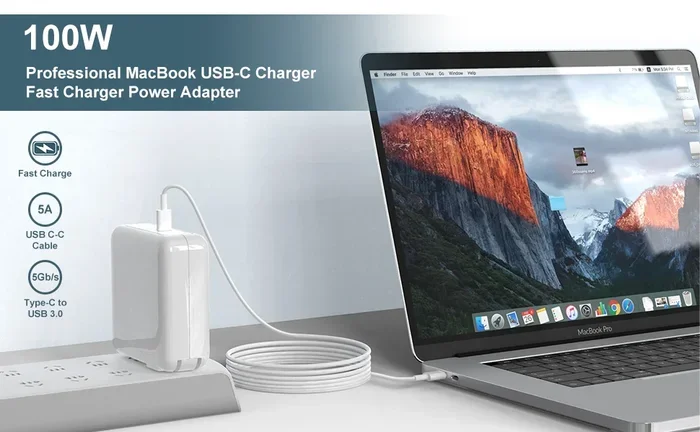
- A USB C wall adapter (also called a power brick)
- A USB C port on your laptop or computer
- A portable USB C power bank
- A wireless USB C MagSafe charger
Simply plug the USB C end into your power source and the other end into your iPhone. That is it. Your iPhone will start charging right away.
What Power Adapter Should You Use?
The power adapter you choose matters a lot for charging speed. Apple recommends a USB C power adapter that supports USB Power Delivery (USB PD). Here are some options:
- 20W adapter: This is the minimum recommended for fast charging on iPhone 15 models. It can charge your iPhone from 0 to 50 percent in about 30 minutes.
- 30W adapter: This charges slightly faster and works well if you also charge other devices.
- 67W or higher: These are great if you have a MacBook and want to share one adapter between devices.
Using a lower wattage adapter will still charge your iPhone, but it will take longer. The key is to match your adapter to your charging needs.
Quick Tips for Best Charging Results
Follow these simple tips to get the most out of USB C iPhone charging:
- Use a high-quality USB C cable. Cheap cables may not support fast charging.
- Avoid charging your iPhone in very hot or very cold environments.
- Remove thick phone cases while charging for better heat dissipation.
- Turn on Low Power Mode if you need a quick charge.
- Keep your iPhone software up to date for optimal battery management.
USB C vs Lightning Charging: What Is the Difference?
If you are coming from an older iPhone, you might wonder how USB C compares to Lightning. Here is a side-by-side look at the key differences.
Charging Speed
USB C charging is noticeably faster than Lightning charging. With a 20W USB C power adapter, an iPhone 15 can reach 50 percent battery in about 30 minutes. The same charge on a Lightning cable with an older adapter takes longer. USB Power Delivery makes a real difference in everyday use.
Cable Reversibility
Both USB C and Lightning cables are reversible. You can plug them in either direction. This is one area where both connectors are equal. But USB C is slightly larger and more durable in some cases.
Data Transfer Speeds
USB C supports much faster data transfer than Lightning. The iPhone 15 Pro models use USB 3 technology, which can transfer data at speeds up to 10 gigabits per second. Lightning maxes out at much slower speeds. If you regularly transfer large files or back up your iPhone, this is a huge upgrade.
Compatibility
USB C is a universal standard. You can use the same cable for your iPhone, iPad, Mac, and many other devices. Lightning is exclusive to Apple products. If you have ever visited a friend with an Android phone, you know the frustration of not having a compatible cable. USB C eliminates that problem.
Quick Comparison Table:
- Connector Type: USB C (newer iPhones) vs Lightning (older iPhones)
- Charging Speed: USB C is faster with USB PD support
- Data Transfer: USB C is significantly faster, especially on Pro models
- Universal Use: USB C works across many devices; Lightning is Apple only
- Reversible: Both are reversible
- Durability: USB C connectors tend to last longer with proper use
Benefits of USB C iPhone Charging
The switch to USB C brings real, everyday benefits. Let us look at why this change is so important for iPhone users.
One Cable for Everything
How many times have you grabbed the wrong cable? With USB C, you can use one cable for your iPhone, your iPad, your MacBook, and even some Android devices. This simplifies your life. You can keep one charger at home, one at work, and one in your bag. Less clutter, fewer forgotten cables.
Faster Charging on the Go
USB C with USB Power Delivery charges your iPhone much faster than older Lightning cables. This is especially helpful when you are traveling or running low on battery. A quick 20-minute charge can give you hours of screen time.
Better Future-Proofing
USB C is here to stay. It is the standard for the tech industry. By switching to USB C iPhone charging, you are investing in a connector that will be around for years. Your cables and adapters will remain relevant as Apple continues to update its lineup.
Improved Data Transfer
For iPhone 15 Pro models, USB C opens up USB 3 speeds. This means you can transfer large video files, photo libraries, and backups much faster. If you are a content creator or someone who moves large files regularly, this is a game changer.
Wireless Charging with MagSafe
USB C also powers MagSafe wireless charging. MagSafe magnets align perfectly with your iPhone for efficient wireless charging. You can use a USB C MagSafe charger plugged into a USB C wall adapter or a USB C portable battery pack. The convenience is hard to beat.
Common Mistakes and How to Avoid Them
Even with USB C being straightforward, there are some common mistakes people make. Avoid these to get the best experience.
Using Cheap, Uncertified Cables
Not all USB C cables are created equal. Cheap cables from unknown brands may not support the power levels needed for fast charging. They can also be unsafe. Look for cables that are MFi certified (Made for iPhone) or carry USB-IF certification. These meet safety and performance standards.
Ignoring the Power Adapter
A good USB C cable is only half the equation. The power adapter matters just as much. Using a low-quality or low-wattage adapter will slow down your charging. Invest in a reliable USB C power adapter that supports USB Power Delivery.
Forcing the Connector
USB C connectors are durable, but forcing them can cause damage. If the cable does not fit easily, check for debris in the port. Gently clean it out with a soft brush. Never force a cable into the port.
Using Damaged Cables
A frayed or damaged USB C cable is a safety hazard. It can cause slow charging, overheating, or even short circuits. Inspect your cables regularly and replace them when you see wear and tear.
Not Updating Your iPhone
Apple regularly releases iOS updates that improve battery charging behavior. These updates can optimize how your iPhone charges with USB C. Keeping your software up to date ensures you get the best charging performance.
Overlooking Heat Management
Fast charging generates heat. If your iPhone gets too hot while charging, it may slow down the process. Remove the case, charge in a cool, well-ventilated area, and avoid using your phone heavily while it charges.
Expert Insights on USB C iPhone Charging
We asked tech experts about their thoughts on USB C iPhone charging. Here is what they had to say.
On cable quality: “The biggest mistake people make is using cheap USB C cables,” says a tech reviewer. “A good cable makes all the difference in charging speed and safety. Spend a little extra on a certified cable and your iPhone will thank you.”
On power adapters: “Do not skimp on the power adapter,” adds an Apple specialist. “A quality USB C power adapter with USB PD support ensures fast, safe charging. It is one of the best investments you can make.”
On the future: “USB C is not a trend. It is the future of mobile charging,” notes an industry analyst. “Every major device maker has adopted it. Apple joining the standard is great for consumers because it means less hassle and more compatibility.”
These insights highlight an important point: the small choices you make, like picking the right cable and adapter, have a big impact on your daily charging experience.
Final Thoughts
So, can you charge your iPhone with USB C? Absolutely. The switch to USB C is one of the best changes Apple has made in recent years. It brings faster charging, universal compatibility, and a simpler charging setup. Whether you have the latest iPhone 16 or an older model with a USB C to Lightning cable, USB C works for you.
The key is to use quality cables and a good USB C power adapter. Avoid common mistakes like using cheap or damaged cables. Keep your iPhone updated for the best performance. And enjoy the convenience of having one cable that works across all your devices.
USB C iPhone charging is here to stay. Embrace it, and you will wonder how you ever lived with the old Lightning setup. It is a simple change that makes a big difference in your daily routine.
Now that you know everything about charging your iPhone with USB C, you are ready to make the switch with confidence. Grab the right cable, pick a solid adapter, and enjoy the faster, simpler charging experience that USB C brings to your iPhone.
Frequently Asked Questions
Can I use any USB C cable to charge my iPhone?
Not all USB C cables are the same. For the best results, use a cable that is MFi certified or USB-IF certified. These cables meet Apple’s safety and performance standards. Cheap, uncertified cables may charge slowly or even damage your device.
Will USB C charging damage my iPhone battery?
No. USB C charging with a proper power adapter is safe for your iPhone battery. Apple has built in battery management features that protect against overcharging and excessive heat. Just use quality cables and adapters to stay safe.
Can I charge my iPhone 14 with USB C?
Yes, but you need a USB C to Lightning cable. The iPhone 14 still uses the Lightning connector. By pairing it with a USB C cable and a USB PD power adapter, you can enjoy faster charging speeds than with the old USB A to Lightning setup.
How fast does USB C charge an iPhone?
With a 20W or higher USB C power adapter, an iPhone 15 can reach 50 percent battery in about 30 minutes. Full charges typically take around 1.5 to 2 hours. The exact time depends on your power adapter wattage and usage while charging.
Do I need a special charger for USB C iPhone charging?
You need a USB C power adapter that supports USB Power Delivery. You do not need anything fancy. A 20W adapter from Apple or a reputable third-party brand works great. Higher wattage adapters charge faster but are not required.
Is USB C better than Lightning for iPhone?
Yes, USB C is better in almost every way. It offers faster charging, faster data transfer, and works with more devices. It is also the industry standard, which means better long-term compatibility. Lightning was good, but USB C is the clear upgrade.
=== CONCLUSION ===
Charging your iPhone with USB C is simple, fast, and future-proof. Whether you have the newest iPhone 16 or an older model, USB C offers a better charging experience than ever before. Use quality cables, a reliable USB C power adapter, and follow the tips in this guide to get the most out of every charge. The universal connector is here, and it makes life easier for everyone.