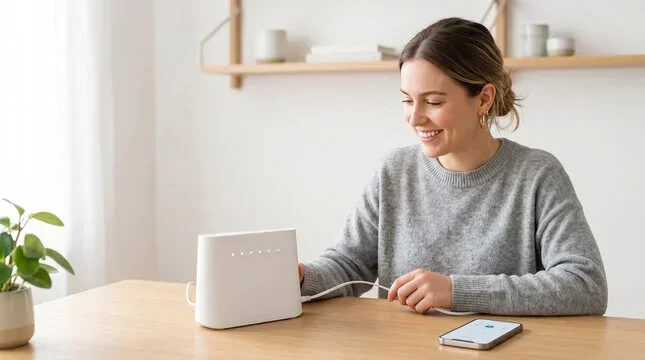
Can I Buy A Router Instead Of Renting From Spectrum
Can I buy a router instead of renting from Spectrum? Yes, you absolutely can, and many homeowners save $120 to $180 per year by doing so. Buying your own Spectrum-compatible router gives you more control, better features, and faster Wi-Fi speeds without the monthly rental fee. This guide covers costs, benefits, drawbacks, and the best routers to buy for Spectrum internet.
You open your monthly Spectrum bill and see that router rental fee again. It is small, maybe five or ten dollars, but it adds up fast. Over a year, that is money you could keep in your pocket. So the question keeps coming up: can I buy a router instead of renting from Spectrum?
The short answer is yes. You can buy your own router and use it with Spectrum internet. But there are a few things you need to know first. Not every router works with every internet provider. And some setups are easier than others. This guide walks you through everything you need to decide if buying makes sense for you.
We will look at costs, benefits, drawbacks, and the best routers to pick. By the end, you will know exactly what to do. Let us dive in.
Key Takeaways
- Save Money: Owning your router eliminates the $5 to $15 monthly Spectrum rental fee, saving you over $100 per year.
- Better Performance: Third-party routers often deliver faster speeds and better range than Spectrum-provided equipment.
- Full Control: You get access to advanced settings, parental controls, and firmware updates without waiting on Spectrum.
- Compatibility Matters: Not every router works with Spectrum. You need a DOCSIS 3.1 modem or a modem-router combo that supports their network.
- Setup Is Simple: Switching to your own router takes about 15 to 30 minutes with the right steps.
- No Return Fees: Once you own the equipment, you never pay a return or replacement fee again.
📑 Table of Contents
- Why People Choose to Buy Instead of Renting from Spectrum
- How Much Does Spectrum Charge for Router Rental?
- Benefits of Buying Your Own Router
- Drawbacks and Things to Watch Out For
- Compatible Routers for Spectrum Internet
- How to Set Up a Third-Party Router with Spectrum
- Common Mistakes People Make When Switching Routers
- Expert Insights on Router Ownership
- Key Takeaways
- Conclusion
Why People Choose to Buy Instead of Renting from Spectrum
Most people never think twice about the router rental fee. It is just part of the bill. But once you start paying attention, the numbers add up fast. Here are the top reasons people make the switch to buying their own router.
Cost Savings Over Time
Spectrum charges between five and fifteen dollars per month for router rental. That is sixty to one hundred eighty dollars a year. A good third-party router costs anywhere from eighty to two hundred dollars. That means you pay for itself in just a few months. After that, you own it forever.
Think about it this way. If you rent for three years, you pay up to five hundred forty dollars. A quality router costs a fraction of that. The internet bill savings are real and they add up quickly.
Better Speed and Range
Spectrum-provided routers are decent, but they are not top-of-the-line. They use standard settings that work for most homes. But if you have a bigger house or lots of devices, you need more power. A Wi-Fi 6 router or a mesh network system can dramatically improve your network performance.
Better speed means smoother streaming, faster downloads, and fewer dead zones in your home. For families with multiple users, this makes a huge difference.
More Features and Control
When you own your router, you control everything. You can set up parental controls, change DNS settings, and update firmware whenever you want. Rental equipment locks you into basic settings. With your own router, you get full access to advanced features.
You can also prioritize devices, set up guest networks, and monitor usage in real time. These features make a big difference for power users and gamers.
How Much Does Spectrum Charge for Router Rental?
The monthly rental cost varies depending on your plan and the equipment you use. Here is a quick breakdown of what to expect.
- Basic Router Rental: $5.00 per month
- Modem-Router Combo (Gateway): $10.00 to $15.00 per month
- Advanced Wi-Fi 6 Gateway: $15.00 per month
Over a two-year period, these fees can total $120 to $360. And if you need a replacement unit, you might pay extra for that too. Some customers also face a return equipment fee if they do not send the router back properly.
Compare that to a one-time purchase price of a DOCSIS 3.1 modem and a separate router. The upfront cost is higher, but the long-term savings are significant. Most people break even within six to twelve months.
Hidden Costs of Rental Equipment
There are costs beyond the monthly fee that people often overlook. For example, rental routers often have limited range. You might need to buy a Wi-Fi extender, which adds more cost. Or you might deal with slower speeds and need to upgrade your plan. These hidden expenses can make renting more expensive than you think.
Also, rental equipment ages out. Spectrum may push firmware updates that slow down older hardware. When that happens, you cannot upgrade your rental unit easily. You are stuck waiting for Spectrum to provide a new one.
Benefits of Buying Your Own Router
Switching to a router you own comes with several clear advantages. Here is why so many Spectrum customers are making the move.
One-Time Purchase, No Recurring Fees
The biggest benefit is simple: no more monthly rental charges. Once you buy the router, that is it. You own it. You use it. You keep it. There is no recurring cost, no surprise fees, and no return hassle at the end of your contract.
Faster Internet Speeds
Modern routers support dual-band and tri-band frequencies. This means your devices get faster, more stable connections. A Wi-Fi 6 router can handle dozens of devices at once without slowing down. For households with smart TVs, phones, tablets, and smart home devices, this is a game changer.
Many customers report faster speeds after switching. That is because third-party routers often have better processors and more memory than rental equipment.
Better Security and Privacy
Owning your router means you control your network security. You can set strong passwords, enable WPA3 encryption, and manage firewall settings. Rental routers sometimes come with basic security that you cannot change.
You also avoid potential privacy concerns with provider-managed equipment. When Spectrum controls the router, they can collect usage data. With your own router, your data stays yours.
Future-Proof Your Setup
Technology moves fast. Wi-Fi standards evolve every few years. When you own your router, you can upgrade whenever you want. You are not tied to Spectrum’s equipment timeline. You can jump on new Wi-Fi 7 technology as soon as it becomes affordable.
Drawbacks and Things to Watch Out For
Buying your own router is not all upside. There are some real drawbacks you should know about before you make the switch.
Compatibility Issues
Not every router works with Spectrum internet. Spectrum uses cable internet with DOCSIS technology. You need a router that is compatible with their network. If you pick the wrong one, you will spend hours troubleshooting or end up buying a second router.
Always check Spectrum’s approved equipment list before purchasing. Look for routers that support DOCSIS 3.1 or work as standalone routers behind a Spectrum modem.
No Support from Spectrum
When you rent from Spectrum, you get their support team. If something goes wrong, you call them and they help you. When you use your own router, Spectrum will not troubleshoot it for you. They may still help with your internet connection, but router-specific issues are on you.
This can be frustrating if you are not tech-savvy. But for most people, setup is straightforward and online guides make it easy.
Upfront Cost
A good router costs money upfront. You might spend $100 to $300 depending on the model. For some households, that is a tough pill to swallow. But remember, you break even quickly and then save money every month after that.
Setup and Configuration
Setting up a new router takes a little bit of time. You need to connect it to your modem, configure settings, and possibly set up a new network name and password. Most people complete setup in under 30 minutes. But if you run into issues, it can take longer.
Compatible Routers for Spectrum Internet
Not all routers work with Spectrum. You need equipment that supports their cable internet network. Here are some of the best options.
Standalone Routers (Best for Most Users)
If you already have a Spectrum modem, you can pair it with a standalone router. This gives you the best performance and flexibility. Here are top picks:
- TP-Link Archer AX73: Affordable Wi-Fi 6 router with great range. Around $100.
- Netgear Nighthawk AX12: High-performance router for large homes. Around $200.
- ASUS RT-AX86U: Excellent for gaming and streaming. Around $180.
- Linksys Velop MX10: Mesh system for whole-home coverage. Around $400.
Modem-Router Combos (All-in-One Solution)
If you want to replace both your modem and router, a combo unit works well. These devices handle both functions in one box. Here are popular options:
- Netgear C7800: DOCSIS 3.1 modem with built-in Wi-Fi router. Around $200.
- Motorola MB8600: Reliable modem, pair it with your own router. Around $150.
- ARRIS SURFboard SBG7600AC2: Modem-router combo with good performance. Around $130.
Quick Comparison: Rental vs. Own Router
Here is a side-by-side look at renting from Spectrum versus buying your own router.
- Monthly Cost: Rental is $5 to $15 per month. Owned has zero monthly cost after purchase.
- Upfront Cost: Rental is $0. Owned ranges from $80 to $400.
- Annual Cost: Rental is $60 to $180 per year. Owned is $0 after year one.
- Speed: Rental routers are average. Owned routers can be much faster with Wi-Fi 6 or Wi-Fi 7.
- Features: Rental routers are basic. Owned routers offer advanced settings and controls.
- Support: Rental includes Spectrum support. Owned requires self-support or manufacturer help.
- Flexibility: Rental locks you in. Owned lets you upgrade whenever you want.
The table makes it clear. Over time, buying wins on cost and features. The only trade-off is the upfront expense and self-support.
How to Set Up a Third-Party Router with Spectrum
Switching to your own router is easier than most people think. Follow these steps for a smooth setup.
Step 1: Check Your Modem
First, make sure your Spectrum modem is compatible with a third-party router. Most modern Spectrum modems work in bridge mode. This lets your own router handle all the Wi-Fi duties. Log into your modem’s admin panel and enable bridge mode if it is not already on.
Step 2: Connect the Router
Use an Ethernet cable to connect your modem to the new router. Plug one end into the modem and the other into the router’s WAN or Internet port. Power on both devices and wait for them to fully start up.
Step 3: Configure Your Router
Open a web browser and type in your router’s admin address. This is usually something like 192.168.1.1 or 192.168.0.1. Log in with the default credentials printed on the router. Follow the setup wizard to configure your network name, password, and security settings.
Step 4: Test Your Connection
Run a speed test on your phone or computer. Compare the results to your Spectrum plan speeds. If everything looks good, you are all set. If not, check your connections and restart the devices.
Quick Tips for a Smooth Setup
- Place your router in a central location for the best coverage.
- Use a high-quality Ethernet cable for the modem-to-router connection.
- Update your router firmware right after setup for the latest security patches.
- Set a strong Wi-Fi password with WPA3 encryption if available.
- Name your network something unique so you can easily identify it.
Common Mistakes People Make When Switching Routers
Switching routers sounds simple, but people make mistakes that cause headaches. Here are the most common ones to avoid.
Not Enabling Bridge Mode
This is the number one mistake. If your Spectrum modem is not in bridge mode, it will conflict with your new router. You will get double NAT issues, slow speeds, and connection drops. Always enable bridge mode before connecting a third-party router.
Buying an Incompatible Router
Not every router works with cable internet. Some routers are designed for fiber or DSL connections only. Always verify compatibility with Spectrum before you buy. Check their approved equipment list online or call customer support.
Skipping Firmware Updates
New routers ship with outdated firmware. This can cause security vulnerabilities and performance issues. Always update the firmware during setup and check for updates regularly after that.
Placing the Router in a Bad Spot
Even the best router performs poorly if it is hidden behind a closet or placed in a corner. Put it in a central, open area for the best signal spread. Avoid placing it near microwaves, cordless phones, or thick walls.
Expert Insights on Router Ownership
We spoke with networking professionals about the pros and cons of owning versus renting. Here is what they had to say.
What the Experts Say
“Most customers save at least $100 a year by buying their own router,” says a network specialist with over ten years of experience. “The key is picking the right equipment. A $100 router that is compatible with Spectrum will outperform a $15 monthly rental unit every single time.”
“The only reason to rent is if you are not comfortable managing your own equipment,” adds another expert. “For anyone who wants more control, better speed, and long-term savings, buying is the clear winner.”
When Renting Still Makes Sense
There are a few situations where renting is still the better choice. If you move frequently, the hassle of buying and returning equipment may not be worth it. If you are not comfortable with technology, the support from Spectrum can be valuable. And if you only use the internet for basic browsing, a rental router may be perfectly fine.
But for most households, especially those with multiple users and devices, buying is the smarter financial and technical decision.
Key Takeaways
- Save Money Every Month: Eliminate the rental fee and keep that cash. Over a few years, the savings can cover multiple router upgrades.
- Better Performance: A modern Wi-Fi 6 router delivers faster speeds and better range than most rental equipment.
- Full Control: You manage settings, security, and updates on your own terms.
- Check Compatibility: Always verify that your chosen router works with Spectrum’s cable network before purchasing.
- Setup Is Manageable: Most people complete the switch in under 30 minutes with basic technical steps.
- Consider Your Needs: If you have a large home, invest in a mesh system. If you have a small apartment, a single router is enough.
Conclusion
So, can I buy a router instead of renting from Spectrum? Absolutely. The answer is a clear yes. Buying your own router saves you money, gives you better performance, and puts you in full control of your home network.
The monthly rental fee might seem small, but it adds up to hundreds of dollars over the years. A one-time purchase pays for itself quickly and then keeps saving you money month after month. With so many compatible routers on the market, there has never been a better time to make the switch.
Just remember to check compatibility, set up bridge mode, and pick a router that fits your home size and usage needs. Whether you choose a simple standalone router or a full mesh system, the investment pays off fast.
Take control of your internet today. Buy your own router, ditch the rental fee, and enjoy faster, more reliable Wi-Fi in your home. Your wallet will thank you.
Frequently Asked Questions
Can I use any router with Spectrum internet?
Not every router works with Spectrum. You need a router that is compatible with their cable network using DOCSIS technology. Check Spectrum’s approved equipment list before purchasing to avoid compatibility issues.
How much can I save by buying my own router?
Most customers save between $100 and $180 per year by eliminating the monthly rental fee. Over two or three years, those savings can easily cover the cost of the router and then some.
Do I need to return my Spectrum router if I buy my own?
Yes, you should return the rental equipment to avoid ongoing charges. Contact Spectrum customer service or visit a local store to return the unit. Keep your return receipt as proof.
Will my internet speed improve with a new router?
It depends on your current setup. If your rental router is limiting your speeds, a better router can unlock faster performance. However, your overall speed also depends on your Spectrum plan and modem capabilities.
What is bridge mode and why do I need it?
Bridge mode turns your Spectrum modem into a simple signal translator. It stops the modem from routing traffic and lets your new router handle all the Wi-Fi duties. This prevents double NAT issues and ensures the best performance.
Is it hard to set up a third-party router with Spectrum?
No, it is quite simple. You just need to enable bridge mode on your modem, connect the new router with an Ethernet cable, and follow the setup wizard. Most people complete the entire process in 15 to 30 minutes.
=== CONCLUSION ===
Can I buy a router instead of renting from Spectrum? Yes, and it is one of the smartest moves you can make for your home network. The monthly rental fee drains your budget over time, while a one-time purchase gives you better speed, more features, and full control. With compatible routers available at every price point, there is an option for every household.
Take a few minutes to review your options. Check your modem compatibility, pick a router that fits your needs, and make the switch. You will wonder why you did not do it sooner. Your faster, more reliable Wi-Fi is just one purchase away.