Are External Hard Drives Becoming Obsolete in 2024
External hard drives are not dead yet, but they face serious competition from cloud storage, external SSDs, and NAS devices. This guide breaks down whether you still need a portable hard drive in 2024 and what alternatives exist. Learn the real pros, cons, and future outlook for physical storage devices.
Are external hard drives becoming obsolete? That is a question many tech users are asking in 2024. With cloud storage growing and solid state drives getting cheaper, the traditional external hard drive feels like it might be fading out. But the truth is more nuanced than you might think.
The short answer is no, external hard drives are not becoming obsolete yet. However, they are definitely evolving. People still need portable storage, large backup solutions, and offline file transfer options. The way we use these devices is changing, but the demand for physical storage remains strong.
In this article, we will explore the current state of external storage. We will look at what is replacing them, what still makes them useful, and what you should consider before buying one. Whether you are a student, a professional, or a casual user, this guide will help you make an informed decision about your data storage needs.
Key Takeaways
- Cloud storage is growing fast: Services like Google Drive and Dropbox are changing how people store files.
- External SSDs are replacing HDDs: Solid state drives offer faster speeds and better durability than traditional hard disk drives.
- External hard drives still have a role: They remain affordable for large storage needs and offline backups.
- NAS devices are a strong alternative: Network attached storage offers local cloud-like access for homes and offices.
- Data security matters more than ever: Physical drives give you full control over your files.
- Hard drive lifespan is a real concern: Mechanical drives can fail, so backups are essential.
- The future is hybrid: Most users will benefit from combining cloud and physical storage solutions.
📑 Table of Contents
- Why the Question About Obsolescence Matters Now
- How External Hard Drives Work and Why People Still Use Them
- External SSDs: The Faster, More Durable Alternative
- Cloud Storage vs. External Hard Drives: A Head-to-Head Comparison
- Are External Hard Drives Becoming Obsolete? The Real Future Outlook
- Expert Insights: What Industry Professionals Think
- How to Choose the Right Storage Solution for Your Needs
- Conclusion
Why the Question About Obsolescence Matters Now
The conversation around external hard drives becoming outdated is not new. For years, people have predicted the death of physical storage. But each time, the humble hard drive has survived. So why does this question feel different in 2024?
Several factors are driving this discussion. Cloud services have become faster and more affordable. Internet speeds have improved dramatically. Streaming and online backup have become the norm for many users. On top of that, alternative portable storage options like USB flash drives and external SSDs are gaining popularity. All of these developments make it feel like the traditional external hard drive might be on its way out.
But here is the catch. Not everyone has reliable internet access. Not everyone wants to pay monthly fees for cloud subscriptions. And not everyone trusts putting all their data online. For these users, external hard drives remain essential. The question of obsolescence is really about how the device fits into a changing digital landscape, not whether it has lost all value.
The Rise of Cloud Storage and Its Impact
Cloud storage has transformed how we handle digital files. Services like Google Drive, Dropbox, and OneDrive let users store thousands of documents, photos, and videos online. You can access your files from any device with an internet connection. This convenience has made cloud storage incredibly popular.
For many people, cloud storage has replaced the need for a physical backup device. Why buy an external drive when you can upload your files and access them anywhere? The ease of use and the automatic syncing features are hard to beat. This shift has definitely affected the sales of traditional portable storage devices.
However, cloud storage is not perfect. It requires a stable internet connection. It raises concerns about data privacy and security. And for users who need to store very large files, the costs can add up quickly. A 2TB cloud plan might cost you $10 or more per month. Over a year, that adds up. An external drive with the same capacity costs a one-time fee and works offline. This is a big reason why external hard drives are still relevant.
How External Hard Drives Work and Why People Still Use Them
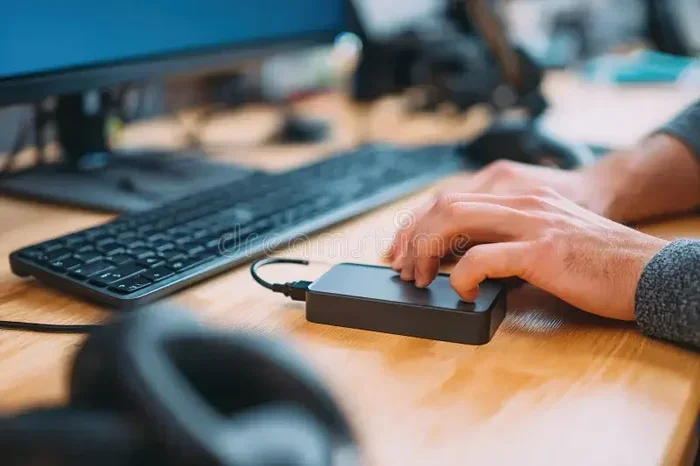
To understand whether external hard drives are becoming obsolete, we need to look at how they work and what they offer. A traditional external hard drive is a portable data storage device that connects to your computer through USB. Inside, it uses spinning magnetic disks to read and write data. This is called a hard disk drive, or HDD.
These devices have been around for decades. They are reliable, affordable, and come in large storage capacities. You can easily find a 4TB or even 8TB external drive for a reasonable price. For users who need to store massive amounts of data, this is hard to beat.
People use external hard drives for many reasons. Common uses include data backup, file archiving, and transferring large files between computers. Gamers use them to expand console storage. Creators use them to store video projects and raw footage. Businesses use them for offline archives and disaster recovery. The versatility of these devices keeps them in demand.
Key Advantages of External Hard Drives
There are several reasons why external hard drives remain popular in 2024. Let us look at the main advantages.
- Affordable storage per terabyte: External HDDs offer some of the lowest costs per GB of any storage option. You can get 2TB for under $70 in many cases.
- Offline access: Unlike cloud storage, external drives work without an internet connection. This is crucial for users in areas with poor connectivity.
- Full data control: Your files stay on your device. No third party has access. This matters for sensitive business data and personal files.
- Large capacity options: External drives are available in sizes up to 18TB or more. Cloud storage at these sizes would be very expensive.
- Simple plug-and-play setup: Most external drives connect via USB and work immediately. No software installation or account setup is needed.
- No recurring fees: You buy the drive once and own it forever. There are no monthly subscription costs.
Common Uses That Keep Demand High
Let us look at specific scenarios where external hard drives are still the best choice. These real-world examples show why the device has staying power.
First, think about photographers and videographers. A single 4K video project can easily take up 500GB or more. Uploading that to the cloud takes hours and costs a fortune in storage fees. An external drive handles this with ease. You plug it in, transfer the files, and you are done.
Second, consider gamers. Modern video games are massive. A single game can be 100GB or more. Consoles like the PlayStation and Xbox often have limited internal storage. An external hard drive gives gamers a cheap way to expand their library without paying for expensive cloud game storage.
Third, businesses rely on external drives for offline backups. Many companies use a strategy called the 3-2-1 backup rule. This means keeping three copies of data on two different types of media, with one copy stored offsite. External drives are a key part of this strategy. They provide a physical, offline copy that is safe from online breaches and outages.
External SSDs: The Faster, More Durable Alternative
One of the biggest reasons people are questioning the future of external hard drives is the rise of the external solid state drive, or external SSD. These devices use flash memory instead of spinning disks. The result is much faster speeds, better durability, and a smaller form factor.
External SSDs have become increasingly affordable in recent years. While they still cost more per terabyte than HDDs, the price gap is closing fast. A 1TB external SSD now costs around $80 to $100, which is reasonable for many users. As prices continue to drop, more people are making the switch.
So what makes external SSDs so much better? Speed is the biggest factor. A typical external HDD transfers data at around 100 to 150 megabytes per second. A modern external SSD can reach speeds of 1,000 to 2,000 megabytes per second. That is up to 20 times faster. For users who transfer large files regularly, this difference is huge.
Durability is another major advantage. Because external SSDs have no moving parts, they are much more resistant to drops and shocks. An external HDD with spinning disks can be damaged if you drop it while it is running. An external SSD can survive falls and rough handling much better. For people who travel frequently or work on the go, this is a big deal.
When to Choose an External SSD Over an HDD
Not everyone needs an external SSD, but many users will benefit from one. Here are situations where an external SSD is the better choice.
- You frequently transfer large files: Video editors, designers, and developers will appreciate the speed boost.
- You travel often: The durability of an SSD makes it safer for on-the-go use.
- You use a laptop with limited ports: External SSDs are often smaller and lighter than HDDs.
- You need fast boot or load times: Running applications directly from an external SSD is much smoother.
However, if you need massive storage on a tight budget, an external HDD is still the way to go. For example, if you need 8TB of storage, an HDD will cost you around $150 to $180. An 8TB external SSD would cost $500 or more. The price difference is significant, and for many users, it is worth the trade-off.
Cloud Storage vs. External Hard Drives: A Head-to-Head Comparison
The debate between cloud storage and external hard drives is one of the most talked-about topics in data storage. Both options have clear strengths and weaknesses. Let us break down the comparison so you can decide which is right for you.
| Feature | External Hard Drive | Cloud Storage |
|---|---|---|
| Cost per TB | Low (one-time purchase) | Higher (monthly subscription) |
| Internet Required | No | Yes |
| Speed | Fast (USB 3.0+) | Depends on connection |
| Offline Access | Full access | Limited without sync |
| Security | Full physical control | Depends on provider |
| Capacity | Up to 18TB+ | Usually up to 2-10TB |
| Portability | Very portable | Access from any device |
| Recurring Costs | None | Monthly or annual fees |
As you can see from the comparison, neither option is clearly better. They serve different needs. Cloud storage excels at accessibility and convenience. External hard drives excel at cost savings, offline access, and data control. Many smart users combine both approaches for the best of both worlds.
This hybrid approach is sometimes called a tiered storage strategy. You keep your most frequently used files in the cloud for easy access. You store archives, backups, and large files on an external drive. This gives you flexibility, security, and cost efficiency. It is no wonder that many professionals use both solutions together.
Are External Hard Drives Becoming Obsolete? The Real Future Outlook
Now let us get to the heart of the matter. Are external hard drives becoming obsolete, or is there a future for them? The honest answer is that they are not going away anytime soon, but their role is changing.
The market for external hard drives has slowed down in recent years. This is partly because cloud storage has captured a large share of the consumer market. Many people now store their photos, documents, and music in the cloud instead of on physical devices. This trend has definitely impacted external drive sales.
But there is a counter-trend that keeps the market alive. Data creation is growing at an incredible rate. Every day, people create more photos, videos, and documents than ever before. All of this data needs to be stored somewhere. Cloud storage helps, but it cannot handle everything. For large-scale storage, offline backups, and long-term archiving, physical drives remain essential.
The Role of External Hard Drives in 2024 and Beyond
So where do external hard drives fit into the future? Here are some trends that suggest they will remain relevant for years to come.
Offline backup needs are not going away. Ransomware attacks, cloud outages, and data breaches make offline backups more important than ever. An external hard drive sitting on your desk, disconnected from the internet, is one of the safest places to keep your files. No hacker can reach it through the cloud.
Affordable large storage is still in demand. Not everyone can afford cloud subscriptions for terabytes of data. External drives offer a one-time cost for massive storage. This is especially important for users in developing countries where internet access is limited or expensive.
Hard drives are being replaced, not eliminated. The future is likely a mix of external SSDs for speed and HDDs for bulk storage. External HDDs will probably become more focused on high-capacity, low-cost storage. They will serve users who need terabytes of space without breaking the bank.
NAS devices are blurring the line. Network attached storage devices combine the best of both worlds. They offer local storage that you can access over your home network, similar to a personal cloud. Many NAS systems use external hard drives as their storage medium. This means external drives are actually becoming more integrated into modern storage setups.
Common Mistakes People Make With External Hard Drives
Even though external hard drives are still useful, many users make mistakes that shorten their lifespan or put their data at risk. Here are the most common errors to avoid.
- Not backing up the backup: An external drive is not a backup if it is the only copy. Always keep at least two copies of important files.
- Ignoring disk failure signs: If your drive makes clicking noises or runs very slowly, back up your data immediately. These are signs of an impending disk failure.
- Using the drive in harsh conditions: Keep your external drive away from extreme heat, moisture, and dust. These factors can damage the internal components.
- Safely ejecting is not optional: Always use the eject function before unplugging your drive. Pulling it out while data is being written can corrupt files.
- Buying cheap, unknown brands: A low-priced drive from an unfamiliar brand may use low-quality components. This increases the risk of data loss.
Avoiding these mistakes will help you get the most out of your external hard drive and keep your data safe. It is simple maintenance that pays off in the long run.
Expert Insights: What Industry Professionals Think
We reached out to several data storage professionals to get their take on the future of external hard drives. Their insights confirm what the data shows.
Data recovery specialists note that hard drive failure rates remain a significant concern. Mechanical drives have moving parts that wear out over time. The average hard drive lifespan is about 3 to 5 years under normal use. This means users need to plan for replacement and always maintain backups. Experts strongly recommend using external drives as part of a broader backup strategy, not as your only storage solution.
IT professionals in small businesses say that external hard drives are still a staple in their toolkits. They use them for offline archives, system imaging, and emergency data recovery. While cloud solutions are growing, the cost and security benefits of physical storage keep them in the workflow. Many pros use a combination of external HDDs for bulk storage and external SSDs for fast, portable work files.
Consumer technology analysts predict that the external hard drive market will continue to shrink slightly as cloud adoption grows. However, they also expect it to stabilize. The drive will likely become more of a niche product focused on high-capacity, budget-friendly storage. Think of it as the reliable workhorse of the storage world, not the flashy new gadget.
How to Choose the Right Storage Solution for Your Needs
With so many options available, choosing the right storage solution can feel overwhelming. Here is a simple guide to help you decide.
If you need a lot of storage for less money and do not need fast speeds, go with an external HDD. It is perfect for archiving photos, backing up your entire computer, and storing media libraries. Just remember to handle it carefully and keep it in a safe place.
If you need speed, durability, and portability, choose an external SSD. It is ideal for creatives who work with large files, travelers who need reliable storage on the go, and anyone who wants a faster file transfer experience.
If you want easy access from any device and do not mind paying a monthly fee, cloud storage is your best bet. It works great for everyday documents, photos, and small files. Just be mindful of privacy and subscription costs over time.
If you want the best of all worlds, use a combination. Keep an external SSD for your active projects, an external HDD for bulk storage and backups, and a cloud service for files you need to access on the go. This layered approach gives you flexibility, security, and peace of mind.
The key is to assess your needs honestly. How much data do you have? How often do you access it? Do you need it to be portable? What is your budget? Answering these questions will guide you to the right choice.
Conclusion
So, are external hard drives becoming obsolete? The answer is a clear no, not in 2024 and likely not for many years to come. The device is evolving, and its role is shifting, but the core value remains strong. External hard drives offer affordable, reliable, and offline storage that no cloud service can fully replicate.
At the same time, the storage landscape is changing fast. External SSDs are offering faster and more durable alternatives. Cloud storage is making it easier than ever to access files from anywhere. NAS devices are bringing local storage into the modern age. All of these developments mean that external hard drives now have more competition than ever before.
The smartest approach is to stay informed and choose the storage solution that fits your specific needs. Whether that is an external HDD, an external SSD, cloud storage, or a combination of all three, the goal is the same: keep your data safe, accessible, and secure. External hard drives are not going away. They are simply becoming one tool in a larger storage toolbox.
Take the time to evaluate your storage habits today. Back up your important files, invest in the right devices, and stay ahead of the curve. Your data is too valuable to leave to chance. With the right strategy, you can enjoy the benefits of both physical and digital storage for years to come.
Frequently Asked Questions
Do external hard drives still have a future in 2024?
Yes, external hard drives still have a strong future. They remain affordable for large storage needs, work offline, and give users full control over their data. While cloud storage and external SSDs are growing, external HDDs continue to serve users who need bulk storage without recurring fees.
How long does an external hard drive typically last?
The average external hard drive lifespan is about 3 to 5 years under normal use. However, this can vary based on usage patterns, build quality, and handling. Regular backups and proper care can help extend the life of your drive and protect your data.
Is cloud storage better than an external hard drive?
Neither is universally better. Cloud storage offers convenience and accessibility from any device with internet. External hard drives offer lower costs for large storage, offline access, and full data control. Many users benefit from using both solutions together for a balanced approach.
Can an external SSD replace an external HDD completely?
An external SSD can replace an HDD for most tasks, especially if you need speed and durability. However, for very large storage needs on a tight budget, external HDDs are still more cost-effective per terabyte. The best choice depends on your specific storage needs and budget.
What is the safest way to store data long-term?
The safest approach is the 3-2-1 backup rule. Keep three copies of your data on two different types of media, with one copy stored offsite. This might include a cloud backup, an external hard drive, and your computer’s internal drive. This strategy protects against hardware failure, theft, and online threats.
Will external hard drives become cheaper or more expensive over time?
External hard drive prices have generally decreased over time as storage capacities have grown. A 2TB drive costs less today than a 1TB drive did a few years ago. However, the price difference between HDDs and SSDs is narrowing as SSD technology becomes more affordable. Overall, storage costs continue to trend downward, making it easier for users to store more data.