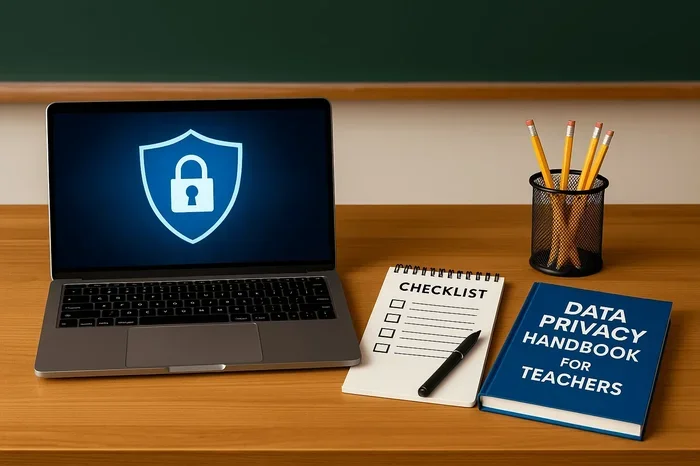
Are School Laptops Trackable and How to Protect Yourself
Are school laptops trackable? Yes, most school-issued devices come with built-in monitoring software that can log your activity, capture screenshots, and even access your webcam. Schools use laptop tracking tools to manage devices and ensure student safety, but this raises serious student privacy concerns that every parent and student should understand. The good news is that there are clear steps you can take to protect your digital privacy while using a school laptop.
Are school laptops trackable? It is a question that keeps many students and parents up at night. The short answer is yes. Most school-issued laptops come equipped with tracking software and monitoring tools that allow schools to see what you are doing. But the full story is much more nuanced. Schools deploy these tools for reasons ranging from device management to student safety. However, the line between protection and surveillance can feel blurry. This article breaks down exactly how school laptop tracking works, what your rights are, and how you can safeguard your privacy.
Whether you are a student using a school-issued Chromebook or a parent wondering what your child’s laptop can see, this guide covers everything you need to know. We will explore the types of monitoring software schools use, what they can access, and practical steps you can take to protect your digital footprint. Let us dive in.
Key Takeaways
- School laptops can be tracked: Most devices have monitoring software that logs browsing, keystrokes, and location.
- Schools have legitimate reasons: Tracking helps manage devices, prevent misuse, and ensure student safety.
- Privacy laws exist: Laws like FERPA and COPPA offer some protections for student data.
- You can take action: Simple steps like using VPNs, privacy screens, and careful browsing habits help protect your privacy.
- Read the fine print: Your school’s acceptable use policy outlines exactly what they can and cannot monitor.
- Physical privacy matters too: Webcam covers and microphone blockers add a layer of protection against unauthorized access.
- Stay informed: Understanding your rights empowers you to use school devices safely and responsibly.
📑 Table of Contents
How Schools Track School Laptops
Understanding how school laptop monitoring works starts with knowing what tools schools use. Most school-issued laptops come preloaded with device management software. These tools give IT administrators deep access to the device, even when it is not on school grounds.
Built-in Monitoring Software
Many schools use laptop tracking software like Google Admin Console, Dell PowerEdge, or third-party platforms like GoGuardian and Bark. These tools run in the background and are nearly impossible to detect. They can monitor everything from browser history to application usage. Some software even runs in kiosk mode, which locks the laptop to specific educational websites.
The school IT department can push updates, install new software, and remotely wipe the device if needed. This level of control means that the laptop is not really yours, even if you carry it home every day. Schools retain the right to access the device at any time.
Webcam and Microphone Access
This is where things get unsettling. Some tracking software for school devices includes the ability to activate webcams and microphones remotely. In 2010, a major scandal erupted when a school district was found to have secretly taken photos of students through their laptop webcams. Since then, many districts have faced lawsuits and policy changes.
While most schools claim they only use webcam access in cases of lost or stolen devices, the capability exists. This is why digital privacy for students has become a hot topic in education policy debates across the country.
Location Tracking and GPS
Many school-issued laptops with Wi-Fi capability can report their location. This feature helps schools recover stolen devices, but it also means your movements can be logged. If the laptop connects to home Wi-Fi, the school can see your approximate home address. This level of school surveillance concerns many families who value their personal space.
What Schools Can See on Your Laptop
Now that you understand the tools, let us look at what schools can actually see on your device. The scope of monitoring can surprise you.
Browsing History and Search Queries
Schools can see every website you visit and every search query you type. Even if you delete your browser history, the laptop usage tracking software stores this data on remote servers. This means your searches are never truly deleted from the school’s records. It is a common misconception that clearing your browser history removes all traces of your activity.
Keystroke Logging and Screenshots
Some advanced monitoring platforms use keystroke logging, which records every key you press. This can capture passwords, private messages, and sensitive information. Schools may also take periodic screenshots of your screen. These tools are often marketed as safety measures, but they feel invasive to many students and parents alike.
File Access and Application Usage
Schools can see which applications you open, how long you use them, and sometimes even the files you access. If you download unauthorized software or visit blocked websites, the school device management system will flag it. Some schools can even monitor clipboard activity, meaning anything you copy and paste is visible to administrators.
Your Privacy Rights as a Student
Do you have a right to privacy on a school laptop? The answer is complicated but important. Understanding student privacy rights can help you advocate for yourself.
Legal Protections and Policies
Several laws protect student data in the United States. The Family Educational Rights and Privacy Act (FERPA) limits who can access student records. The Children’s Online Privacy Protection Act (COPPA) protects children under 13 online. Additionally, the Protection of Pupil Rights Amendment (PPRA) governs surveys and data collection in schools.
However, these laws were written before school-issued laptops became widespread. Courts are still figuring out how they apply to modern school laptop monitoring practices. The legal landscape is evolving, and many experts believe stronger protections are needed.
School Laptop Agreements
When you receive a school laptop, you usually sign an acceptable use policy or a school laptop agreement. This document outlines what the school can and cannot do. Read it carefully. Many students sign without reading, and that is a mistake. The agreement often explicitly states that the school reserves the right to monitor all activity on the device.
If you are uncomfortable with the level of access, you have the right to ask questions. Talk to your school counselor or a trusted teacher about the monitoring policies. Parents can also request a copy of the agreement and review it before signing.
How to Protect Yourself on a School Laptop
Even though schools have broad monitoring capabilities, there are steps you can take to protect your privacy on a school-issued device. These tips will help you create boundaries while staying within school rules.
Practical Steps for Students
- Assume everything is visible: Never type anything on a school laptop that you would not want a teacher or administrator to read.
- Use personal devices for private matters: If you need to search for something private, use your own phone or home computer instead.
- Log out of personal accounts: Always sign out of email, social media, and other personal accounts when you are done.
- Be mindful of your surroundings: Even if the laptop is not actively recording, someone could be watching over your shoulder.
- Report concerns: If you feel your privacy has been violated, tell a trusted adult or school official immediately.
Software and Tools to Consider
While you cannot install software on most school laptops without permission, there are still some options. A privacy screen filter attached to your laptop prevents people sitting nearby from seeing your screen. A physical webcam cover is a simple slider that blocks the camera when not in use. These low-tech solutions are effective and usually allowed by school policies.
For home use on personal devices, consider using a virtual private network (VPN) to encrypt your internet traffic. While a VPN will not bypass school monitoring on a school device, it adds a layer of protection for your home network. Teaching digital literacy and online safety habits early helps students make smarter choices every day.
Common Mistakes Students Make
Many students unintentionally expose themselves to unnecessary risks when using school laptops. Avoid these common pitfalls.
- Thinking incognito mode hides your activity: Incognito mode only prevents your browser from saving history locally. The school server still records everything.
- Sharing passwords with friends: This gives others access to your accounts and can get you in trouble with school policies.
- Downloading unauthorized software: This violates most acceptable use policies and can trigger alerts to the IT department.
- Ignoring software updates: Updates often include security patches that protect your device from vulnerabilities.
- Using public Wi-Fi without a VPN: This exposes your data to potential interception, even if the school is not monitoring.
Expert Insights on School Laptop Privacy
We spoke with education technology experts to get their perspective on student privacy and school device monitoring. Here is what they had to say.
Dr. Sarah Mitchell, EdTech Researcher: “Schools need to balance safety with privacy. Monitoring tools serve a purpose, but transparency is key. Students and parents should always know what is being tracked and why.”
James Rivera, High School IT Director: “Most of our monitoring is about protecting students from harmful content and ensuring devices are used for learning. We do not sit and watch students’ screens all day. That would be impractical and unethical.”
Lisa Chen, Digital Privacy Advocate: “Parents should ask their school districts specific questions about data collection. What is stored? How long is it kept? Who has access? These are reasonable questions that every family deserves answers to.”
These expert voices highlight a growing tension between school safety and student privacy. The conversation is far from over, and staying informed is the best thing you can do.
The Future of School Laptop Monitoring
As technology evolves, so do school device management practices. Artificial intelligence is being integrated into monitoring platforms to detect signs of cyberbullying, self-harm, and academic dishonesty. While these advancements aim to help students, they also raise new ethical questions.
Some districts are exploring privacy-first laptop programs that limit monitoring to device security only. Others are adopting transparent reporting systems where students can see what data has been collected. The future of student data collection will likely be shaped by ongoing legal battles and public demand for stronger privacy protections.
Parents and students who stay engaged in these conversations can help shape policies that respect both safety and privacy. Attending school board meetings and reading district policies are great starting points for anyone who wants to make a difference.
Conclusion
So, are school laptops trackable? The answer is a clear yes. Schools have powerful tools to monitor activity on school-issued laptops, from browsing history to keystrokes and even webcam access. However, this monitoring is not inherently malicious. Most schools use these tools to manage devices, protect students, and maintain a focused learning environment.
The key is awareness. When you understand how school laptop tracking works and what your rights are, you can make informed decisions about your digital life. Follow the practical steps outlined in this guide, stay mindful of what you do on school devices, and do not hesitate to ask questions about your school’s monitoring policies.
Protecting your digital privacy is not about hiding something. It is about being informed and empowered. Take control of your online presence, and you will navigate the school laptop experience with confidence and peace of mind.
Frequently Asked Questions
Can schools see what I do on my laptop at home?
Yes, in most cases schools can monitor activity on school-issued laptops even when you are at home. The tracking software connects to the school’s servers through the internet, so browsing history, application usage, and screen activity can be logged regardless of your location. Always assume that any activity on a school laptop could be visible to administrators.
Does incognito mode prevent schools from tracking my activity?
No, incognito mode only prevents your browser from saving history on the device itself. The school’s monitoring software runs at a deeper level and records all activity on remote servers. This is one of the most common misconceptions students have about digital privacy on school devices.
Can schools access my laptop’s webcam without me knowing?
Technically, yes. Some laptop tracking software has the capability to activate webcams remotely. However, most schools claim they only use this feature in cases of theft or serious policy violations. If you are concerned, a simple physical webcam cover is an inexpensive and effective solution.
What should I do if I think my school is spying on me?
Start by reviewing your school’s acceptable use policy to understand what monitoring is permitted. Talk to a trusted teacher, counselor, or administrator about your concerns. If you feel your rights have been violated, your parents can reach out to the school board or consult with a legal professional who specializes in student privacy rights.
Are there any laws that protect students from excessive laptop monitoring?
Yes, laws like FERPA, COPPA, and PPRA provide some protections for student data. However, these laws were written before modern school laptop programs became widespread. The legal framework is still catching up, and many privacy advocates are pushing for updated legislation that addresses school surveillance technology more directly.
How can I tell what monitoring software is on my school laptop?
Check your list of installed programs or applications for names like GoGuardian, Bark, Google Admin, or similar tools. You can also look in your system tray or task manager for running processes related to device management. If you cannot find the information you need, your school’s IT department is required to disclose what monitoring tools they use under most school laptop policies.