Do Greyhound Coaches Have Wifi And How Fast Is It Now
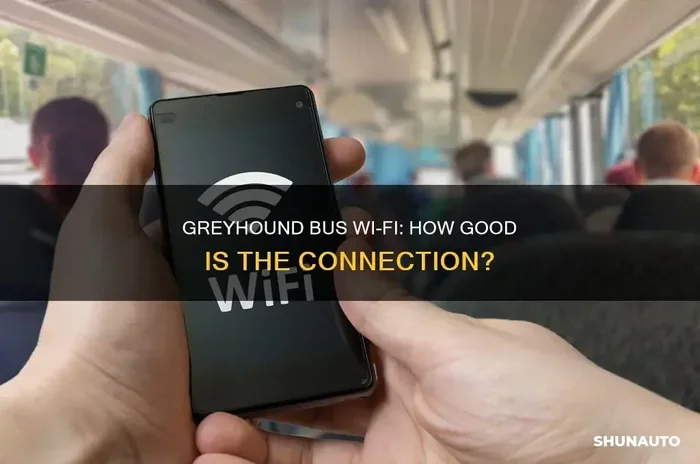
Do Greyhound coaches have WiFi? Yes, most Greyhound buses now offer free WiFi, but the speed and reliability vary widely. Greyhound WiFi has improved a lot in recent years, with many routes now offering usable speeds for browsing, streaming, and video calls. However, not every coach is fully equipped, and connection quality depends heavily on your route, location, and the technology installed on your specific bus.
So, do Greyhound coaches have WiFi? The short answer is yes. But the longer, more honest answer is that it depends on a lot of factors. If you have ever tried to get work done or binge a show on a Greyhound trip, you know the frustration of a spotty connection. You are not alone in wondering whether the WiFi situation has gotten better.
Greyhound is one of the largest bus companies in North America. Millions of people ride Greyhound every year. And these days, having internet access on the road is not a luxury anymore. It is a necessity for many travelers. Whether you need to finish a work project, stay in touch with family, or just scroll through social media, you want to know if your bus will have a solid connection.
The good news is that Greyhound has made real strides in improving its WiFi service. The company partnered with WiFi providers and upgraded its fleet over the past few years. But there are still gaps. Some routes offer lightning-fast connections while others feel like you are stuck in the 1990s with a dial-up modem. Understanding how the system works can save you a lot of disappointment.
In this guide, we will cover everything you need to know about Greyhound WiFi. We will talk about whether Greyhound coaches have WiFi, how fast it actually is, how to connect, and what you can realistically do with it. We will also share practical tips to get the best experience possible. Let us get into it.
Key Takeaways
- Greyhound offers free WiFi on most of its coaches, but speeds vary by route and bus.
- WiFi speeds range from slow to moderate, typically between 1 Mbps and 15 Mbps depending on your location.
- Streaming and video calls work on some routes but may struggle in rural or remote areas.
- Connecting is simple — just select the Greyhound network and follow the login page prompts.
- Dead zones and weak signals are common in mountainous or very rural areas.
- Bring a backup plan like downloaded content or a mobile hotspot for critical tasks.
- Greyhound WiFi has improved significantly since 2020 with updated hardware and partnerships.
📑 Table of Contents
- Do Greyhound Coaches Have Wifi?
- How Fast Is Greyhound WiFi Right Now?
- How To Connect To Greyhound WiFi
- What Can You Do With Greyhound WiFi?
- Common Greyhound WiFi Problems And How To Fix Them
- Tips For Getting The Best Greyhound WiFi Experience
- How Greyhound WiFi Compares To Other Bus WiFi Services
- Greyhound WiFi: What To Expect In 2024 And Beyond
- Final Thoughts
Do Greyhound Coaches Have Wifi?
The short answer is yes. Most Greyhound coaches now come equipped with WiFi. But the word “most” is doing a lot of heavy lifting here. Not every single bus in the Greyhound fleet has WiFi, and not every route gets the same quality of service.
Greyhound started rolling out WiFi across its fleet around 2017. The company partnered with WiFi service providers to offer internet access to passengers. Since then, the rollout has been ongoing. Newer buses tend to have better WiFi equipment. Older buses on less popular routes may still lack WiFi entirely or have outdated hardware.
Which Greyhound Routes Have WiFi?
WiFi availability depends heavily on the route. Major intercity routes like New York to Washington DC, Los Angeles to San Francisco, and Chicago to Detroit are more likely to have WiFi-equipped buses. These are high-demand routes, and Greyhound has invested more in upgrading the buses that serve these corridors.
Rural and less-traveled routes are a different story. If you are riding through remote areas with fewer passengers, the bus on that route might not have WiFi at all. Or if it does, the connection might be unreliable. Here are some general patterns to keep in mind:
- Major city-to-city routes: Almost always have WiFi.
- Cross-country routes: Usually have WiFi but speeds vary along the way.
- Short regional trips: WiFi availability is hit or miss.
- Rural routes: Often lack WiFi or have very weak signals.
The best way to confirm WiFi availability for your specific trip is to check when you book your ticket. Greyhound’s website and app usually list amenities for each route. You can also call Greyhound customer service directly to ask about the WiFi situation for your specific bus.
How Fast Is Greyhound WiFi Right Now?
This is the question everyone really wants answered. And honestly, the answer is not simple. Greyhound WiFi speed depends on several factors including your location, the number of passengers using the network, and the type of hardware on the bus.
Typical WiFi Speeds on Greyhound Buses
Based on passenger reports and informal speed tests, here is what you can generally expect from Greyhound WiFi:
- Download speeds: Usually between 1 Mbps and 15 Mbps.
- Upload speeds: Typically between 0.5 Mbps and 5 Mbps.
- Latency: Can be high, especially in rural areas.
- Consistency: Varies greatly from route to route.
In simple terms, the speed is good enough for basic tasks like email, browsing, and light social media use. But if you want to stream HD video or join a video call, you might run into problems. The connection can slow down significantly when multiple passengers are all trying to use the WiFi at the same time.
Why Greyhound WiFi Speed Varies
Several factors affect your Greyhound WiFi experience. Understanding these can help you set realistic expectations:
- Cellular tower coverage: Greyhound WiFi often relies on cellular data connections. If the bus is traveling through an area with weak cell coverage, your WiFi will be slow or non-existent.
- Number of users: More passengers connected means less bandwidth per person. A full bus of people all streaming videos will kill the speed for everyone.
- Bus hardware: Older buses have older WiFi routers. Newer buses have better equipment that can handle more users at faster speeds.
- Distance from cell towers: The further the bus is from the nearest cell tower, the weaker the signal and the slower the connection.
- Terrain: Mountains, valleys, and dense forests can block cell signals and kill your WiFi speed.
So when someone asks, “how fast is Greyhound WiFi,” the real answer is it depends on where you are going and what kind of bus you are on. The best approach is to plan for the worst and hope for the best.
How To Connect To Greyhound WiFi
Getting connected to Greyhound WiFi is pretty straightforward. But the exact steps can vary slightly depending on the bus and the WiFi provider. Here is the general process:
- Turn on your WiFi: Make sure your device’s WiFi is enabled.
- Find the network: Look for a network name that includes “Greyhound” or the name of the WiFi provider partner.
- Select the network: Tap or click on it to connect.
- Open your browser: A login page should pop up automatically. If it does not, try typing a website address into your browser.
- Accept the terms: Read through the terms of service and accept them to get connected.
- Start browsing: You should now be online.
Some passengers report that the login page does not always pop up automatically. If that happens, try typing “greyhound.com” or “wifi.greyhound.com” into your browser’s address bar. This should force the login page to appear.
Tips For A Smooth Connection
- Connect early: Do not wait until the bus is moving to try connecting. It is easier to get on the network while the bus is still at the station.
- Bring an Ethernet cable: Some Greyhound buses have USB ports or even Ethernet ports for a wired connection. This can be more reliable than WiFi.
- Check for updates: Make sure your device’s WiFi drivers and operating system are up to date before your trip.
- Disable auto-connect: If your phone keeps trying to connect to a saved network from a previous trip, it can cause connection issues. Turn off auto-connect for Greyhound WiFi when you are not on a bus.
What Can You Do With Greyhound WiFi?
Now that we have covered the basics, let us talk about what you can actually do with Greyhound WiFi. The honest answer is that it is good for some things and frustrating for others.
Things That Work Well
- Email and messaging: Checking and sending emails works fine on most routes.
- Web browsing: Reading articles, checking news, and light browsing are totally doable.
- Social media: Scrolling through feeds and posting updates works well for most of the trip.
- Music streaming: Streaming music at standard quality is usually fine.
- Document work: Writing emails, editing documents, and working on spreadsheets is manageable.
- Video calls on audio only: If you need to take a call, muting your video and using audio works better on slower connections.
Things That Are Hit Or Miss
- Video streaming: Standard definition video might work. HD streaming is a gamble and will likely buffer a lot.
- Video calls: These require a stable connection with decent upload speeds. Greyhound WiFi struggles with this on many routes.
- Online gaming: The high latency makes online gaming almost impossible on Greyhound buses.
- Large file uploads: Uploading photos or videos will be painfully slow on most connections.
The key takeaway is to manage your expectations. Greyhound WiFi is great for staying connected and handling light tasks. But if you need to do something that requires a fast, stable connection, you should have a backup plan.
Common Greyhound WiFi Problems And How To Fix Them
Even when Greyhound WiFi is available, it is not always smooth sailing. Passengers frequently run into issues. Here are the most common problems and what you can do about them.
Slow Speeds
Slow speeds are the number one complaint about Greyhound WiFi. When too many people are on the same network, the bandwidth gets split thin. The best way to deal with this is to download content before your trip. Load up your phone or laptop with movies, music, and documents you need before you leave.
You can also try disconnecting other devices from the WiFi network. If your phone is connected but you also have a tablet and laptop on the same network, that is three devices fighting for the same bandwidth. Keep only the device you are actively using connected.
Connection Drops
Greyhound WiFi connections can drop frequently, especially when the bus passes through areas with weak cell coverage. This is not something you can fix on your end. The only real solution is to wait it out or switch to offline mode on your apps.
One trick that helps is to toggle your WiFi off and back on when the connection drops. This forces your device to reconnect to the network and sometimes finds a stronger signal.
Login Page Not Loading
If the Greyhound WiFi login page will not load, try these steps:
- Clear your browser cache and cookies.
- Try a different browser.
- Type “greyhound.com” directly into the address bar.
- Turn your WiFi off and back on.
- Restart your device.
No WiFi Available At All
Sometimes there is simply no WiFi on the bus. This is more common on older buses and rural routes. If WiFi is essential for your trip, check the amenities when booking and consider booking a newer route or a premium service that guarantees WiFi.
Tips For Getting The Best Greyhound WiFi Experience
Want to make the most of Greyhound WiFi on your next trip? Here are some practical tips that real travelers swear by.
Download Everything Before You Go
This is the single best piece of advice anyone can give you. Before your trip, download all the content you want to access offline. This includes movies, TV shows, music, podcasts, maps, and documents. If the WiFi fails, you will still have everything you need.
Netflix, Spotify, and Apple Music all have offline download features. Google Maps lets you download offline maps for specific regions. Use these features to prepare for a trip where the WiFi might let you down.
Use A VPN
A Virtual Private Network can sometimes help improve your Greyhound WiFi experience. A VPN encrypts your data and can help bypass some network restrictions. Some passengers report that using a VPN gives them a more stable connection. It is worth trying if you are having trouble with the default connection.
Bring A Mobile Hotspot As Backup
If you absolutely need reliable internet, consider bringing a mobile hotspot device. You can use a portable hotspot with a SIM card to create your own WiFi network. This bypasses the Greyhound WiFi entirely and gives you your own connection.
Just keep in mind that your mobile hotspot will also depend on cell tower coverage. It will not work in areas with no cell signal. But for many travelers, a hotspot is a reliable backup that solves most WiFi problems.
Charge Your Devices
This sounds obvious, but it is worth saying. WiFi usage drains your battery faster. Make sure your phone, laptop, or tablet is fully charged before you board. Bring a portable charger if you have a long trip ahead. You do not want your device dying right when you need the internet most.
Be Considerate Of Other Passengers
Since everyone on the bus shares the same WiFi network, be mindful of your usage. Avoid downloading huge files or streaming HD video when others are also trying to use the connection. Keep your usage light and considerate. This helps everyone get a better experience.
How Greyhound WiFi Compares To Other Bus WiFi Services
Greyhound is not the only bus company offering WiFi. Understanding how it compares to competitors can help you set expectations and make informed travel choices.
| Bus Company | WiFi Available | Typical Speed | Reliability | Cost |
|---|---|---|---|---|
| Greyhound | Yes (most buses) | 1-15 Mbps | Moderate | Free |
| Megabus | Yes (most buses) | 2-10 Mbps | Moderate | Free |
| FlixBus | Yes (most buses) | 2-12 Mbps | Moderate | Free |
| Jefferson Lines | Yes (select buses) | 1-8 Mbps | Lower | Free |
| Peter Pan | Yes (select buses) | 1-10 Mbps | Moderate | Free |
As you can see, Greyhound WiFi is pretty standard compared to other bus companies. It is not the fastest or the most reliable, but it is free and available on most routes. If you need a faster or more consistent connection, you might want to consider bringing your own mobile hotspot or planning your work around the expected connection quality.
Greyhound WiFi: What To Expect In 2024 And Beyond
The WiFi situation on Greyhound buses is always evolving. The company continues to invest in upgrading its fleet and improving connectivity for passengers. Here is what you can expect going forward.
Greyhound has been working on upgrading its WiFi infrastructure. Newer buses are being equipped with better routers and stronger antennas. The company is also exploring partnerships with newer WiFi technology providers to offer faster and more reliable connections.
In the near future, we can expect Greyhound WiFi speeds to improve gradually. The rollout of 5G cell towers across North America will also benefit bus WiFi. Since many Greyhound buses rely on cellular data connections, faster 5G coverage in more areas means better WiFi for passengers.
However, it is important to remember that bus WiFi will never match home internet speeds. The nature of mobile connectivity means there will always be limitations. The best approach is to stay prepared, download offline content, and have a backup plan for when the WiFi falls short.
Final Thoughts
So, do Greyhound coaches have WiFi? Yes, they do. And the speed has improved over the years. Most Greyhound buses now offer free WiFi that is good enough for basic tasks like browsing, emailing, and light streaming. But the experience is far from perfect. Speeds vary, connections drop, and rural routes can be especially challenging.
The key to a good experience with Greyhound WiFi is preparation. Download your content ahead of time, bring a backup hotspot if you need reliable internet, and manage your expectations. Treat the WiFi as a nice bonus rather than a guarantee, and you will be much happier with your trip.
Greyhound WiFi has come a long way, and it continues to get better. The company is investing in its infrastructure, and new technology is making connections faster and more reliable every year. For now, just be smart about how you use it, and you will get by just fine.
Whether you are a frequent Greyhound rider or taking your first bus trip, knowing what to expect from the WiFi can make a huge difference. Plan ahead, stay connected where you can, and enjoy the ride.
Frequently Asked Questions
Is Greyhound WiFi really free?
Yes, Greyhound WiFi is free for all passengers on buses that are equipped with the service. There is no extra fee to connect. You simply select the Greyhound WiFi network on your device and follow the login prompts to get online.
Can I stream Netflix or Hulu on Greyhound WiFi?
It is possible but not reliable. Standard definition streaming might work on some routes, but HD streaming will likely buffer and struggle. The connection speed varies greatly depending on your location and how many people are using the WiFi. Download content before your trip for the best experience.
Why does Greyhound WiFi keep disconnecting?
Greyhound WiFi relies on cellular data connections, so it drops when the bus passes through areas with weak cell coverage. Mountains, rural areas, and tunnels are common culprits. Toggling your WiFi off and back on or restarting your device can sometimes help reconnect you to the network.
Can I use Greyhound WiFi for work meetings?
You can try, but it is not recommended for important meetings. The connection is often too slow and unstable for reliable video calls. If you must take a work call, use audio only and download any documents or materials beforehand in case the connection drops.
How do I know if my Greyhound bus has WiFi?
You can check the amenities for your specific bus when booking on the Greyhound website or app. You can also call Greyhound customer service to confirm WiFi availability for your route and bus. Look for the WiFi icon or amenity listing when you view your trip details.
What should I do if Greyhound WiFi is not working at all?
First, make sure your device’s WiFi is turned on and you are connected to the correct network. Try clearing your browser cache, using a different browser, or restarting your device. If nothing works, the bus may not have WiFi or the network may be down. In this case, use offline content or switch to your mobile data or a personal hotspot if you have one.
=== CONCLUSION ===
Do Greyhound coaches have WiFi? Yes, they do, and the connection has gotten better over the years. Greyhound WiFi is free, widely available, and good enough for light browsing and staying connected. But it is not perfect. Speeds vary, rural areas can be dead zones, and heavy use by multiple passengers slows things down.
The best way to handle Greyhound WiFi is to prepare ahead of time. Download your content, bring a backup hotspot if you need reliable internet, and keep your expectations realistic. With the right mindset and a little preparation, you can stay connected and productive on your Greyhound trip.
Traveling on a Greyhound bus does not mean you have to disconnect from the world. With Greyhound WiFi, you can stay in touch, get some work done, and keep yourself entertained on even the longest rides. Just remember to plan ahead, and you will be just fine.