Can You Boost A Wifi Antenna To Get Stronger Signal
Yes, you can boost a Wi-Fi antenna to get a stronger signal in your home or office. Whether you adjust placement, upgrade to a high-gain antenna, or add a signal booster, there are several practical ways to improve wireless coverage and network performance. This guide walks you through every option so you can choose the best fix for your Wi-Fi dead zones.
We have all been there. You are streaming your favorite show, and suddenly the buffer wheel appears. Or you are on a video call, and your connection drops right when you need it most. Frustrating, right?
The truth is, weak Wi-Fi signal ruins the experience. It slows downloads, kills video calls, and makes browsing feel like a chore. Many people assume they need to buy a whole new wireless router to fix the problem. But that is not always true.
Can you boost a Wi-Fi antenna to get a stronger signal? The short answer is yes. There are many ways to amplify your existing setup without breaking the bank. In this guide, we will walk through every option step by step. You will learn what works, what does not, and how to get the best wireless connectivity in your home.
Whether you are dealing with a Wi-Fi dead zone in the basement or slow Wi-Fi speed in the backyard, this article has you covered. Let us dive in.
Key Takeaways
- Boosting your Wi-Fi antenna is possible: You can improve signal strength through placement, hardware upgrades, and software tweaks.
- Antenna gain matters: Higher dBi ratings send signal farther but in a more focused direction.
- Cheap fixes work first: Repositioning your router and reducing interference often solve the problem without spending money.
- Signal boosters and extenders help: These devices rebroadcast your Wi-Fi to cover larger areas.
- Know when to upgrade: Old routers may need full replacement rather than just an antenna boost.
- DIY options exist: You can build simple reflectors or use free software to find the best channel.
- Safety is not a concern: Boosting a Wi-Fi antenna does not pose health risks at normal power levels.
📑 Table of Contents
- What Is a Wi-Fi Antenna and How Does It Work?
- Can You Actually Boost A Wifi Antenna?
- Types of Antenna Boosts You Can Try
- Best Ways to Improve Your Wi-Fi Signal
- Common Mistakes People Make When Boosting Wi-Fi
- When to Upgrade Instead of Boosting
- Is It Safe to Boost a Wi-Fi Antenna?
- Frequently Asked Questions
- Final Thoughts
What Is a Wi-Fi Antenna and How Does It Work?
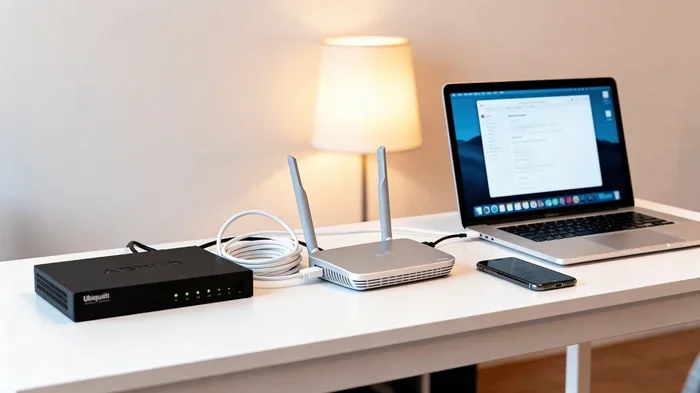
Before we talk about boosting, it helps to understand what a router antenna actually does. Think of it like a megaphone for your internet signal. Your wireless router sends out radio waves that carry data to your phone, laptop, and smart home devices.
The antenna shapes and directs those radio waves. Without it, the signal would scatter in every direction. With the right antenna, it travels farther and reaches more devices.
How Antenna Gain Works
Antenna gain is measured in dBi, which stands for decibels isotropic. A higher dBi number means the signal travels farther. But here is the catch. A high-gain antenna focuses the signal in one direction. It is like shining a flashlight beam instead of a light bulb.
For most homes, a standard omnidirectional antenna works great. It sends signal in all directions, like a light bulb. But if you need coverage in one specific area, a directional antenna can help. It pushes the signal further in a focused direction.
Why Antenna Quality Varies
Not all antennas are created equal. The ones that come with most routers are basic. They work fine for small spaces. But in larger homes or buildings with thick walls, they struggle. The signal weakens fast. This is where the idea of signal amplification comes in.
Upgrading or adjusting your antenna can make a real difference. It costs a fraction of what a new router would cost. And in many cases, it solves the problem entirely.
Can You Actually Boost A Wifi Antenna?
Let us get straight to the point. Can you boost a Wi-Fi antenna to get stronger signal? Yes, absolutely. There are several methods, and they range from free to affordable. The best approach depends on your situation and budget.
Here is what you need to know. Boosting does not always mean buying new hardware. Sometimes it is about adjusting what you already have. Other times, a small upgrade makes all the difference.
Free Methods That Work Immediately
Before you spend a single dollar, try these simple steps. They cost nothing and often produce surprising results.
- Move your router to a central location. Walls, floors, and furniture block signal. The more open space your router has, the better the coverage.
- Elevate the router. Place it on a shelf or table. Signals spread outward and downward. A low position on the floor limits reach.
- Keep it away from interference. Microwaves, baby monitors, and Bluetooth devices can disrupt your wireless router signal. Move it away from these devices.
- Adjust the antenna angle. If your router has two antennas, point one vertical and one horizontal. This improves coverage across different floors and rooms.
- Restart your router regularly. A simple reboot clears the cache and refreshes the connection. It is like giving your router a fresh start.
These tips address the most common causes of weak Wi-Fi signal strength. Many people never try them because they assume they need new equipment. Give them a shot first.
Affordable Hardware Upgrades
If the free methods do not solve the problem, consider a hardware upgrade. The good news is that these options are quite affordable.
- Replace the stock antenna. Most routers have removable antennas. You can unscrew the old one and attach a high-gain antenna. These cost between $10 and $30.
- Add a Wi-Fi extender. A Wi-Fi range extender picks up your existing signal and rebroadcasts it. It is an easy way to cover more area.
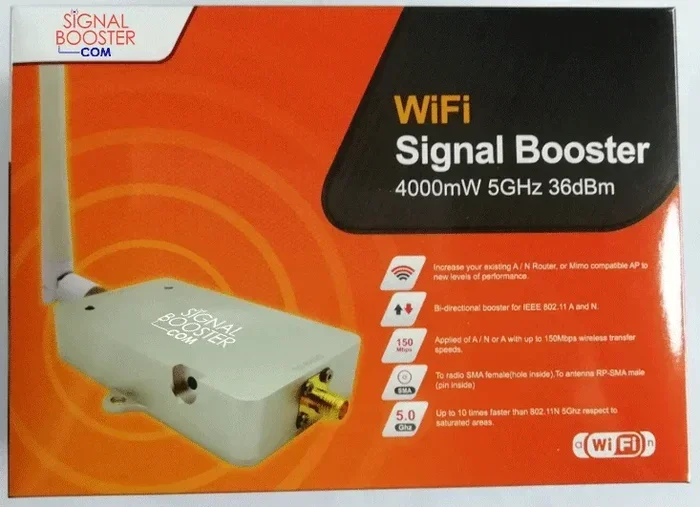
- Use a signal booster. A signal booster amplifies the existing signal and sends it to areas with weak coverage.
- Try a USB Wi-Fi adapter. If you are struggling with a specific device, a USB adapter with an external antenna can help that device connect better.
Each of these options targets a different part of the problem. The key is identifying where your weak spots are before choosing a solution.
Types of Antenna Boosts You Can Try
Not all boosts are the same. Different methods work for different situations. Let us break down the main types so you can pick the right one.
Omnidirectional Antenna Boost
An omnidirectional antenna sends signal in all directions, like a donut shape around the router. This is the standard type that comes with most routers. Upgrading to a higher-gain omnidirectional antenna increases your total coverage area.
This works best for homes with the router in the center. It spreads the signal evenly across rooms on the same floor. If you live in a single-story home or apartment, this is a great option.
Directional Antenna Boost
A directional antenna focuses the signal in one direction. Think of it like a satellite dish. It sends a strong beam to a specific area.
This is ideal for reaching a faraway part of your property. Say you have a detached garage or a backyard office. A directional antenna can push the signal right to that spot. Just keep in mind that it narrows the coverage area. You sacrifice some spread for more distance.
DIY Antenna Boost
Some people like to get creative with DIY solutions. A popular trick is the “cantenna.” This is a simple reflector made from a tin can or aluminum foil that focuses the signal.
You can also build a parabolic reflector using a wire coat hanger and a piece of cardboard. These DIY boosts are free and surprisingly effective for short-range improvements. They are not pretty, but they work.
Quick Tip: If you try a DIY boost, point the reflector toward the area where you need the strongest signal. Experiment with the angle until you get the best results.
Best Ways to Improve Your Wi-Fi Signal
Boosting the antenna is just one piece of the puzzle. There are other things you can do to improve your overall network performance. Let us look at the most effective strategies.
Change Your Wi-Fi Channel
Your router broadcasts on a specific channel. If your neighbors are using the same channel, there can be interference. This slows down your Wi-Fi speed and weakens the signal.
Most routers auto-select a channel. But auto mode is not always the best choice. You can log into your router settings and manually pick a less crowded channel. Tools like Wi-Fi Analyzer can help you find the best one.
Update Your Router Firmware
Router manufacturers release firmware updates that improve performance and fix bugs. An outdated router may not perform at its best. Check your router settings or the manufacturer’s website for updates.
This is a quick and free fix that many people overlook. A simple update can improve wireless coverage and stability.
Reduce Connected Devices
Every device connected to your network uses bandwidth. Smart TVs, phones, tablets, and smart home gadgets all compete for the same signal. The more devices, the weaker it gets for each one.
Try disconnecting devices you are not using. You can also set up a guest network for visitors. This keeps your main network less crowded and faster.
Consider a Mesh Network
If your home is large or has multiple floors, a single router may not be enough. A mesh network uses multiple nodes placed around your home to create seamless coverage.
Mesh systems are more expensive than simple boosters. But they provide a much better experience. There are no dead zones, and you do not have to switch networks as you move around the house.
Use Quality of Service Settings
Many modern routers have Quality of Service (QoS) settings. QoS lets you prioritize certain types of traffic. For example, you can give video calls and streaming higher priority over downloads.
This does not boost your signal directly. But it ensures that important activities get the bandwidth they need. The result is a smoother, more reliable connection.
Common Mistakes People Make When Boosting Wi-Fi
There are several mistakes that people make when trying to improve their Wi-Fi signal strength. Avoiding these can save you time, money, and frustration.
Placing the Router in a Closet or Cabinet
This is one of the most common mistakes. Walls, doors, and enclosed spaces block the signal. Your router needs open space to broadcast effectively. Keep it out in the open, preferably in a central location.
Buying the Wrong Antenna Type
Not every antenna works for every situation. A directional antenna will not help if you need coverage in all directions. And an omnidirectional antenna will not reach a faraway single room. Match the antenna type to your specific needs.
Ignoring Interference Sources
Even with a boosted antenna, interference from other electronics can ruin your signal. Microwaves, cordless phones, and even fluorescent lights can cause problems. Identify and move away from these sources.
Overlooking the Router Itself
Sometimes the antenna is not the problem. The router itself may be outdated. Older routers do not support modern channel bandwidth standards like Wi-Fi 6. In these cases, boosting the antenna will not help much. A full router upgrade is the better choice.
Expecting Magic From One Fix
Boosting your antenna is one tool in the toolbox. It is rarely the only fix you need. The best results come from combining multiple strategies. Adjust placement, reduce interference, update firmware, and then boost the antenna if needed.
When to Upgrade Instead of Boosting
Boosting works great in many situations. But there are times when a full upgrade is the smarter choice.
If your router is more than five years old, it may not support the latest wireless standards. Wi-Fi 6 and Wi-Fi 6E offer much faster speeds and better handling of multiple devices. No antenna boost can match the performance of a modern router.
Also, if you have tried every boost and extender option and still have dead zones, your router may simply not be powerful enough. In this case, a new router or a mesh system is the way to go.
Expert Insight: A good rule of thumb is to try all the free and low-cost fixes first. If those do not work, then consider a bigger investment like a new router or mesh system. This saves money and gives you the best return on your effort.
Is It Safe to Boost a Wi-Fi Antenna?
Many people worry about safety when boosting a Wi-Fi antenna. The short answer is yes, it is safe. The radio frequency energy from a home router is very low. It is far below levels that could cause any health concerns.
Even with a high-gain antenna, the power output remains within safe limits regulated by the FCC. You do not need to worry about radiation or other risks. Boosting your antenna is a safe and practical way to improve your wireless connectivity.
Just make sure you buy antennas from reputable brands. Cheap knockoff antennas may not meet safety standards. Stick with well-known manufacturers to ensure quality and safety.
Frequently Asked Questions
Can boosting a Wi-Fi antenna damage my router?
No, it cannot. As long as you use a compatible antenna with the correct connector type, it is perfectly safe. The router and antenna work together within standard power limits. There is no risk of damage from using a higher-gain antenna.
How much does a high-gain Wi-Fi antenna cost?
Most high-gain antennas cost between $10 and $50. You can find affordable options from brands like TP-Link, Netgear, and Hawking. The price depends on the dBi rating and build quality. A $20 antenna can make a noticeable difference in signal strength.
Will a Wi-Fi extender slow down my internet speed?
A Wi-Fi extender can reduce speed slightly because it rebroadcasts the signal. However, modern extenders are much better than older models. Look for an extender that supports the same speed standard as your router. This minimizes any speed loss. The trade-off of better coverage is usually worth the slight speed reduction.
What is the difference between a Wi-Fi booster and an extender?
The terms are often used interchangeably, but there is a subtle difference. A booster amplifies the existing signal. An extender rebroadcasts it to a new area. In practice, both serve a similar purpose. They help extend your wireless coverage to areas with weak signal.
Can I boost the antenna on a router with internal antennas?
If your router has internal antennas, you cannot replace them directly. However, you can still boost your signal using other methods. A Wi-Fi extender, mesh system, or powerline adapter can help. You can also adjust the router placement and settings to improve performance.
Does boosting a Wi-Fi antenna increase internet speed?
Boosting the antenna improves signal strength and range. It does not increase your internet speed from your ISP. Your speed is determined by your internet plan and modem. A stronger signal does mean fewer disconnections and more stable speeds, which can feel faster in real use.
Final Thoughts
Can you boost a Wi-Fi antenna to get stronger signal? Absolutely. Whether you use free placement tricks, a high-gain antenna replacement, or a signal booster, there are real solutions that work. The key is to start simple and build up from there.
Try repositioning your router first. Adjust the antenna angle. Reduce interference from other devices. These small changes can make a big difference. If you still need more, a hardware upgrade like a high-gain antenna or range extender can take your Wi-Fi signal strength to the next level.
Remember, boosting is not a one-size-fits-all fix. Every home is different. Your walls, furniture, and device count all play a role. But with the right approach, you can enjoy stronger, more reliable wireless connectivity in every room.
Take action today. Pick one or two tips from this guide and try them right away. You will be surprised how much better your network performance can be with just a few adjustments. Your home network deserves to work as hard as you do.