Can Wifi Owner See What Sites I Visit On Phone Now
Yes, a WiFi owner can potentially see what sites you visit on your phone, depending on the type of connection and security settings. While HTTPS encryption hides specific page content, the WiFi router logs can still reveal domain names and browsing patterns. Using a VPN, HTTPS-only mode, and other privacy tools significantly reduces what a network owner can track.
Do you ever wonder if the person who pays for your WiFi can peek at your browsing history? Maybe you are at a friend’s house, a hotel, or a coffee shop. You grab your phone and start surfing the web. A thought pops into your head: can wifi owner see what sites I visit on phone?
The short answer is yes. In many cases, the WiFi owner can see a surprising amount of your online activity. But the full picture is more nuanced than you might think. Let us walk through exactly how this works, what they can and cannot see, and what you can do to protect yourself.
Understanding WiFi privacy is more important than ever. We spend hours on our phones every day. We check email, browse social media, shop online, and read news articles. All of that activity passes through a router. And that router keeps records. Whether you are on a home network or a public hotspot, your browsing leaves a trail.
In this article, we will break down the technical details in plain language. You will learn about router logs, HTTPS encryption, DNS queries, and the best ways to stay private. By the end, you will know exactly what to do to guard your browsing data.
Key Takeaways
- WiFi owners can see your browsing history: The network administrator can access router logs that show domain names you visited, even if specific pages are hidden.
- HTTPS protects page-level detail: Secure websites encrypt your activity, so the owner sees the domain but not the exact pages or content.
- Incognito mode does not hide your activity from WiFi owners: It only prevents your browser from saving local history. The network still sees everything.
- A VPN is the best protection: It encrypts all your traffic, so the WiFi owner cannot see which sites you visit at all.
- DNS queries reveal your browsing: Every site you visit starts with a DNS lookup, and the router can log these requests unless you use encrypted DNS or a VPN.
- Public WiFi hotspots are the riskiest: Open networks without passwords offer zero privacy, making it easy for anyone monitoring the network to see your activity.
- Your ISP can also track your browsing: Even with a WiFi router, your internet service provider may log your traffic unless you use a VPN or encrypted DNS.
📑 Table of Contents
- How WiFi Networks Track Your Browsing
- What Can a WiFi Owner Actually See?
- Does Incognito Mode Hide Your Activity from WiFi Owners?
- How to Protect Your Browsing Privacy on WiFi
- Can the WiFi Owner See Your Activity on Messaging Apps?
- Who Else Can See Your Browsing History on WiFi?
- Comparison: What WiFi Owners Can See With and Without VPN
- Common Mistakes People Make About WiFi Privacy
- Expert Insights on WiFi Privacy
- Key Takeaways
- Conclusion
How WiFi Networks Track Your Browsing
Every time you open a website on your phone, your device sends a request. That request travels through the air to a router. The router forwards it to the internet. Then the website sends data back through the router to your phone. This whole process happens in milliseconds. But along the way, several things get recorded.
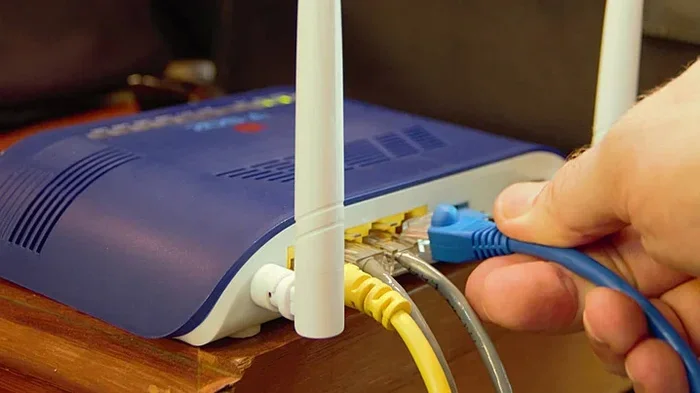
The WiFi owner controls the router. That gives them access to the logs. These logs are like a diary of everything that passes through the network. Let us look at the specific ways your activity gets tracked.
Router Logs and DNS Queries
Every time you type a web address or click a link, your phone performs a DNS lookup. DNS stands for Domain Name System. Think of it as the phonebook of the internet. Your phone asks, “Where is www.example.com?” The DNS server responds with an IP address.
Your WiFi router can log every single DNS query. That means the owner knows which domains you visited. They may not see the exact page or what you clicked on. But they absolutely know you visited facebook.com, amazon.com, or any other site. This is the most basic form of tracking.
Network Traffic Analysis
Beyond DNS logs, the WiFi owner can monitor network traffic. They can see how much data you send and receive. They can see when you are online and for how long. Some routers even track the total bandwidth used by each device. This gives the owner a pretty clear picture of your habits.
Tools like packet sniffers make this even easier. A network administrator can use software to capture and analyze data packets flowing through the router. This is called packet sniffing. It is a common practice in corporate and school networks.
What Can a WiFi Owner Actually See?
Now let us get specific. What exactly can the WiFi owner view when you browse the web on your phone? The answer depends on several factors. The type of website matters a lot. The security settings of the network matter too.
Domains You Visit
The WiFi owner can always see the domains you visit. If you go to youtube.com, they know you went to youtube.com. If you visit a news site, they see that domain in the router logs. This applies to both home networks and public WiFi hotspots.
The router does not care what device you are using. Whether you are on a phone, laptop, or tablet, the logs show the same information. The owner can often even identify your specific device by its MAC address.
Specific Pages and Content
Here is where things get interesting. If a website uses HTTPS (look for the padlock icon in your browser), the WiFi owner cannot see the specific pages you visit. They know you visited google.com. But they cannot see your search queries or which specific results you clicked.
HTTPS encrypts the data between your phone and the website. This is a huge privacy win. Most websites today use HTTPS by default. So the owner sees the domain name only. They do not see the full URL or the content of the page.
However, if a site uses plain HTTP (no padlock), the owner can see everything. They can read the full URL. They can see what you typed in forms. They can see images and text on the page. This is why HTTP sites are risky on shared networks.
Time and Duration of Visits
Even with HTTPS, the WiFi owner can see when you visited a site and how long you stayed. Router logs typically include timestamps. They show when each DNS query happened. By looking at the timing and frequency, the owner can build a profile of your browsing habits.
Files You Download
If you download a file over an HTTP connection, the WiFi owner can see the file name and size. On HTTPS connections, they see that a download happened but not the file details. This is another reason to make sure the sites you use have HTTPS.
Does Incognito Mode Hide Your Activity from WiFi Owners?
Many people think incognito mode or private browsing keeps them anonymous. It does not. Not from WiFi owners. Not from network administrators. Not from your internet service provider.
Incognito mode only does one thing. It prevents your browser from saving your local history, cookies, and site data. When you close the private window, your phone forgets what you did in that session.
But your phone still sends requests through the router. The DNS queries still happen. The network traffic still flows. The WiFi owner can see everything just as clearly as they would in normal browsing mode. Incognito mode is like cleaning up after yourself in your own room. It does not stop anyone outside from seeing you walk in and out.
This is one of the biggest misconceptions about online privacy. People feel safe in incognito mode and browse freely. But on a shared WiFi network, that sense of safety is false.
How to Protect Your Browsing Privacy on WiFi
The good news is that you have several powerful tools at your disposal. You can significantly reduce what a WiFi owner can see. Some methods are free. Some cost a little money. But all of them are worth the effort.
Use a VPN
A VPN, or Virtual Private Network, is the single best tool for WiFi privacy. When you connect to a VPN, it creates an encrypted tunnel between your phone and a remote server. All your traffic passes through this tunnel.
The WiFi owner only sees encrypted data. They cannot tell which websites you are visiting. They cannot see your DNS queries. They cannot analyze your traffic. All they see is a connection to a VPN server.
There are many VPN apps available for phones. Some are free, and some require a subscription. Popular options include ExpressVPN, NordVPN, and Surfshark. A good VPN masks your browsing activity completely from the network owner.
Quick Tip: Always choose a reputable VPN provider. Free VPNs sometimes log your data themselves, which defeats the purpose. Look for a provider with a strict no-logs policy.
Enable HTTPS-Only Mode
Most modern browsers have an HTTPS-only mode. When enabled, your browser will only connect to websites that support HTTPS. If a site only supports HTTP, the browser will refuse to load it or warn you.
This setting is available in Chrome, Safari, Firefox, and most other browsers. On your phone, you can usually find it in the privacy or security settings. Turning this on ensures that even if a WiFi owner monitors your traffic, they cannot read the content of your visits.
Use Encrypted DNS
DNS queries are one of the weakest links in WiFi privacy. By default, DNS requests are sent in plain text. Anyone on the network can see them.
Encrypted DNS fixes this problem. Protocols like DNS over HTTPS (DoH) and DNS over TLS (DoT) encrypt your DNS queries. This means the WiFi owner cannot see which domains you are looking up. Your phone talks directly to a secure DNS server, and the request is fully encrypted.
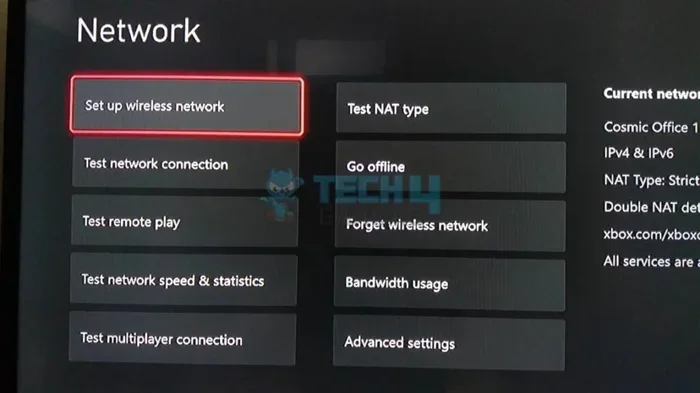
Both Android and iOS now support encrypted DNS. You can configure it in your network settings. Cloudflare (1.1.1.1) and Google (8.8.8.8) both offer encrypted DNS options.
Avoid Public WiFi When Possible
Public WiFi hotspots are the least secure option. Coffee shops, airports, and hotels often use open networks with no password. On these networks, anyone with basic tools can monitor traffic.
If you must use public WiFi, always use a VPN. Avoid logging into sensitive accounts like banking or email without VPN protection. Even HTTPS-only sites can be vulnerable to certain attacks on open networks.
Use Your Mobile Data Instead
If you are worried about privacy, switch to your mobile data plan. Your cellular network is much harder to monitor than a WiFi network. The WiFi owner has zero access to your data when you are on 4G or 5G.
Your mobile carrier can still see your traffic, of course. But that is a different conversation. For hiding activity from a WiFi owner, mobile data is the simplest solution.
Can the WiFi Owner See Your Activity on Messaging Apps?
Messaging apps are a big part of phone usage. Apps like WhatsApp, Signal, and Telegram use end-to-end encryption. This means even the app company cannot read your messages. The WiFi owner definitely cannot.
However, the owner can still see that you are using the app. They can see how much data you send and receive. They can see when you are active. They just cannot see the content of your conversations.
Apps that do not use end-to-end encryption are different. On regular SMS or unencrypted chat apps, the WiFi owner might be able to see message content if the connection is not properly secured. Always check that the app you use has strong encryption.
Who Else Can See Your Browsing History on WiFi?
The WiFi owner is not the only one who might be watching. Several other parties can potentially access your browsing data. It is important to understand the full picture.
Your Internet Service Provider (ISP)
Your ISP is the company that provides your internet connection. They route all your traffic through their servers. This means they can see your DNS queries and, in some cases, your browsing activity.
In many countries, ISPs are required by law to log browsing data. Even where it is not required, some ISPs collect data for advertising purposes. A VPN hides your activity from your ISP as well.
Government and Law Enforcement
In some regions, government agencies can request browsing logs from ISPs or network operators. This is more common in countries with strict internet surveillance laws. Using a VPN helps protect your data from these requests too.
Hackers on the Same Network
On public WiFi, other users on the same network can potentially intercept your traffic. This is called a man-in-the-middle attack. It is rare on well-secured networks but very possible on open hotspots. Again, a VPN protects you from this threat.
Comparison: What WiFi Owners Can See With and Without VPN
Here is a quick comparison to make the difference clear.
- Without VPN: The WiFi owner sees all DNS queries, domain names, visit times, data usage, and can analyze traffic patterns. On HTTP sites, they see everything including page content.
- With VPN: The WiFi owner sees only that you are connected to a VPN server. They cannot see any DNS queries, domain names, or browsing activity. All traffic is fully encrypted.
The difference is dramatic. A VPN transforms your privacy on a shared network almost completely. It is the most effective tool you can use.
Common Mistakes People Make About WiFi Privacy
Let us clear up a few common misunderstandings. These mistakes can leave your browsing exposed without you even knowing.
- Thinking incognito mode makes you invisible: It does not. It only hides your history on your device.
- Assuming all websites are secure: Not all sites use HTTPS. Always check for the padlock icon.
- Ignoring DNS settings: Default DNS is unencrypted. Switching to encrypted DNS adds a layer of protection.
- Trusting public WiFi networks: Open networks offer no privacy. Treat them as completely exposed.
- Believing HTTPS hides your domain visits: HTTPS hides page-level detail, but the domain name is still visible to the WiFi owner.
Avoiding these mistakes puts you ahead of most internet users. Privacy is not about being paranoid. It is about being informed and taking simple precautions.
Expert Insights on WiFi Privacy
Cybersecurity experts consistently recommend using a VPN on any network you do not fully trust. The Electronic Frontier Foundation, a leading digital rights organization, advises users to enable HTTPS-only mode and use encrypted DNS as baseline practices.
“The biggest misconception is that people think their browsing is private just because they are on their own phone,” says a network security analyst. “The reality is that the network owner has access to a wealth of metadata. Even if the content is encrypted, the patterns of your activity are visible.”
Experts also emphasize that privacy is layered. No single tool is perfect. But combining a VPN, encrypted DNS, HTTPS-only mode, and smart browsing habits creates a strong defense against unwanted tracking.
Another key insight from security professionals is about router firmware. Many people never update their router’s software. Outdated firmware can have vulnerabilities that make it easier for attackers to access logs or even manipulate the network. Keeping your router updated is a simple but effective step.
Key Takeaways
- WiFi owners can see your browsing history: The network administrator can access router logs that show domain names you visited, even if specific pages are hidden.
- HTTPS protects page-level detail: Secure websites encrypt your activity, so the owner sees the domain but not the exact pages or content.
- Incognito mode does not hide your activity from WiFi owners: It only prevents your browser from saving local history. The network still sees everything.
- A VPN is the best protection: It encrypts all your traffic, so the WiFi owner cannot see which sites you visit at all.
- DNS queries reveal your browsing: Every site you visit starts with a DNS lookup, and the router can log these requests unless you use encrypted DNS or a VPN.
- Public WiFi hotspots are the riskiest: Open networks without passwords offer zero privacy, making it easy for anyone monitoring the network to see your activity.
- Your ISP can also track your browsing: Even with a WiFi router, your internet service provider may log your traffic unless you use a VPN or encrypted DNS.
Conclusion
So, can wifi owner see what sites I visit on phone? The honest answer is yes, in most cases. Without extra protection, the WiFi owner can see which domains you visit, when you visit them, and how much data you use. On HTTP sites, they can see even more.
But you are not powerless. A VPN gives you strong encryption that blocks the WiFi owner from seeing anything. Encrypted DNS hides your domain lookups. HTTPS-only mode ensures your content stays private. Together, these tools create a solid privacy shield.
The internet is a wonderful tool. But it is important to understand who can see what you do online. Taking a few minutes to set up privacy protections on your phone can make a huge difference. Your browsing history is your business. Keep it that way.
Start today. Check your browser settings. Consider a VPN. Switch to encrypted DNS. Small changes add up to big privacy gains. And once you know how WiFi tracking works, you can browse with confidence no matter where you connect.
Frequently Asked Questions
Can WiFi owner see my browsing history if I use HTTPS?
They can see the domain names you visit but not the specific pages or content. HTTPS encrypts the data between your phone and the website. So the WiFi owner knows you visited facebook.com but cannot see what you posted or read.
Does clearing my browser history remove it from the WiFi router?
No. Clearing your browser history only deletes local data on your phone. The WiFi router keeps its own logs independently. Those logs are not affected by what you do on your device.
Can the WiFi owner see my search queries on Google?
If you use HTTPS (which Google does by default), the owner cannot see your specific search queries. They only see that you visited google.com. The queries themselves are encrypted and hidden from network monitoring.
Is it legal for a WiFi owner to monitor browsing activity?
It depends on your location and the network type. On a home network you own, it is generally legal. On employer or public networks, monitoring policies vary by jurisdiction. Many places require notice that users are being monitored.
Can a WiFi owner see what I do on apps?
It depends on the app. Apps that use HTTPS encrypt your traffic, so the owner sees the domain but not the content. Apps without encryption may expose more data. Messaging apps with end-to-end encryption hide content completely from the WiFi owner.
Will a VPN completely hide my browsing from the WiFi owner?
Yes, a reliable VPN encrypts all your traffic. The WiFi owner can only see that you are connected to a VPN server. They cannot see which websites you visit, your DNS queries, or any of your browsing activity. This is the most effective privacy tool available.