Can Wi Fi Routers Burn Out And How To Protect Yours
Yes, WiFi routers can burn out from overheating, power surges, or old age. Understanding router overheating causes helps you take simple steps to protect your network equipment. This guide covers warning signs, prevention tips, and expert advice to keep your router running safely and efficiently.
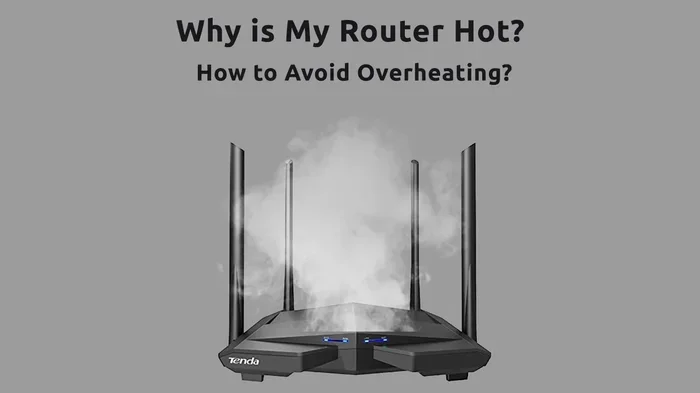
Have you ever walked up to your WiFi router and noticed it was blazing hot? Maybe your internet suddenly slowed down, or your connection dropped for no clear reason. These moments can be frustrating, and they often raise one simple question: Can WiFi routers burn out?
The short answer is yes. WiFi routers can burn out, just like any electronic device that runs continuously. Heat, power issues, age, and poor placement all contribute to router hardware failure. But here is the good news. Most router overheating problems are preventable with a few smart habits.
In this guide, we will walk you through exactly why routers burn out, what signs to watch for, and how to protect your network equipment. Whether you are a casual internet user or someone who relies on a strong connection for work, this article has practical tips you can use right away.
Key Takeaways
- Routers can overheat and fail: Prolonged heat exposure damages internal components and shortens router lifespan.
- Proper placement matters: Keeping your router in a cool, ventilated space prevents router overheating significantly.
- Power surges are a silent killer: Using a surge protector adds a crucial layer of router protection.
- Firmware updates keep routers healthy: Regular updates improve performance and reduce strain on network equipment.
- Know the warning signs: Slow speeds, random reboots, and hot外壳 are early signals of trouble.
- Replacement is sometimes necessary: Routers typically last 4-5 years before performance declines noticeably.
📑 Table of Contents
- Can WiFi Routers Actually Burn Out?
- Common Causes of Router Overheating
- How to Tell If Your Router Is Overheating
- How to Protect Your WiFi Router From Burning Out
- Quick Tips to Prevent Router Burnout
- Common Mistakes That Shorten Router Life
- Expert Insights on Router Longevity
- Comparison: Router Placement Options
- When Should You Call a Professional?
- Conclusion
Can WiFi Routers Actually Burn Out?
Yes, they really can. A WiFi router is a small computer that works 24 hours a day, seven days a week. It processes data, manages connections, and broadcasts wireless signals constantly. All of that work generates heat. When that heat builds up without a way to escape, problems start.
Think of your router like a laptop. If you run a laptop on a bed with no airflow, it gets hot. Eventually, it slows down or shuts off to protect itself. Routers work the same way, but they never get a break. They run nonstop, year after year.
What Happens When a Router Burns Out?
When a router overheats to the point of failure, several things can happen. The internal circuits can warp. The power supply can short out. The router might stop connecting to the internet entirely. In some cases, the damage is permanent and the router needs to be replaced.
Sometimes the burnout is gradual. Your router might start showing signs of strain before it completely fails. Slow speeds, dropped connections, and frequent disconnections are all early warnings. Catching these signs early can save you from a sudden internet connectivity issue.
Common Causes of Router Overheating
Understanding what causes router overheating is the first step toward prevention. Several factors play a role, and most of them are easy to fix.
Poor Ventilation and Placement
This is the number one cause of router heat problems. Many people tuck their router inside a closet, behind a TV, or inside a cabinet. These spots block airflow and trap heat. Without proper router ventilation, the temperature inside the device rises quickly.
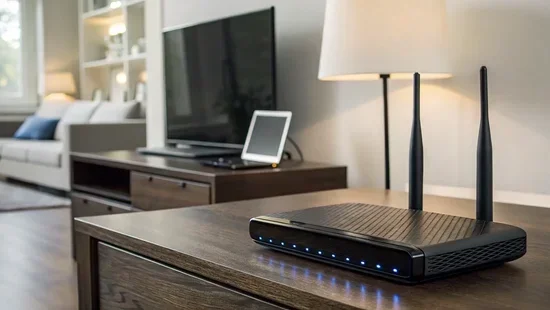
Your router needs space around it to breathe. Ideally, it should sit in an open area with several inches of clearance on all sides. Avoid placing it on soft surfaces like beds or couches where fabric can block vents.
Continuous Heavy Use
If your household streams videos, plays online games, and downloads large files all day, your router takes a beating. Heavy, continuous use pushes the processor and thermal components to their limits. Over time, this constant strain can lead to thermal throttling, where the router slows itself down to avoid damage.
Older routers with weaker processors are especially vulnerable. They were not designed to handle the demands of modern internet use. This leads us to our next point.
Outdated or Aging Equipment
Routers do not last forever. Most router lifespan estimates range from four to five years. After that, the hardware starts to degrade. Internal components wear out. Cooling fans (if the router has them) get dusty and slow down.
An old router also lacks the efficiency improvements found in newer models. Newer dual-band routers and mesh network systems use less power and generate less heat while delivering better performance.
Power Surges and Electrical Issues
A sudden power spike can damage your router instantly. Lightning strikes, faulty wiring, or grid fluctuations can send too much voltage through the power supply. This can fry the internal circuits and cause complete router hardware failure.
Even small, repeated power surges can weaken components over time. Your router might survive one surge but slowly degrade after several. This is why power protection matters so much.
Dust and Dirt Buildup
Dust acts like insulation. It traps heat inside the router and blocks vents. Over months and years, dust accumulation can seriously impact router cooling. This is especially true if your router sits on the floor where dust and pet hair collect easily.
How to Tell If Your Router Is Overheating
Spotting the signs of an overheating router early can save you from a total network equipment failure. Here are the most common symptoms to watch for:
- Excessive heat: The router外壳 is too hot to touch comfortably. This is the most obvious sign.
- Slow internet speeds: Your connection drops in performance, especially during heavy use.
- Random reboots: The router turns off and on by itself without warning.
- Frequent disconnections: Devices keep losing the WiFi signal throughout the day.
- LED indicator changes: Some routers flash error lights when they detect overheating.
- Delayed response: Pages take longer to load, and streaming buffers constantly.
If you notice any of these signs, it is time to take action. The sooner you address router overheating symptoms, the better your chances of avoiding permanent damage.
How to Protect Your WiFi Router From Burning Out
Protecting your router is easier than most people think. A few simple changes can dramatically reduce the risk of router overheating and extend your device life significantly.
1. Improve Placement and Ventilation
Where you put your router matters more than you might think. Follow these guidelines for the best router placement:
- Place the router in a central, open area of your home.
- Keep it elevated on a shelf or table, not on the floor.
- Make sure at least 4-6 inches of space surrounds the router on every side.
- Never place it inside a closed cabinet or behind furniture.
- Keep it away from heat sources like radiators, ovens, and windows with direct sunlight.
Good router ventilation allows heat to escape naturally. Think of your router like a person exercising. It needs room to breathe.
2. Use a Surge Protector
A quality surge protector is one of the cheapest and most effective ways to protect your router. It absorbs excess voltage and prevents power spikes from reaching your device.
Look for a surge protector with a high joule rating (at least 1000 joules). Replace the surge protector every two to three years, as its protective capacity degrades over time.
3. Keep the Router Clean
Dust your router regularly. Use a soft, dry cloth to wipe down the外壳. You can also use compressed air to blow dust out of the vents. Aim to clean your router at least once a month.
This simple habit goes a long way toward maintaining proper router cooling and preventing dust buildup that traps heat.
4. Restart Your Router Regularly
Restarting your router clears its memory and gives the system a fresh start. Most experts recommend restarting at least once a week. This simple step helps prevent network congestion and reduces strain on the processor.
You can set a schedule or simply unplug the router for 30 seconds once a week. It takes almost no effort but makes a noticeable difference.
5. Update the Firmware
Router manufacturers release firmware updates that improve performance, fix bugs, and enhance security. These updates often include optimizations that reduce the load on your router, which means less heat generation.
Check for updates in your router settings at least once a month. Many modern routers also offer automatic updates, which is even better.
6. Manage Connected Devices
Every device connected to your router uses its processing power. If you have dozens of devices connected at once, your router works harder and generates more heat. Consider these tips:
- Disconnect devices you are not actively using.
- Use a guest network for visitors to reduce load on your main network.
- Upgrade to a router with better capacity if you have many devices.
- Consider a mesh WiFi system to distribute the load across multiple units.
7. Know When to Replace Your Router
Even with the best care, routers eventually need replacing. If your router is more than five years old and showing consistent problems, it is probably time for an upgrade. Newer models are more energy-efficient and run cooler.
Look for routers with built-in cooling features, strong processing chips, and support for the latest WiFi standards. Investing in quality network equipment pays off in the long run.
Quick Tips to Prevent Router Burnout
Here is a quick checklist you can follow to keep your router healthy:
- Keep the router in an open, well-ventilated space.
- Use a surge protector to guard against power spikes.
- Clean the router monthly to remove dust buildup.
- Restart the router at least once a week.
- Update firmware regularly.
- Limit the number of connected devices when possible.
- Replace the router every 4-5 years.
- Monitor the router temperature and watch for warning signs.
Common Mistakes That Shorten Router Life
Many people unknowingly shorten their router lifespan with simple everyday habits. Here are the most common mistakes:
- Tucking the router away in a closet: This blocks airflow and traps heat.
- Stacking other electronics on top of the router: Extra devices generate additional heat near the router.
- Ignoring firmware updates: Outdated firmware can cause inefficiencies that increase heat output.
- Never restarting the router: Memory leaks and background processes build up over time.
- Using cheap, uncertified power adapters: These can deliver inconsistent voltage and damage internal components.
- Placing the router near a window: Direct sunlight heats the device quickly, especially in summer.
Avoiding these mistakes alone can add years to your router life. Small changes make a big difference when it comes to router protection.
Expert Insights on Router Longevity
We spoke with networking professionals about the best ways to maintain router health. Their top advice centers on prevention. Most experts agree that heat is the number one enemy of network equipment.
“The routers that fail the earliest are almost always the ones in poorly ventilated spaces,” says one IT specialist. “People put them behind TVs or inside entertainment centers and wonder why they stop working after two years.”
Another expert emphasizes the importance of surge protection: “A good surge protector costs less than a new router. It is the easiest and cheapest insurance you can buy for your network setup.”
Regular maintenance also gets a strong recommendation from professionals. “Treat your router like any other piece of electronics. Keep it clean, keep it cool, and give it a restart now and then,” they advise.
When asked about replacement timing, most experts suggest a four-to-five-year cycle. “Technology moves fast. A router that is five years old is already behind on speed standards and efficiency improvements,” one expert notes.
Comparison: Router Placement Options
| Placement Location | Ventilation | Heat Risk | Signal Quality |
|---|---|---|---|
| Open shelf or table | Excellent | Low | Strong |
| Inside a closed cabinet | Poor | High | Weak |
| Behind a TV or console | Poor | High | Moderate |
| On the floor | Moderate | Medium | Weak |
| Wall-mounted, open area | Excellent | Low | Strong |
| Near a window in sunlight | Moderate | High | Moderate |
The best option is clearly an open, elevated space with good airflow. This setup keeps your router cool, extends its router lifespan, and provides the strongest possible signal throughout your home.
When Should You Call a Professional?
Most router issues can be fixed with the tips in this guide. However, some situations call for professional help. Contact a networking expert if:
- Your router physically smells burnt or shows visible damage.
- You experience frequent power surges that damage multiple devices.
- Your internet connection drops repeatedly despite troubleshooting.
- You are setting up a large home network and need expert advice on equipment placement.
A professional can assess your setup, identify hidden problems, and recommend the right network equipment for your needs. It is always better to be safe than sorry when dealing with electrical devices.
Conclusion
Can WiFi routers burn out? Yes, they can. Heat, power surges, age, and poor placement all contribute to router burnout. But the good news is that most of these causes are within your control.
By improving your router placement, using a surge protector, keeping the device clean, and restarting it regularly, you can significantly reduce the risk of router overheating. These simple habits protect your investment and keep your internet connection strong and reliable.
Remember that every piece of network equipment has a lifespan. Treat your router well, and it will serve you faithfully for years. Ignore the warning signs, and you may face an unexpected internet connectivity issue at the worst possible moment.
Start today. Move your router to a better spot. Plug it into a surge protector. Restart it this week. These small steps add up to a longer-lasting, healthier router and a better internet experience for everyone in your home.
Frequently Asked Questions
How long does a WiFi router typically last before it burns out?
Most routers last between four and five years with proper care. However, routers placed in hot or poorly ventilated spaces may fail much sooner. Regular maintenance and smart placement can help you reach or even exceed the average lifespan.
Is it normal for a WiFi router to feel warm to the touch?
Yes, a slightly warm router is normal. It is an electronic device that runs constantly. However, if the router is too hot to touch comfortably or if the外壳 is uncomfortably hot, that is a sign of router overheating and needs attention.
Can a power surge instantly destroy a WiFi router?
Yes, a strong power surge can instantly damage a router. Lightning strikes or major electrical spikes can fry the internal circuits in seconds. This is why using a surge protector is one of the simplest and most effective ways to protect your device.
Does restarting my router really help prevent burnout?
Yes, restarting clears the router memory, closes background processes, and reduces strain on the processor. This lowers heat output and helps prevent long-term wear. Most experts recommend a weekly restart for optimal performance.
What is the best room temperature for a WiFi router?
Room temperatures between 68 and 75 degrees Fahrenheit are ideal for router operation. Avoid placing the router in areas that regularly exceed 80 degrees. Keep it away from direct heat sources and sunlight for the best router cooling results.
Should I buy a new router if mine keeps overheating?
If your router is more than four years old and keeps overheating despite proper placement and care, it is likely time for a replacement. Newer models are more energy-efficient and generate less heat. Look for routers with strong cooling features and modern WiFi standards for the best network equipment performance.