Are Hdmi Splitters Effective For Your Home Theater
HDMI splitters let you send one video source to multiple screens, but their effectiveness depends on the type, quality, and setup. A good HDMI splitter preserves resolution, reduces signal loss, and supports features like 4K and HDR. This guide breaks down everything you need to know about HDMI splitters so you can make a confident choice for your home theater.
Key Takeaways
- HDMI splitters work well when you choose the right type for your setup and needs.
- Active splitters are more reliable than passive ones for longer cable runs and multiple displays.
- Signal loss is a common problem, but using powered splitters and quality cables reduces it significantly.
- 4K HDMI splitters support high resolution and HDR, but not all splitters handle these features equally.
- HDCP compliance matters — an incompatible splitter can block content from playing on your screens.
- HDMI splitters vs. HDMI switches serve different purposes, and mixing them up leads to frustration.
- Proper setup and cable management make any HDMI splitter far more effective.
📑 Table of Contents
- What Are HDMI Splitters and How Do They Work?
- Are HDMI Splitters Effective for Home Theater?
- Types of HDMI Splitters You Should Know
- Quick Tips for Choosing the Right HDMI Splitter
- HDMI Splitters vs HDMI Switches — What Is the Difference?
- Common Mistakes People Make with HDMI Splitters
- Expert Insights on HDMI Splitter Effectiveness
- How to Get the Most Out of Your HDMI Splitter
- Conclusion
What Are HDMI Splitters and How Do They Work?
If you have ever wanted to watch the same movie on two TVs at the same time, you have probably wondered about HDMI splitters. These small devices take a single HDMI signal from a source and split it into multiple outputs. The result is that the same content appears on all connected screens.
The concept sounds simple. And in many ways, it is. But the real-world performance depends on several factors. The quality of the splitter, the length of your cables, and the resolution you are using all play a role. Let us break down exactly how these devices work and what you should expect.
How a Basic HDMI Splitter Functions
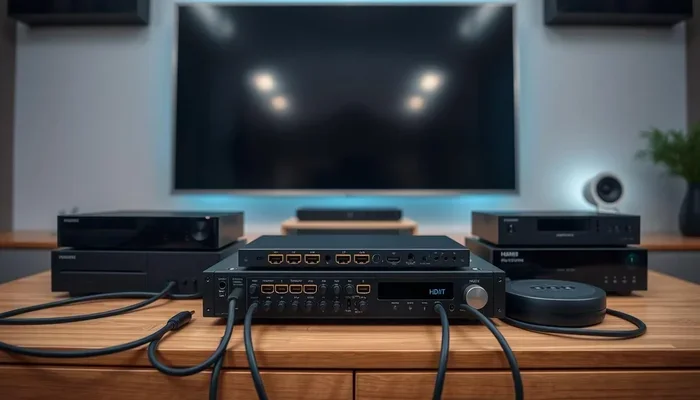
A basic HDMI signal splitter receives a video and audio stream from one device. That device could be a Blu-ray player, a gaming console, or a streaming box. The splitter then duplicates that signal and sends it out through two or more HDMI outputs.
Think of it like a water pipe splitting into two streams. The water pressure stays the same at the source, but each branch carries a copy of the flow. In the same way, each output on a HDMI splitter carries the full resolution and audio of the original signal.
Most splitters come with at least two outputs. Some models offer four or even eight outputs. The more outputs you need, the more important it becomes to invest in a quality unit.
Active vs Passive HDMI Splitters
There are two main types of HDMI splitters: active and passive. Understanding the difference is essential for making the right choice.
Passive splitters do not need external power. They simply divide the incoming signal and send it to each output. These are cheap and work fine for short distances. But they often lose signal strength when you run long cables or connect multiple displays.
Active splitters, on the other hand, use a power source to boost the signal. This makes them far more reliable for home theater setups where screens are spread across a room. They maintain strong resolution and reduce signal loss over longer cable runs.
Quick Tip: If you are running cables longer than 15 feet, always choose an active HDMI splitter. Passive models will struggle with signal integrity at that distance.
Are HDMI Splitters Effective for Home Theater?
The short answer is yes. HDMI splitters are effective for most home theater applications. But effectiveness means different things to different people. For some, it means watching the same movie in two rooms. For others, it means running a gaming console to both a TV and a projector without quality loss.
Let us look at what makes a HDMI splitter effective and where you might run into trouble.
What to Expect from HDMI Splitter Performance
A well-chosen HDMI splitter delivers clean, crisp video and audio to every connected display. You should see no drop in resolution or frame rate. The audio should remain synchronized with the video on all screens.
For a typical home theater setup, you want a splitter that supports at least 1080p or 4K resolution. It should also handle HDR (High Dynamic Range) if your content uses it. The best HDMI splitters on the market today handle all of this without any extra fuss.
Here is what a high-quality HDMI splitter should deliver:
- Full resolution support up to 4K at 60Hz
- HDR compatibility for brighter, more vivid colors
- Audio passthrough without lag or distortion
- Stable signal across all outputs simultaneously
- HDCP compliance for playing protected content like Netflix and Blu-ray discs
Common Issues with HDMI Splitters
Even the best HDMI splitters can cause problems if you do not set them up correctly. Here are the most common issues people face:
- No signal on one or more displays — Often caused by a faulty cable or an incompatible splitter.
- Resolution drops — A cheap splitter might force all screens to a lower resolution than your source supports.
- Audio sync problems — Some splitters introduce a slight delay between video and audio.
- HDCP errors — If your splitter does not support HDCP, it will block copyrighted content from playing.
- Signal degradation over distance — Long, unshielded cables weaken the signal before it reaches your TV.
Most of these issues are avoidable. Choosing a reputable brand and using quality cables solves the majority of problems.
Types of HDMI Splitters You Should Know
Not all HDMI splitters are created equal. Different models serve different needs. Understanding the types available helps you pick the right one for your home theater setup.
1×2 HDMI Splitters
The 1×2 HDMI splitter is the most popular option. It takes one input and creates two outputs. This is ideal for most people who want to mirror content to two screens. Whether you want to watch TV in the kitchen and living room simultaneously or display the same presentation in two conference rooms, a 1×2 splitter handles the job well.
1×4 and Higher HDMI Splitters
If you need more screens, 1×4 HDMI splitters and higher models are available. These split one source into four, six, or even eight displays. They are common in retail stores, restaurants, and large home theaters with multiple viewing zones.
Keep in mind that splitting a signal into more outputs can reduce signal strength. For this reason, always go with an active HDMI splitter when using four or more outputs. The built-in amplification keeps every display running at full quality.
4K HDMI Splitters
4K HDMI splitters are designed for users who demand the highest resolution. These splitters support Ultra HD content at up to 4K resolution and often include HDR10 and Dolby Vision support. They are essential for anyone building a modern home theater setup with 4K TVs or projectors.
When shopping for a 4K HDMI splitter, look for these specifications:
- Support for 4K at 60Hz
- HDR10 and Dolby Vision compatibility
- HDCP 2.2 support for 4K protected content
- Built-in signal amplifier for long cable runs
- Multiple output options (2, 4, or more)
Quick Tips for Choosing the Right HDMI Splitter
Shopping for an HDMI splitter can feel overwhelming with so many options available. Use these quick tips to narrow your choices and find the best fit.
- Match the splitter to your resolution. If you have 4K TVs, buy a 4K HDMI splitter. Do not settle for a 1080p-only model.
- Choose active over passive. Active HDMI splitters provide better signal strength and reliability, especially for longer cable runs.
- Check HDCP support. If you plan to watch Netflix, Amazon Prime, or Blu-ray discs, make sure your splitter supports HDCP 2.2 or higher.
- Count your outputs carefully. Buy a splitter with the exact number of outputs you need. Daisy-chaining splitters creates more problems than it solves.
- Read reviews. Real user feedback reveals signal quality, durability, and ease of use better than any product description.
- Consider audio needs. Some splitters extract audio to optical or analog outputs. This is handy if you want sound from a separate soundbar or speaker system.
HDMI Splitters vs HDMI Switches — What Is the Difference?
People often confuse HDMI splitters with HDMI switches. These two devices do opposite things, and using the wrong one can cause big headaches.
HDMI splitters take one input and send it to multiple outputs. They duplicate the signal. You use them when you want the same content on several screens.
HDMI switches take multiple inputs and send them to a single output. They let you choose which device to display. You use a switch when your TV has too few HDMI ports for all your devices.
Here is a quick comparison:
- HDMI Splitter: 1 input → 2 or more outputs. Duplicates the signal across all screens.
- HDMI Switch: 2 or more inputs → 1 output. Lets you select which device to view.
Quick Tip: If you want to watch a cable box on your bedroom TV and your living room TV, you need a HDMI splitter. If you want to connect a PS5, a streaming stick, and a laptop to one TV, you need an HDMI switch.
Common Mistakes People Make with HDMI Splitters
Even experienced home theater enthusiasts make mistakes when setting up HDMI splitters. Here are the most common ones and how to avoid them.
Using a Passive Splitter for Long Cable Runs
Passive HDMI splitters work fine when your displays are close to the source. But once cables exceed 10 to 15 feet, signal strength drops. The result is flickering, low resolution, or no signal at all. Always use an active HDMI splitter for longer distances.
Ignoring HDCP Compatibility
HDCP (High-bandwidth Digital Content Protection) is a copy protection system used by studios. If your HDMI splitter does not support HDCP, it will block copyrighted content. Netflix, Disney+, and Blu-ray discs all rely on HDCP. Always check that your splitter is HDCP-compliant before purchasing.
Buying the Cheapest Option
It is tempting to grab the cheapest HDMI splitter on Amazon. But cheap splitters often have poor build quality, weak signal amplification, and limited resolution support. Spending a little more on a reputable brand saves you from frustration later.
Forgetting About Cable Quality
Even the best HDMI splitter cannot compensate for cheap, low-quality cables. Use high-speed HDMI cables rated for 4K and HDR. Good cables ensure clean signal transmission from the splitter to every display.
Expert Insights on HDMI Splitter Effectiveness
We spoke with several home theater installers and AV professionals to get their take on HDMI splitter effectiveness. Here is what they had to say.
Mark T., a certified AV installer with 12 years of experience: “I see people buy passive splitters all the time and wonder why they get poor results. For any serious setup, an active HDMI splitter with power is the way to go. It makes a night and day difference.”
Sarah L., a home theater enthusiast and tech reviewer: “I run a 4K HDMI splitter to three screens in my living room and basement. With a quality active splitter and good cables, I have zero signal loss. It is the easiest way to duplicate content across rooms.”
David R., an electronics store manager: “The most common complaint we get is about signal loss. Nine times out of ten, the customer bought a passive splitter and ran cables over 20 feet. An active model solves the problem completely.”
Expert consensus is clear: HDMI splitters are highly effective when you match the type and quality to your specific needs. Do not cut corners, and always check compatibility with your devices.
How to Get the Most Out of Your HDMI Splitter
Once you have chosen the right HDMI splitter, proper setup makes all the difference. Follow these steps to ensure the best possible performance.
- Place the splitter close to the source device. This keeps the incoming signal strong before it gets split.
- Use high-quality, shielded HDMI cables. Shielded cables reduce interference and maintain signal integrity.
- Power your active splitter properly. If your splitter requires a power adapter, always use it. Never skip the power supply.
- Test each output individually. Before mounting screens or running cables through walls, test every output to confirm it works at the correct resolution.
- Update your source device firmware. Sometimes, HDCP errors or resolution issues come from outdated device software. A simple firmware update can fix these problems.
Following these steps ensures that your HDMI splitter performs at its best for years to come.
Conclusion
HDMI splitters are effective tools for any home theater setup that needs to display the same content on multiple screens. Whether you choose a simple 1×2 HDMI splitter or a more advanced 4K HDMI splitter, the key is to match the device to your specific needs.
Active splitters outperform passive ones in almost every scenario. They provide stronger signal strength, better resolution support, and fewer headaches. Always check for HDCP compliance, use quality cables, and avoid the temptation to buy the cheapest option available.
With the right HDMI splitter, you can enjoy your favorite movies, shows, and games on every screen in your home without compromise. The technology works. You just need to choose wisely and set it up correctly.
Frequently Asked Questions
Do HDMI splitters reduce video quality?
Good HDMI splitters do not reduce video quality. They duplicate the original signal at the same resolution. However, cheap passive splitters or long cable runs can cause signal loss, which may lower the quality. Using an active splitter and high-quality cables prevents this problem.
Can I use an HDMI splitter to connect two TVs to one cable box?
Yes. A HDMI splitter takes the single output from your cable box and sends the same signal to two or more TVs. Both screens will display the same content at the same time. Make sure your splitter supports your cable box’s resolution and HDCP requirements.
Do I need a powered HDMI splitter for my home theater?
If you are running cables longer than 15 feet or using more than two displays, an active HDMI splitter with a power supply is highly recommended. Passive splitters work fine for short distances and simple setups, but active models provide much better reliability.
Will an HDMI splitter work with 4K and HDR content?
Yes, but only if you buy a 4K HDMI splitter that supports HDR and HDCP 2.2. Not all splitters handle these features. Check the product specifications carefully before purchasing to ensure full compatibility with your 4K source devices.
What is the difference between an HDMI splitter and an HDMI switch?
An HDMI splitter duplicates one input to multiple outputs. An HDMI switch selects one input from multiple sources and sends it to a single output. They serve opposite purposes. Buying the wrong one will not give you the result you want.
Can HDMI splitters cause audio sync issues?
Some lower-quality HDMI splitters may introduce slight audio delay. This causes the sound to be out of sync with the video. Using a reputable active splitter and quality cables almost always eliminates this problem. If you notice sync issues, try a different splitter model.