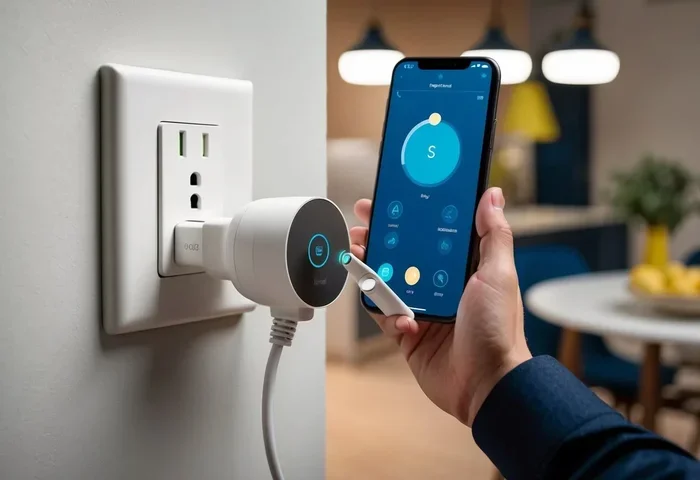
Can You Control A Smart Plug From Anywhere In The World
Yes, you can control a smart plug from anywhere in the world as long as you have a stable internet connection and the right mobile app. Smart plugs connect to the cloud, letting you turn devices on or off remotely using your phone or voice assistant. This guide covers how remote access works, setup steps, benefits, limitations, and expert tips to keep your smart home device safe and reliable.
Have you ever been on vacation and suddenly wondered whether you left the coffee maker on? Or maybe you wanted to turn on a light at home to make it look like someone was there while you were away. These are the moments when the idea of controlling a device from miles away feels like pure magic.
The good news is that it is not magic at all. It is technology. A smart plug can connect to your home Wi-Fi network and let you manage any plugged-in device from virtually anywhere on the planet. Whether you are across town or across the globe, the power to control your appliances is literally in the palm of your hand.
In this article, we will explore everything you need to know about remote access with a smart plug. We will look at how it works, what you need to get started, the benefits you can expect, and some common pitfalls to avoid. By the end, you will have a clear picture of why smart plugs have become such a popular home automation tool.
Key Takeaways
- Global Control: You can manage your smart plug from any country with internet access and the companion app.
- Cloud-Based Connectivity: Smart plugs rely on cloud servers to relay commands between your phone and the device.
- Voice Assistant Support: Most smart plugs work with Alexa, Google Home, and Siri for hands-free control.
- Security Matters: Using strong passwords and two-factor authentication keeps your smart home ecosystem safe from hackers.
- Energy Savings: Remote control helps you cut standby power waste and lower electricity bills.
- Travel-Friendly: Smart plugs are perfect for managing home devices while you are away on vacation or business trips.
📑 Table of Contents
- What Is a Smart Plug and How Does It Work?
- Can You Really Control a Smart Plug From Anywhere?
- Benefits of Controlling a Smart Plug From Anywhere
- Popular Smart Plugs for Remote Control
- Comparison Table: Top Smart Plugs for Remote Access
- Security and Privacy Considerations
- Common Mistakes to Avoid With Smart Plugs
- Expert Insights: Getting the Most From Your Smart Plug
- Quick Tips for Setting Up Remote Control
- Conclusion
What Is a Smart Plug and How Does It Work?
A smart plug is a small device that sits between your wall outlet and any appliance. It acts as a bridge between your traditional device and your home Wi-Fi network. Once connected, the plug becomes a smart home device that you can manage through a mobile app or voice command.
The Role of Cloud Connectivity
Here is the key piece of the puzzle. Smart plugs use cloud connectivity to function remotely. When you press a button on your phone, that command travels through the internet to a cloud server. The server then sends a signal back down to your smart plug, which turns your device on or off.
This whole process happens in seconds. You do not need to be within Bluetooth range or standing in the same room. As long as your smart plug has power and an internet connection, you can reach it from anywhere with a data or Wi-Fi connection.
Wi-Fi vs. Other Connection Types
Not all smart plugs are created equal. Some rely purely on Wi-Fi, while others use Zigbee or Z-Wave protocols. Wi-Fi-enabled plugs are the best choice for remote access because they connect directly to your router. Zigbee and Z-Wave plugs need a hub, which adds an extra layer of setup but can improve reliability in larger homes.
For the purpose of controlling a plug from anywhere, Wi-Fi-enabled models are the clear winner. They do not require a separate hub, and they communicate directly with cloud servers through your home router.
Can You Really Control a Smart Plug From Anywhere?
The short answer is yes. The longer answer is that it depends on a few factors. Let us break down exactly what it takes to make remote power control work smoothly.
What You Need for Remote Access
To control a smart plug from anywhere in the world, you need three things:
- A smart plug that is Wi-Fi enabled and connected to your home network.
- A smartphone or tablet with the companion app installed and an active internet connection.
- A stable home internet connection so the plug stays online and can receive commands.
As long as these three pieces are in place, you can open the app from any location and send commands to your plug. The cloud server handles the rest of the communication for you.
Setting Up Remote Access Step by Step
Getting your smart plug ready for remote access is straightforward. Here is a simple process most users follow:
- Plug the smart plug into a wall outlet.
- Download the manufacturer’s app on your phone.
- Create an account and follow the on-screen pairing instructions.
- Connect the plug to your home Wi-Fi network.
- Test the plug by turning a device on and off from within your home.
- Enable remote access in the app settings, if prompted.
- Try controlling the plug from outside your home network to confirm it works.
Most modern smart plugs make this process very easy. Some even use QR code scanning or WPS pairing to simplify the setup even further.
What Happens When Your Internet Goes Down?
This is an important question many people overlook. If your home internet connection drops, you will lose the ability to control your smart plug remotely. The plug itself will still work locally if you have a physical switch or if the device it controls has its own power button.
Some smart plugs offer local control as a backup feature. This means the plug can still respond to commands within your home network even when the internet is down. However, true remote access from outside your home will not work without an active internet connection on both ends.
Benefits of Controlling a Smart Plug From Anywhere
Remote access is not just a cool party trick. It offers real, practical benefits that can make your life easier and your home more efficient.
Energy Savings and Cost Reduction
One of the biggest advantages of a smart outlet is the ability to cut phantom energy drain. Many devices continue to draw power even when turned off. With a smart plug, you can check whether devices are still consuming electricity and cut the power remotely.
Over time, this adds up to noticeable savings on your electricity bill. Some smart plugs even include energy monitoring features that show you exactly how much power each device uses.
Home Security While Traveling
Going on a trip? A smart plug can help you create the illusion that someone is home. You can schedule lamps, radios, or televisions to turn on and off at different times of the day. This simple trick can deter potential burglars and give you peace of mind while you are away.
Some users also connect smart home security cameras or fans to smart plugs to make their homes appear occupied during extended vacations.
Convenience and Comfort
Imagine this scenario. You are coming home from a long flight. As you walk up to your front door, you use your phone to turn on the hallway light, the space heater, and the coffee maker. You walk into a warm, welcoming home that smells like fresh coffee.
This kind of smart scheduling is exactly what remote control enables. You set the schedule once, and the plug follows it every day. You can also make changes on the fly from wherever you happen to be.
Voice Assistant Integration
Most popular smart plugs work seamlessly with Alexa, Google Home, and Apple HomeKit. This means you can control your devices using simple voice commands. Say, “Hey Google, turn off the living room lamp,” and it happens instantly.
Voice control adds another layer of convenience, especially when your hands are full or when you want to adjust something quickly without pulling out your phone.
Popular Smart Plugs for Remote Control
The market is full of options, and choosing the right one can feel overwhelming. Here are some of the most popular smart plugs that support remote access from anywhere in the world.
Kasa Smart Plug by TP-Link
The Kasa Smart Plug is one of the most well-reviewed options on the market. It offers Wi-Fi connectivity, works with Alexa and Google Assistant, and includes energy monitoring in select models. The companion app is intuitive and makes remote setup a breeze.
Amazon Smart Plug
Amazon’s own smart plug is a solid choice for users already deep in the Alexa ecosystem. It is affordable, compact, and integrates perfectly with Alexa routines. You can control it from the Alexa app or through voice commands from anywhere.
Wyze Plug
The Wyze Plug offers excellent value for money. It supports smart scheduling, works with Alexa and Google Home, and includes a built-in energy monitor. It is a great option for budget-conscious users who still want full remote access capabilities.
Wemo Mini Smart Plug
The Wemo Mini is known for its reliability and wide compatibility. It works with Alexa, Google Assistant, and Apple HomeKit through a bridge. The Wemo app is clean and user-friendly, making remote management simple and straightforward.
Comparison Table: Top Smart Plugs for Remote Access
| Smart Plug | Wi-Fi | Energy Monitoring | Voice Assistants | Price Range |
|---|---|---|---|---|
| Kasa Smart Plug | Yes | Yes (select models) | Alexa, Google | $12-$20 |
| Amazon Smart Plug | Yes | No | Alexa | $10-$15 |
| Wyze Plug | Yes | Yes | Alexa, Google | $8-$12 |
| Wemo Mini | Yes | No | Alexa, Google, HomeKit | $20-$25 |
Security and Privacy Considerations
When you connect any device to the internet, security becomes a top priority. Smart plugs are no exception. The good news is that most reputable manufacturers take smart home security seriously and build strong protections into their devices.
How to Keep Your Smart Plug Safe
Here are some practical steps to protect your smart home ecosystem:
- Use a strong, unique password for your smart plug account and home Wi-Fi network.
- Enable two-factor authentication if the app or manufacturer supports it.
- Keep your app and firmware updated to patch any security vulnerabilities.
- Create a separate Wi-Fi network for smart home devices if your router supports guest networks.
- Avoid using public Wi-Fi to access your smart plug when traveling, or use a VPN for added protection.
Understanding Data Collection
Some smart plugs collect usage data to improve their services. This is standard practice in the internet of things space. Before purchasing a smart plug, check the manufacturer’s privacy policy to understand what data is collected and how it is used.
Most users find that the convenience of remote access far outweighs the minimal privacy considerations. Still, it is wise to stay informed and make choices that align with your personal comfort level.
Common Mistakes to Avoid With Smart Plugs
Even though smart plugs are easy to use, there are a few common mistakes that can cause frustration or reduce performance.
Skipping Firmware Updates
Firmware updates often include security patches and performance improvements. Skipping them can leave your plug vulnerable or cause connectivity issues. Make it a habit to check for updates every few weeks.
Overloading the Plug
Every smart plug has a maximum wattage rating. Plugging in a high-wattage device like a space heater or hair dryer can overload the plug and potentially cause a safety hazard. Always check the wattage rating before connecting any device.
Ignoring Wi-Fi Signal Strength
If your smart plug is too far from your router, the connection may be weak or unstable. This can cause delays in remote commands or even disconnections. Consider using a Wi-Fi extender if your plug is in a distant room or basement.
Not Setting Up Schedules
One of the best features of a smart plug is smart scheduling. Many users buy the plug, connect it, and never set up a schedule. Taking the extra five minutes to create a routine can unlock huge time and energy savings over the long run.
Expert Insights: Getting the Most From Your Smart Plug
We spoke with several smart home enthusiasts and tech reviewers to gather their top tips for maximizing the value of a smart plug with remote access.
Tip 1: Use geofencing. Some smart home apps support geofencing, which means your plug can automatically turn devices on or off based on your phone’s location. When you leave home, the plug cuts power to unnecessary devices. When you approach home, it turns things back on.
Tip 2: Group your plugs. If you have multiple smart plugs, group them together in the app. This lets you control several devices at once with a single command, saving time and simplifying your routine.
Tip 3: Pair with routines. Connect your smart plug to broader home automation routines. For example, set a “Good Morning” routine that turns on the coffee maker, opens the blinds, and starts the news all at once.
Tip 4: Monitor energy usage regularly. If your plug has energy monitoring, check the data weekly. You might be surprised at how much standby power your devices consume, and this insight can help you make smarter energy choices.
Quick Tips for Setting Up Remote Control
- Place your smart plug close to your Wi-Fi router for the strongest signal.
- Name each plug clearly in the app so you can identify it easily from anywhere.
- Test remote access from a different network before you rely on it while traveling.
- Use the app’s notification feature to get alerts when devices are turned on or off.
- Set up backup schedules in case you forget to adjust things manually.
Conclusion
The ability to control a smart plug from anywhere in the world is not just a possibility. It is a reality that millions of people enjoy every day. With a Wi-Fi-enabled smart plug, a smartphone, and a reliable internet connection, you have the power to manage your home devices from virtually any location on the planet.
The benefits are clear. You save energy, enhance home security, enjoy greater convenience, and gain peace of mind. Whether you are at work, on vacation, or simply relaxing in another room, your smart plug keeps you connected to your home.
So yes, the answer to the question is a resounding yes. Can you control a smart plug from anywhere? Absolutely. And with the right setup, the right plug, and a few smart habits, you can make the most of this incredibly useful technology. Start exploring your options today, and take the first step toward a more connected, more convenient home.
Frequently Asked Questions
Can I control a smart plug without Wi-Fi?
Most smart plugs require Wi-Fi for remote access. However, some models support Bluetooth or a local hub connection, which allows basic control within a limited range. For true control from anywhere in the world, a Wi-Fi connection is essential.
Is it safe to use a smart plug while traveling?
Yes, it is generally safe as long as you follow basic security practices. Use a strong password, enable two-factor authentication, and avoid accessing your smart plug over public Wi-Fi without a VPN. Reputable manufacturers also encrypt data to protect your privacy.
Can I control multiple smart plugs from the same app?
Absolutely. Most smart plug apps allow you to add and manage multiple plugs from a single interface. You can group them, create schedules for each one, and control them individually or all at once.
Do smart plugs work internationally?
Smart plugs themselves are typically designed for the electrical standards of the country where you buy them. However, the app-based remote control works internationally as long as you have internet access. If you travel abroad, you may need a voltage adapter for the plug itself.
What happens if my smart plug loses power?
If the smart plug loses power, it will not be able to receive remote commands. Once power is restored, the plug usually reconnects to your Wi-Fi network automatically. Some models have a physical button that lets you control the connected device manually even without power to the smart plug’s electronics.
Can I use a smart plug with a generator or backup battery?
Yes, you can. As long as the generator or backup battery provides stable power and the smart plug can connect to the internet through a mobile hotspot or a separate connection, you can control it remotely. This is especially useful during power outages or in areas with unreliable electricity.