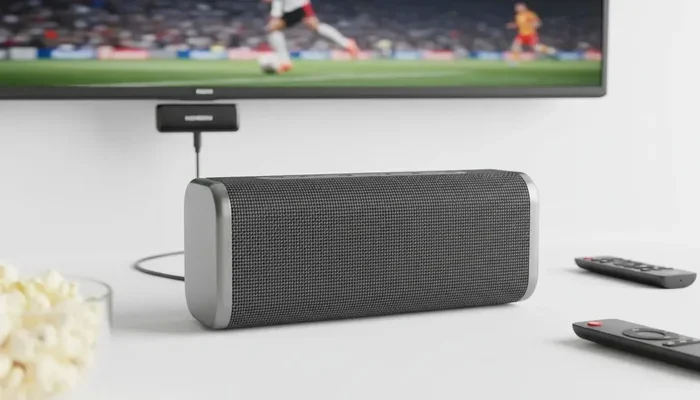
Can You Bluetooth Sound From A Smart Tv And Beyond
Yes, you can absolutely Bluetooth sound from a smart TV to wireless speakers, headphones, or soundbars. Most modern smart TVs have built-in Bluetooth, making it easy to stream audio wirelessly to any compatible device. This guide covers pairing steps, common problems, workarounds, and the best Bluetooth speakers for TV use. Whether you want private listening or better sound quality, Bluetooth audio from a smart TV is simpler than you think.
Key Takeaways
- Built-in Bluetooth: Most smart TVs made after 2018 support Bluetooth audio out of the box.
- Pairing is easy: You can connect Bluetooth speakers, headphones, and soundbars in just a few steps.
- Workarounds exist: If your TV lacks Bluetooth, a Bluetooth transmitter solves the problem quickly.
- Audio lag is fixable: Adjusting settings or using low-latency codecs reduces sound delays.
- Multiple devices work: You can pair wireless speakers, earbuds, and even car audio systems.
- Sound quality improves: Bluetooth 5.0 and aptX codecs deliver richer TV audio wirelessly.
- Common issues are simple: Interference, distance, and outdated firmware cause most Bluetooth problems.
📑 Table of Contents
- Can You Bluetooth Sound From A Smart Tv? Absolutely.
- How Bluetooth Audio Works on Smart TVs
- How to Pair Bluetooth Sound With Your Smart Tv
- Best Bluetooth Speakers for Smart Tv Audio
- Common Bluetooth Audio Problems and How to Fix Them
- Bluetooth Transmitters: The Best Workaround for Older TVs
- Bluetooth vs Wired Audio: Which Is Better for Tv Watching
- Expert Tips to Get the Best Bluetooth Audio From Your Smart Tv
- Can You Connect Multiple Bluetooth Devices to One Smart Tv
- Final Thoughts on Bluetooth Sound From Your Smart Tv
Can You Bluetooth Sound From A Smart Tv? Absolutely.
Streaming movies, shows, and music from your smart TV feels amazing. But the built-in speakers? They often fall flat. Many people ask, can you Bluetooth sound from a smart TV? The short answer is yes. Most smart TVs today come with Bluetooth built right in. This means you can send audio wirelessly to speakers, headphones, and soundbars.
Bluetooth audio from a smart TV opens up a world of possibilities. You get better sound, private listening, and more flexibility in your living room setup. Whether you are watching late-night shows without waking the family or upgrading your home theater, Bluetooth makes it easy. Let us walk through everything you need to know.
Why Smart TVs Support Bluetooth Audio
TV makers know people want better audio. Built-in TV speakers rarely deliver the quality most viewers expect. That is why almost every smart TV released in the last five years includes Bluetooth support. It lets you connect external speakers without any cables cluttering your room.
Bluetooth also supports wireless audio streaming in multiple directions. Your TV can send sound out, and some models can even receive audio from your phone. This two-way capability makes smart TVs much more versatile as entertainment hubs.
How Bluetooth Audio Works on Smart TVs
Understanding how Bluetooth audio works helps you troubleshoot issues later. Bluetooth uses short-range radio waves to transmit data between devices. For TV audio, your smart TV acts as the source device. The receiving device could be a speaker, soundbar, or headphones.
The connection uses a process called pairing. Your TV searches for nearby Bluetooth devices. Once you select a device, they form a secure wireless link. Audio data travels from the TV to the speaker in real time.
Bluetooth Versions and What They Mean
Not all Bluetooth connections are the same. Newer Bluetooth versions offer better range, faster speeds, and lower power use. Here is a quick look at the versions you will encounter:
- Bluetooth 4.0: Found on older smart TVs. Decent range but limited audio quality.
- Bluetooth 4.2: A small upgrade with better stability and slightly faster data transfer.
- Bluetooth 5.0: The current standard for most modern smart TVs. Offers double the range and improved audio codecs.
- Bluetooth 5.2 and 5.3: Found on premium smart TVs. Supports LE Audio and multipoint connections.
The Bluetooth version on your TV affects how far your speaker can be from the TV and how clear the audio sounds. If your TV has Bluetooth 5.0 or newer, you are in great shape.
Audio Codecs: The Secret to Better Sound
Audio codecs are compression formats that determine how your sound travels wirelessly. Some codecs prioritize quality, while others focus on low latency. The most common codecs for TV Bluetooth audio include:
- SBC: The default codec for most devices. It works reliably but does not deliver the best sound quality.
- aptX: Offers noticeably better audio quality than SBC. Many Bluetooth speakers and soundbars support this codec.
- aptX HD: Delivers high-resolution wireless audio. Great for music lovers who want premium sound.
- aptX Low Latency: Reduces audio delay significantly. Perfect for watching videos and playing games.
- LDAC: Sony’s codec that supports very high-quality wireless audio. Available on select devices.
If your smart TV and speaker both support aptX or aptX Low Latency, your audio experience will be much better. Check your TV and speaker specs to see which codecs they support.
How to Pair Bluetooth Sound With Your Smart Tv
Pairing Bluetooth audio with your smart TV is straightforward. The exact steps vary slightly depending on your TV brand, but the process is similar across Samsung, LG, Sony, TCL, and Vizio smart TVs. Here is how to do it.
Step-by-Step Pairing Guide
Follow these steps to connect your Bluetooth speaker or headphones to your smart TV:
- Turn on your Bluetooth device. Make sure your speaker or headphones are powered on and in pairing mode. Most devices flash a light or say “pairing” when ready.
- Go to your TV settings. Use your remote to navigate to the Settings menu. On most smart TVs, this is the gear icon.
- Find the Bluetooth section. Look for Sound Settings, Connection Settings, or Bluetooth. The exact name depends on your TV brand.
- Enable Bluetooth. Toggle Bluetooth on if it is not already active. Your TV will start searching for nearby devices.
- Select your device. Your TV will show a list of available Bluetooth devices. Tap on your speaker or headphones.
- Wait for the connection. The devices will pair. You may hear a confirmation tone or see a checkmark on screen.
- Test the audio. Play a video or music to make sure sound is coming through your Bluetooth device.
Brand-Specific Bluetooth Pairing Tips
Different smart TV brands handle Bluetooth settings in slightly different ways. Here are some quick tips for popular brands:
- Samsung Smart TVs: Go to Settings > Sound > Sound Output > Bluetooth Speaker List. Your TV will scan for devices automatically.
- LG Smart TVs: Navigate to Settings > Sound > Sound Out > Bluetooth Device. LG TVs also support Bluetooth through the LG Sound Sync app.
- Sony Smart TVs: Go to Settings > Bluetooth Settings > Add Device. Sony TVs often support LDAC for high-quality audio.
- TCL and Roku TVs: Roku TVs may need a Bluetooth transmitter since not all models have built-in Bluetooth. Check your specific model.
- Vizio Smart TVs: Press the Input button on your remote, then go to Settings > Audio > Bluetooth. Vizio supports most standard Bluetooth speakers.
Quick Tips for Smooth Pairing
- Keep your Bluetooth device within 10 feet of your TV during the first pairing attempt.
- Turn off other Bluetooth devices nearby that might interfere with the connection.
- Make sure your speaker or headphones are not already connected to another device like your phone.
- Restart both your TV and Bluetooth device if the pairing fails the first time.
- Update your TV firmware to the latest version for the best Bluetooth performance.
Best Bluetooth Speakers for Smart Tv Audio
Not all Bluetooth speakers are created equal for TV use. Some are designed specifically for home audio, while others work better with phones and tablets. Here are the types of Bluetooth speakers that work best with smart TVs.
Bluetooth Soundbars
A Bluetooth soundbar is one of the most popular upgrades for smart TV audio. Soundbars deliver richer, fuller sound than built-in TV speakers. Many soundbars connect via Bluetooth, letting you stream audio wirelessly. They also improve dialogue clarity and bass response for movies and shows.
When choosing a Bluetooth soundbar, look for models that support aptX Low Latency. This codec reduces audio delay, which is essential for watching videos. Soundbars like the Samsung HW series and Sonos Beam are excellent options that pair seamlessly with smart TVs.
Portable Bluetooth Speakers
Portable Bluetooth speakers are a great budget-friendly option for TV audio. Brands like JBL, Bose, and Anker make speakers that deliver surprisingly good sound for their size. You can place them anywhere in the room, which gives you flexibility in your setup.
The downside of portable speakers is that they may have smaller drivers, which limits bass and overall volume. For casual TV watching, they work well. For a true home theater experience, a soundbar or external speaker setup is better.
Wireless Headphones for TV Watching
Bluetooth headphones are perfect for private listening. If you watch TV late at night or want to enjoy movies without disturbing others, wireless headphones are the answer. Many over-ear and on-ear Bluetooth headphones connect easily to smart TVs.
Look for headphones with low-latency Bluetooth support for the best experience. Headphones with aptX Low Latency or Bluetooth 5.0 will give you the most synchronized audio and video.
Multi-Room Bluetooth Speakers
If you want to fill your entire home with TV audio, multi-room Bluetooth speakers are worth considering. Systems like Sonos and Bose allow you to connect multiple speakers throughout your house. You can stream your smart TV audio to any room with a compatible speaker.
These systems often use a dedicated app for setup and control. The audio quality is excellent, and the range is much better than standard Bluetooth speakers. They do require a Wi-Fi connection for multi-room functionality, but the Bluetooth link from your TV to the main speaker remains wireless.
Common Bluetooth Audio Problems and How to Fix Them
Bluetooth audio from a smart TV is not always perfect. You may run into a few common issues along the way. Here are the most frequent problems and simple solutions.
Audio Lag or Delay
Audio lag is the number one complaint about Bluetooth TV audio. You hear the sound a split second after the action happens on screen. This happens because Bluetooth audio takes time to compress, transmit, and decompress.
Here is how to fix audio lag:
- Use aptX Low Latency: This codec reduces delay to under 40 milliseconds, which is barely noticeable.
- Adjust audio delay in TV settings: Many smart TVs have an audio sync feature that lets you manually delay the video to match the audio.
- Keep devices close: Bluetooth range drops with distance. Keep your speaker within 10 to 15 feet of the TV.
- Reduce interference: Wi-Fi routers, microwaves, and other Bluetooth devices can cause interference. Move these devices away from your TV setup.
Bluetooth Keeps Disconnecting
If your Bluetooth audio keeps cutting out or disconnecting, try these fixes:
- Restart both your TV and Bluetooth device.
- Check for firmware updates on both devices.
- Move closer to your TV to strengthen the Bluetooth signal.
- Remove other Bluetooth devices from the area that might be competing for the connection.
- Forget the device on your TV and re-pair it from scratch.
No Sound After Pairing
If you connected your Bluetooth device but hear no sound, try these steps:
- Make sure the Bluetooth device is set as the audio output on your TV.
- Check the volume on both the TV and the Bluetooth device.
- Ensure the Bluetooth device is not muted.
- Go to your TV sound settings and confirm the output is set to Bluetooth.
- Unpair and re-pair the device to refresh the connection.
Bluetooth Transmitters: The Best Workaround for Older TVs
Not all smart TVs have built-in Bluetooth. If your TV is older or a budget model, you can still enjoy wireless audio. A Bluetooth transmitter plugs into your TV’s audio output and sends sound wirelessly to any Bluetooth speaker or headphones.
How Bluetooth Transmitters Work
A Bluetooth transmitter connects to your TV using a 3.5mm audio cable, RCA cables, or optical audio output. It then broadcasts the audio as a Bluetooth signal to your wireless speaker or headphones. This simple device turns any TV with an audio output into a Bluetooth-capable TV.
Most Bluetooth transmitters cost between $15 and $50. They are a very affordable way to add wireless audio to your TV setup. Look for transmitters that support aptX Low Latency for the best video sync.
Top Bluetooth Transmitters for TV Use
- Avantree Oasis Plus: Supports aptX Low Latency and has a long 100-foot range. Great for most TV setups.
- 1Mii B06 Bluetooth Transmitter: Affordable and supports aptX HD for high-quality wireless audio.
- TaoTronics TT-BA07: Budget-friendly option with solid range and reliable performance.
- Creative BT-W4: Supports both aptX Low Latency and multipoint connections for flexibility.
A Bluetooth transmitter is one of the easiest and cheapest upgrades you can make to your smart TV setup. It works with any Bluetooth speaker or headphones you already own.
Bluetooth vs Wired Audio: Which Is Better for Tv Watching
Both Bluetooth and wired audio have pros and cons for TV watching. Let us compare them so you can decide what works best for your setup.
| Feature | Bluetooth Audio | Wired Audio |
|---|---|---|
| Convenience | Very convenient, no cables needed | Cables required, less flexible placement |
| Sound Quality | Good with aptX codecs, slight compression | Lossless, full-quality audio |
| Audio Lag | Slight delay possible, fixable with low-latency codecs | Zero lag, perfect sync |
| Setup Ease | Simple pairing process | Plug and play, no pairing needed |
| Range | Up to 30 feet with Bluetooth 5.0 | Limited by cable length |
| Cost | Speakers range from $30 to $500+ | Cables are cheap, speakers vary |
| Aesthetics | Clean, cable-free look | Visible cables across the room |
For most people, Bluetooth audio from a smart TV is the better choice. The convenience and flexibility outweigh the slight audio quality difference. If you are an audiophile who demands perfect sound and zero delay, wired connections are still the gold standard.
However, Bluetooth technology has improved dramatically in recent years. With Bluetooth 5.0 and codecs like aptX, the gap between wireless and wired audio is closing fast. For everyday TV watching, Bluetooth sound from a smart TV is more than good enough.
Expert Tips to Get the Best Bluetooth Audio From Your Smart Tv
Want to squeeze every bit of performance out of your Bluetooth TV audio? Here are some expert tips that make a real difference.
Keep Your Devices Updated
Firmware updates often include Bluetooth improvements and bug fixes. Check for updates on both your smart TV and your Bluetooth speaker regularly. A simple update can solve connection issues and improve audio quality.
Place Your Speaker Strategically
Bluetooth signals travel best in open spaces. Place your speaker in a direct line of sight from your TV if possible. Walls, furniture, and other obstacles weaken the signal and can cause dropouts.
Use the 2.4 GHz Band Wisely
Bluetooth operates on the 2.4 GHz frequency band, the same band as most Wi-Fi routers. If your router is close to your TV setup, it might cause interference. Moving your router or switching to the 5 GHz band can help reduce Bluetooth audio issues.
Set Your TV Audio Output Correctly
Some smart TVs have multiple audio output options, including Bluetooth, HDMI ARC, and optical. Make sure Bluetooth is set as the default audio output. If your TV automatically switches to HDMI ARC when you turn it on, you will need to manually switch back to Bluetooth each time.
Consider a Bluetooth Audio Receiver for Your Soundbar
If you have a soundbar without Bluetooth, you can add a small Bluetooth receiver to it. These tiny devices plug into the soundbar’s auxiliary input and give it wireless streaming capability. It is a simple and inexpensive way to upgrade older audio equipment.
Can You Connect Multiple Bluetooth Devices to One Smart Tv
Many people wonder if they can connect more than one Bluetooth device to their smart TV at the same time. The answer depends on your TV model. Some smart TVs support multipoint Bluetooth, which allows you to connect two or more devices simultaneously.
Samsung and LG TVs are among the brands that support multiple Bluetooth connections. You can pair a Bluetooth soundbar and a set of wireless headphones at the same time. This is great for households where different people prefer different audio setups.
If your TV does not support multipoint Bluetooth, you can still switch between devices manually. Simply disconnect one device and pair the other. The process takes only a few seconds and gives you flexibility in how you listen to your TV audio.
For a more seamless experience, consider a Bluetooth hub or transmitter that supports multiple paired devices. These devices connect to your TV via cable and then broadcast audio to several Bluetooth speakers or headphones at once. They are especially useful in larger households or for hosting movie nights.
Final Thoughts on Bluetooth Sound From Your Smart Tv
Bluetooth sound from a smart TV is one of the easiest upgrades you can make to your home entertainment setup. Whether you connect a wireless speaker, a soundbar, or a pair of headphones, the process is simple and the results are rewarding. You get better audio quality, more flexibility, and a cleaner, cable-free living space.
Most smart TVs today come with Bluetooth built in, making wireless audio streaming a breeze. If your TV does not support Bluetooth, a Bluetooth transmitter is an affordable and effective workaround. With the right setup, your TV audio will sound better than ever before.
Remember to keep your devices updated, place your speaker strategically, and use low-latency codecs for the best experience. A little effort goes a long way in getting the most out of your Bluetooth TV audio. Enjoy your movies, shows, and music with the freedom that wireless sound provides.
Frequently Asked Questions
Can all smart TVs connect to Bluetooth speakers?
Most smart TVs made after 2018 have built-in Bluetooth support. However, some budget models and older TVs may not include this feature. If your TV lacks Bluetooth, you can use a Bluetooth transmitter to add wireless audio capability. Check your TV’s settings or user manual to confirm Bluetooth availability.
Why is there a delay when I Bluetooth sound from my smart TV?
Audio delay, also called latency, happens because Bluetooth compresses and transmits audio data. This process takes a fraction of a second, which causes a slight delay. You can reduce this by using aptX Low Latency codecs, keeping devices close together, and adjusting the audio sync settings on your TV.
Can I connect Bluetooth headphones to my smart TV for private listening?
Yes, most smart TVs allow you to pair Bluetooth headphones directly. This is perfect for late-night watching without disturbing others. Simply put your headphones in pairing mode, go to your TV Bluetooth settings, and connect. Some TVs also support dual audio, letting you use headphones and speakers at the same time.
What is the best Bluetooth speaker for smart TV audio?
The best Bluetooth speaker depends on your needs and budget. For overall quality, soundbars like the Sonos Beam and Samsung HW series deliver excellent TV audio. For portability, JBL and Bose make great portable Bluetooth speakers. If you want multi-room audio, Sonos and Bose multi-room systems are top choices.
Does Bluetooth affect smart TV picture quality?
No, Bluetooth only handles audio transmission. It does not affect your TV picture quality in any way. The video signal remains unchanged whether you use Bluetooth audio or wired speakers. You can enjoy wireless sound without worrying about any impact on your display.
How far can my Bluetooth speaker be from the smart TV?
With Bluetooth 5.0, the typical range is up to 30 feet in open spaces. Walls and obstacles reduce this range. For the best connection, keep your Bluetooth speaker within 10 to 15 feet of your TV. If you need more range, consider a Bluetooth transmitter with an extended range capability.
=== CONCLUSION ===
Can you Bluetooth sound from a smart TV? Without a doubt, yes. Bluetooth audio from a smart TV gives you better sound, more flexibility, and a simpler setup. Whether you use a wireless speaker, a soundbar, or headphones, the connection process is quick and straightforward.
Most modern smart TVs come with Bluetooth built in, and older TVs can use affordable Bluetooth transmitters to add wireless audio. The technology has matured significantly, with Bluetooth 5.0 and low-latency codecs delivering reliable, high-quality sound.
Follow the tips in this guide, troubleshoot common issues, and choose the right Bluetooth device for your needs. You will enjoy a better TV watching experience with clean, wireless audio that fills your room. Start exploring your Bluetooth audio options today and transform how you listen to your favorite content.