Can Surround Sound Be Wireless Without Any Messy Wires
Yes, surround sound can absolutely be wireless. Modern wireless surround sound systems let you ditch the cables and still enjoy immersive audio. You can set up a wireless home theater with just a few simple steps. From wireless rear speakers to Bluetooth surround sound options, the technology has come a long way. Keep reading to find out how it all works and which system fits your needs.
Can surround sound be wireless? The short answer is a resounding yes. For years, setting up a surround sound system meant running cables across your living room, through walls, and along baseboards. It was messy, time-consuming, and frankly frustrating. Today, wireless surround sound systems have completely changed the game. You can now enjoy cinema-quality audio at home without the tangle of wires.
Whether you are a movie buff, a gamer, or a music lover, going wireless with your surround sound setup is easier than you think. Modern wireless audio technology has matured to the point where you barely notice a difference compared to traditional wired systems. In this guide, we will walk you through everything you need to know. We will cover how wireless surround sound works, the different types available, and what to look for when choosing a system.
Key Takeaways
- Wireless surround sound is real: You can absolutely replace messy cables with clean, wireless connections for a full surround experience.
- Multiple technologies power wireless audio: Bluetooth, Wi-Fi, and proprietary wireless protocols all deliver surround sound without wires.
- Setup is easier than ever: Most modern wireless surround sound systems plug in once and connect automatically.
- Sound quality has improved dramatically: Today’s wireless audio technology rivals wired setups in most cases.
- You still need power cables: Wireless refers to audio transmission, not power. Each speaker still needs an outlet.
- Range matters: Keep your wireless speakers within the recommended distance from the transmitter for best performance.
- Choose based on your room size: Smaller spaces suit soundbars, while larger rooms benefit from full wireless rear speakers kits.
📑 Table of Contents
- What Is Wireless Surround Sound?
- How Does Wireless Surround Sound Work?
- Types of Wireless Surround Sound Systems
- Benefits of Going Wireless with Surround Sound
- Common Challenges with Wireless Surround Sound
- How to Choose the Right Wireless Surround Sound System
- Quick Tips for the Best Wireless Surround Sound Experience
- Expert Insights on Wireless Surround Sound
- Conclusion
What Is Wireless Surround Sound?
Wireless surround sound means your speakers receive audio signals without using physical cables for the actual sound transmission. You still need power cables to keep each speaker running, but the audio data travels through the air. This is different from older systems where every single speaker required a cable connecting it back to the receiver.
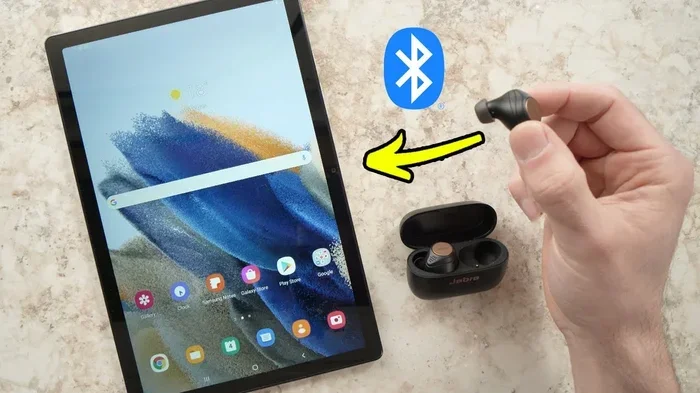
Think of it like your phone connecting to wireless earbuds. The music flows through the air, but the earbuds still need charging. Wireless surround sound works the same way. The source sends audio signals wirelessly to each speaker in your setup. This gives you the full surround experience without the cable clutter.
Many people confuse “wireless” with “cord-free.” In reality, most wireless surround sound systems still need a power connection for each speaker. The wireless part only refers to how the audio signal gets from point A to point B. Understanding this distinction helps set realistic expectations about what you are buying.
How Does It Differ from Traditional Wired Systems?
A traditional wired system uses HDMI, optical, or speaker wires to connect each speaker to a central receiver. Every speaker needs its own dedicated cable run. This can mean drilling holes in walls or using cable covers across floors.
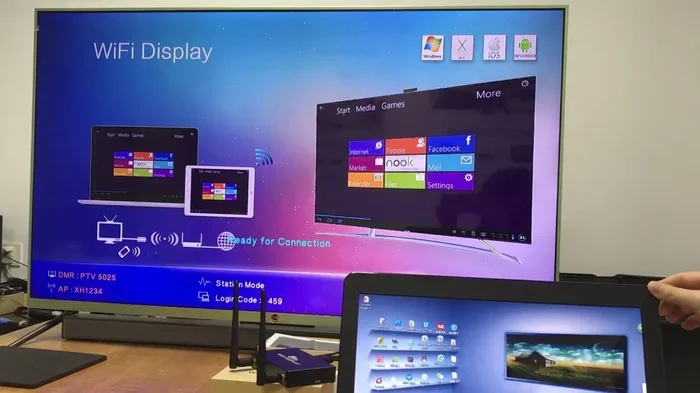
With a wireless home theater setup, you connect the source to a transmitter. The transmitter sends the audio signal to each speaker using radio frequency, Bluetooth, or Wi-Fi. This eliminates most of the cabling. The result is a cleaner look and a simpler installation process.
How Does Wireless Surround Sound Work?
Understanding the technology behind wireless surround sound helps you make a smarter buying decision. The process is simpler than it sounds. Let us break it down step by step.
First, your audio source sends a signal to a base station or transmitter. This could be a soundbar, an AV receiver, or a dedicated wireless transmitter. The transmitter encodes the audio data and broadcasts it wirelessly to each speaker in the system.
Each wireless speaker has a built-in receiver. The receiver picks up the signal, decodes it, and sends it to the speaker driver. All of this happens in milliseconds. You hear the sound in real time with virtually no delay.
The Role of Wireless Protocols
Different systems use different wireless speaker connectivity protocols. Some of the most common ones include:
- Bluetooth: Great for short-range connections. Most people already use Bluetooth daily with their phones and headphones.
- Wi-Fi: Offers a longer range and more stable connection. Ideal for larger rooms and multi-speaker setups.
- Proprietary wireless protocols: Brands like Sonos, Bose, and Samsung use their own wireless tech. These are optimized for their specific ecosystems.
- RF (Radio Frequency): Common in dedicated home theater wireless transmitter kits. These offer low latency and reliable performance.
Each protocol has its strengths. Bluetooth is the simplest to set up. Wi-Fi provides better range and bandwidth. Proprietary systems offer the most seamless integration. Your choice depends on your specific needs and budget.
Does Wireless Mean Lag or Delay?
One of the biggest concerns people have is audio delay, also known as latency. In the early days of wireless audio, lag was a real problem. Today, modern wireless transmission technology has largely solved this issue.
Most quality wireless surround sound systems now offer near-zero latency. You will not notice any delay between what you see on screen and what you hear. For gaming and movies, this is essential. Look for systems that advertise low-latency or real-time transmission for the best experience.
Types of Wireless Surround Sound Systems
Not all wireless surround sound setups are the same. Different options suit different rooms, budgets, and preferences. Let us explore the main types available today.
Wireless Soundbars with Rear Speakers
This is the most popular option for most homes. A soundbar acts as the center and front left/right channels. It connects wirelessly to rear surround speakers and often a wireless subwoofer too.
Brands like Samsung, Sony, and Vizio offer excellent soundbar with wireless rear options. These systems are incredibly easy to set up. You place the soundbar below your TV, plug in the rear speakers, and connect them through a simple pairing process.
The beauty of this setup is the simplicity. No running cables behind your TV stand or across the room. Just plug in the rear speakers near your seating area and enjoy full surround sound. For most people, this is the best entry point into wireless surround sound.
Standalone Wireless Speakers
Some systems use individual wireless speakers that you place around your room. Each speaker connects to your network or a central hub independently. This gives you maximum flexibility in speaker placement.
Sonos is a great example of this approach. You can place their wireless speakers anywhere in your home and group them for surround sound. The setup process is straightforward through a mobile app. You control everything from your phone.
These systems work well for people who want a customized audio layout. You are not limited by where cables allow you to place speakers. Just find a good spot, plug in the speaker, and connect it wirelessly.
Wireless AV Receiver Systems
For the serious home theater enthusiast, a wireless AV receiver paired with wireless speakers offers the most powerful setup. The receiver handles all the audio processing and sends signals wirelessly to each speaker.
This approach gives you the most flexibility and the best sound quality. You can mix and match speakers from different rooms and still get a cohesive surround experience. The downside is that these systems tend to be more expensive and complex to set up.
Dedicated Wireless Transmitter Kits
If you already own wired speakers, you can add a wireless transmitter kit to make them wireless. These kits include a transmitter that plugs into your audio source and receivers that connect to each speaker.
This is a budget-friendly way to go wireless without buying new equipment. Brands like Sennheiser and Audioengine offer reliable kits. You get the freedom of wireless audio without replacing your existing speakers.
Benefits of Going Wireless with Surround Sound
Switching to a wireless surround sound system brings several real advantages. Here is why more and more people are making the switch.
1. A Cleaner, Tidy Living Space
The most obvious benefit is the elimination of cable clutter. Your living room looks cleaner and more organized. There are no trip hazards from cables running across the floor. Your entertainment area feels more spacious and inviting.
2. Easier Installation
Setting up a wired surround system can take hours. You need to measure cable runs, drill holes, and manage wire routing. A wireless setup often takes less than an hour. Most systems come with simple pairing instructions. You can have everything running in minutes.
3. Flexible Speaker Placement
With wireless speakers, you are not tied to specific positions by cable length. Move your rear speakers closer or farther from your seating area. Adjust placement based on your room layout. This flexibility helps you optimize your surround sound experience.
4. Portability
Want to move your system to a different room? With wireless speakers, you can. Unplug them, carry them to the new location, and reconnect. This is especially useful for people who like to rearrange their living spaces frequently or host movie nights in different rooms.
5. Future-Proofing Your Setup
Wireless technology keeps improving. Newer wireless audio technology offers better range, higher bandwidth, and lower latency. Investing in a wireless system means your setup stays current longer. You can often update firmware or add new speakers as technology evolves.
Common Challenges with Wireless Surround Sound
Wireless surround sound is fantastic, but it is not without its challenges. Being aware of these helps you avoid frustration and get the best experience.
1. You Still Need Power Cables
Let us be clear about this. “Wireless” does not mean “no cables at all.” Every speaker still needs a power outlet. You cannot place a wireless speaker in the middle of a room with no nearby outlet. Plan your speaker placement accordingly.
2. Range Limitations
Most wireless speaker range specifications assume ideal conditions. Walls, furniture, and other obstacles can reduce the effective range. If your wireless rear speakers are too far from the transmitter, you may experience signal drops or reduced audio quality.
Keep your wireless speakers within the manufacturer’s recommended range. For most systems, this is between 30 and 50 feet. If you have a very large room, consider a Wi-Fi-based system for better range.
3. Potential for Interference
Wireless signals can sometimes interfere with other devices in your home. Microwaves, baby monitors, and even your neighbor’s Wi-Fi network can cause disruptions. This is rare with modern systems, but it can happen.
If you experience interference, try changing the wireless channel on your router or moving your transmitter slightly. Most systems handle interference well, but knowing this can help you troubleshoot if problems arise.
4. Initial Cost
Wireless systems can sometimes cost more than their wired counterparts. The wireless technology adds to the manufacturing cost. However, when you factor in the savings on cables, connectors, and installation time, the price difference often evens out.
How to Choose the Right Wireless Surround Sound System
With so many options on the market, choosing the right system can feel overwhelming. Here are some practical tips to guide your decision.
Consider Your Room Size
Smaller rooms do well with soundbar-based wireless systems. These compact setups deliver impressive surround sound without taking up much space. For larger rooms or dedicated home theaters, look for standalone wireless speakers or a full AV receiver setup.
Think About Your Primary Use
Are you mainly watching movies? A soundbar with wireless rear speakers is perfect. Do you mostly listen to music? A multi-room wireless speaker system might be a better fit. Gamers should prioritize low latency and clear dialogue enhancement.
Check Compatibility
Make sure the system works with your TV, streaming devices, and other equipment. Most modern systems support HDMI ARC, optical input, and Bluetooth. Double-check compatibility before you buy to avoid frustration later.
Read Reviews and Compare
Take time to read user reviews and expert comparisons. Look for feedback on sound quality, wireless reliability, and ease of setup. Brands like Sonos, Bose, Samsung, and Sony consistently receive high marks for their wireless offerings.
Set a Budget
Wireless surround sound systems range from under $200 to over $2,000. You do not need to spend a fortune to get great sound. Set a realistic budget and focus on systems that deliver the features you actually need.
Quick Tips for the Best Wireless Surround Sound Experience
- Place your wireless rear speakers at ear level when seated for the best surround effect.
- Keep your transmitter in a central location for the strongest signal to all speakers.
- Use the manufacturer’s app to fine-tune speaker placement and audio settings.
- Update firmware regularly to get the latest performance improvements and bug fixes.
- Avoid placing speakers near metal objects that can block wireless signals.
- Test your surround sound with a calibration tool or built-in test tone feature.
- Use an Ethernet connection for your main hub when possible for the most stable performance.
Expert Insights on Wireless Surround Sound
Audio engineers and home theater specialists agree that wireless technology has reached a mature stage. Most experts say that for the average home user, a wireless system delivers the same quality experience as a wired one. The convenience factor alone makes wireless worth considering.
Professionals also emphasize that room acoustics matter more than wired versus wireless. A well-placed wireless system in a treated room will always outperform a wired system in a bare, echoey space. Focus on speaker placement and room treatment first, then choose your connectivity method.
The industry trend is clearly moving toward wireless. Major brands are investing heavily in wireless audio technology. We can expect even better range, quality, and features in the coming years. Now is a great time to make the switch.
Conclusion
So, can surround sound be wireless? Absolutely. Wireless surround sound technology has advanced to the point where it delivers a fantastic experience without the cable mess. Whether you choose a soundbar with wireless rears, standalone wireless speakers, or a full wireless AV setup, you can enjoy immersive audio in a clean, simple way.
The key is to understand your needs, choose the right system, and follow best practices for placement and setup. With the tips and insights in this guide, you are well-equipped to make the switch to a wireless home theater. Ditch the cables, simplify your setup, and enjoy your favorite movies, shows, and games the way they were meant to be heard.
Take the first step today. Explore the options, read reviews, and find the wireless surround sound system that fits your space and budget. Your ears and your living room will thank you.
Frequently Asked Questions
Can surround sound be completely wireless without any cables at all?
Almost, but not entirely. While the audio signal travels wirelessly, each speaker still needs a power cable to function. The wireless part only replaces the audio transmission cables. So you will still have power cords, but no speaker wires running between components. This is a huge improvement over fully wired setups.
Is wireless surround sound as good as wired surround sound?
For most people, yes. Modern wireless audio technology delivers sound quality that is nearly identical to wired systems. The difference is minimal and barely noticeable in everyday use. Professional audio engineers confirm that wireless transmission has caught up with wired quality. Only the most demanding audiophiles might notice a slight difference in the most expensive setups.
What is the best wireless surround sound technology?
There is no single “best” technology. Bluetooth is great for simplicity. Wi-Fi offers better range and bandwidth. Proprietary wireless protocols from brands like Sonos and Bose provide the most seamless integration. Your best choice depends on your specific needs. For most home theater setups, a dedicated wireless transmitter kit or a soundbar with wireless rears works perfectly.
How far can wireless surround sound speakers be from the transmitter?
Most wireless surround sound systems work best within 30 to 50 feet of the transmitter. This range can vary based on your home’s construction and interference from other devices. Wi-Fi-based systems typically offer a longer range than Bluetooth. Always check the manufacturer’s recommended range before placing your speakers.
Can I make my existing wired speakers wireless?
Yes, you can. Dedicated wireless transmitter and receiver kits are available for this purpose. These kits include a transmitter that connects to your audio source and receivers that plug into each speaker. This is a cost-effective way to go wireless without replacing your existing equipment. Brands like Sennheiser and Audioengine offer reliable options.
Do wireless surround sound systems work with all TVs?
Most modern wireless surround sound systems work with virtually any TV. They connect through HDMI ARC, optical audio, or Bluetooth. If you have an older TV without HDMI ARC, you can use an optical cable or a Bluetooth transmitter. Always check the connection options before purchasing to ensure compatibility with your specific TV model.
=== CONCLUSION ===
Can surround sound be wireless without any messy wires? Yes, it absolutely can. You now have the knowledge to choose the right wireless surround sound system for your home. Whether you go with a soundbar setup or a full standalone wireless speaker system, the experience is clean, simple, and impressive. Take action today and transform your audio experience with a wireless setup that keeps your space tidy and your sound incredible.