Do You Need A Projection Screen For A Movie Projector
You might think a plain wall works fine for your movie projector, but a dedicated projection screen can completely transform your viewing experience. A projection screen delivers sharper images, better contrast, and truer colors than most wall surfaces. In this guide, we break down exactly when a screen is essential and when you can skip it.
So you just bought a movie projector and you are ready to turn your living room into a home theater. But then a question hits you. Do you really need a projection screen for a movie projector? Maybe you have a nice blank wall. Maybe you have hung up a white sheet. Maybe you are wondering if all this screen stuff is just marketing hype.
The short answer is no, you do not always need a dedicated projection screen. But the longer answer is that a proper projection screen can make a huge difference in how your movies look and feel. It is not just about having a big picture. It is about image sharpness, color accuracy, contrast, and the overall viewing experience. In this article, we will walk through everything you need to know about whether a projection screen is worth it for your setup.
We will cover when a wall works fine, when you need a screen, the different types of screens available, and how to pick the right one for your room. Whether you are a casual movie watcher or a serious home theater fan, this guide has you covered. Let us get into it.
Key Takeaways
- You do not always need a screen: A clean, white wall can work for casual viewing in low-light rooms.
- A proper screen improves image quality: Screens offer better contrast, color accuracy, and sharpness than most walls.
- Several screen types exist: From fixed frames to portable tripods, there is a screen for every budget and need.
- Ambient light matters a lot: In bright rooms, a screen with high gain makes a big difference in visibility.
- Size and throw distance are key: Choose a screen size that matches your projector’s throw distance for the best picture.
- Avoid common setup mistakes: Wrinkles, wrong paint color, and poor placement can ruin your projected image.
📑 Table of Contents
What Is A Projection Screen And Why Does It Matter
A projection screen is a dedicated surface designed to display images from a movie projector. It is not just a piece of fabric or a wall. It is carefully engineered to reflect light in a way that makes your projected image look its best. The projection surface is treated to provide uniform brightness, accurate colors, and deep blacks.
Think of it this way. When you shine a flashlight on a crumpled piece of paper, the light scatters everywhere. The image looks washed out and uneven. But when you shine that same flashlight on a smooth, white surface, the light reflects back in a controlled way. That is basically what a projection screen does for your movie projector. It gives your image a clean, consistent surface to bounce off of.
How A Screen Affects Your Image Quality
The image quality you get from a movie projector depends heavily on the surface it projects onto. A projection screen is designed to maximize the light coming from your projector. It boosts projector brightness and helps maintain sharp details. Without a proper screen, you may notice faded colors, blurry edges, or uneven lighting across the image.
A good projection screen also improves your projector contrast ratio. Contrast is the difference between the darkest darks and the brightest whites. On a plain wall, blacks can look gray. On a proper screen, they look deep and rich. This makes a big difference when you are watching dark scenes in a thriller or a space movie.
Quick Tips
- Always test your projector on your wall first before buying a screen.
- Look for any color tint or uneven patches on the wall surface.
- Note how the image looks in your room at different times of day.
The Role Of Screen Gain
You will hear the term screen gain a lot when shopping for projection screens. Screen gain measures how much light the screen reflects back compared to a standard white surface. A screen with a gain of 1.0 is neutral. A screen with a gain of 1.3 reflects 30 percent more light back to the viewer.
Higher gain screens can make your image look brighter. But they also narrow the viewing angle. This means you need to sit more directly in front of the screen. Lower gain screens offer a wider viewing angle but may not be as bright. For most home theater setups, a screen gain between 1.0 and 1.3 is a sweet spot.
Expert Insight: According to home theater specialists, the best projection screen is one that matches your room conditions. If your room has lots of ambient light, a higher gain screen can help. If your room is dark, a neutral gain screen will give you the most natural look.
Can You Use A Plain Wall Instead Of A Screen
The honest truth is that many people do watch movies on a plain wall. And for casual viewing, it can work just fine. A clean, flat, white wall can serve as a decent projection surface. You do not need to spend money on a fancy projection screen if you are just watching the occasional movie with friends.
But there are some important things to consider. Not all walls are created equal. The color, texture, and condition of your wall all affect the projected image. A painted cinder block wall is not going to give you the same results as a smooth, white drywall surface.
When A Wall Works Well
A plain wall works well for a movie projector when a few conditions are met. First, the wall should be flat and smooth. Any bumps, cracks, or textures will show up in the projected image. Second, the wall should be white or very light in color. Dark walls absorb light and make the image look dim. Third, the room should have low ambient light. If you are watching movies at night with the lights off, a white wall can do a surprisingly good job.
Many people in apartments or rental homes prefer using a wall because it is free and requires no installation. If you are not ready to invest in a projection screen, a clean white wall is a perfectly fine starting point.
When A Wall Falls Short
There are times when a plain wall simply will not cut it. If your wall is painted a warm color like cream or beige, it will add a color tint to your image. If the wall has a textured finish like knockdown or popcorn, the image will look blurry and uneven. And if your room gets a lot of natural light during the day, a wall will wash out the projected picture.
In these situations, a dedicated projection screen makes a noticeable difference. The screen material is designed to reflect light evenly and accurately. It removes color casts and smooths out the image. For anyone who takes their movie projector setup seriously, a screen is almost always the better choice.
Wall Versus Screen Comparison
| Factor | Plain Wall | Projection Screen |
|---|---|---|
| Cost | Free | $50 to $500+ |
| Image Sharpness | Good on smooth walls | Excellent |
| Color Accuracy | Depends on wall color | Very accurate |
| Contrast | Often reduced | Enhanced |
| Ambient Light Handling | Poor | Good to excellent |
| Setup Effort | None | Minimal to moderate |
| Portability | Always there | Varies by type |
Types Of Projection Screens You Should Know About
If you have decided that a projection screen is right for you, the next step is choosing the right type. There are many options available, from simple pull-down screens to premium fixed frames. Let us break down the most popular types so you can find the one that fits your needs and budget.
Fixed Frame Screens
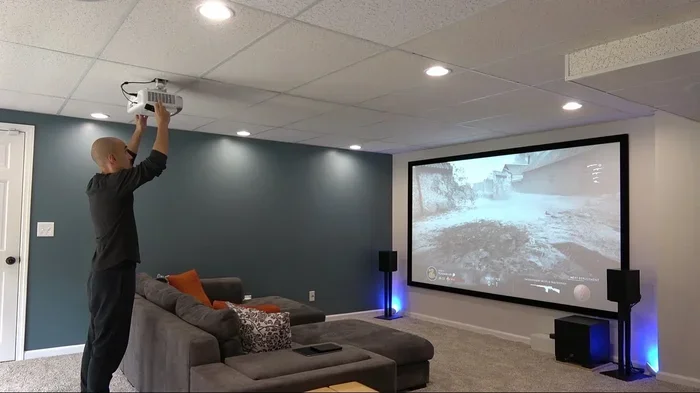
A fixed frame screen is mounted to the wall and stays in place permanently. It provides the flattest, most taut surface available. This means the best possible image quality. If you are building a dedicated home theater room, a fixed frame screen is the gold standard.
These screens come in various sizes and materials. You can find them with matte white surfaces for general use or specialized screens for ambient light rejection. The downside is that they are not portable. Once installed, they stay put. They also tend to be more expensive than other options.
Portable And Tripod Screens
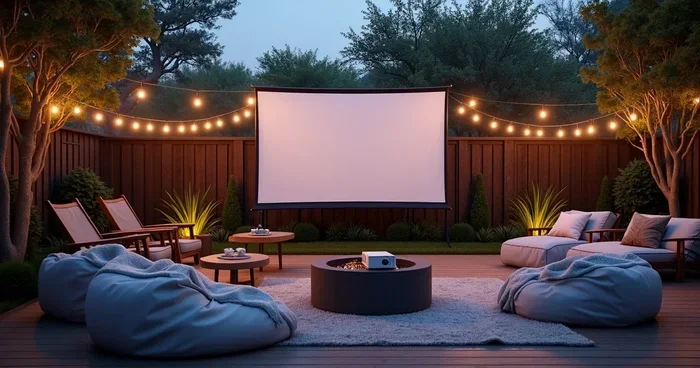
A portable projector screen or tripod screen is a great option for people who want flexibility. These screens fold up into a carrying case and can be set up anywhere. They are perfect for backyard movie nights, camping trips, or occasional use in different rooms.
Most tripod screens are easy to set up. You unfold the legs, pull the screen up, and lock it in place. They are lightweight and affordable. A basic portable screen can cost as little as $30 to $50. The image quality is good but not as perfect as a fixed frame screen because the surface is not as taut.
Motorized And Retractable Screens
A motorized retractable screen rolls up into a ceiling or wall mount when not in use. This is a great option if you want a clean, clutter-free room. You press a button and the screen drops down for movie night. When you are done, it rolls back up and disappears.
Motorized screens are more expensive than manual options. They also require an electrical outlet nearby for the motor. But they offer a sleek, professional look that many home theater enthusiasts love. They are also very convenient for everyday use.
DIY And Budget-Friendly Options
If you are on a tight budget, you can create your own projection surface with a few simple materials. Some people use a high-quality projector screen paint, which you apply directly to a wall. Brands like Screen Goo are popular for this. The paint creates a smooth, reflective surface that improves image quality over a regular wall.
Another DIY option is to stretch a wrinkle-free white sheet or fabric over a frame. This is not as good as a proper projection screen, but it works in a pinch. Just make sure the fabric is tight and wrinkle-free for the best results. You can also find affordable wrinkle-free screen material online that works well for DIY projects.
When A Screen Makes A Real Difference
Not every movie projector setup needs a dedicated screen. But there are certain situations where a projection screen really shines. Understanding these scenarios can help you decide if the investment is worth it for your specific needs.
Watching Movies In A Dark Room
In a dark room, the difference between a wall and a projection screen is still noticeable. A screen provides deeper blacks, more vibrant colors, and sharper details. Even in a completely dark room, a wall can look slightly uneven or dull compared to a proper screen. If you watch movies often in a dark home theater room, a screen will elevate the experience.
Think about it this way. A movie projector puts out a lot of light. That light needs somewhere to go. A projection screen is designed to direct that light back toward you in the best possible way. A wall just bounces it around randomly. The result on a screen is a cleaner, more focused image.
Projecting In Bright Or Daylit Spaces
This is where a projection screen really earns its keep. In a bright room with windows or overhead lights, a plain wall will almost always produce a washed-out image. The ambient light overwhelms the projected light and the picture looks faint.
A projection screen with high gain or ambient light rejection technology can fight back against this. These screens are designed to reflect light back toward the viewer while minimizing the effect of ambient light from other directions. If you plan to watch movies during the day or in a well-lit room, a proper screen is almost essential.
Gaming And Sports On The Big Screen
If you use your movie projector for gaming or watching sports, a projection screen can make a big difference. Fast-moving images need to be sharp and clear. A screen provides a uniform surface that keeps the image crisp even during rapid motion.
Gamers especially benefit from the improved projector contrast ratio that a screen provides. Dark areas in games look deeper and more detailed. Bright areas stay vibrant without washing out. For a truly immersive viewing experience, a screen is a worthwhile addition to any gaming or sports setup.
Expert Insight: Many home theater installers agree that the projection screen is just as important as the projector itself. A top-of-the-line movie projector on a poor surface will never look its best. Investing in a good screen unlocks the full potential of your projector.
How To Pick The Right Screen For Your Setup
Choosing a projection screen does not have to be overwhelming. There are a few key factors to consider that will help you narrow down your options. Let us walk through the most important ones so you can make a confident decision.
Matching Screen Size To Your Room
The size of your projection screen should match the size of your room and the throw distance of your movie projector. Throw distance is the distance between the projector and the screen. If your projector has a short throw, you can place it close to the screen and still get a large image. If it has a long throw, you need more space between the projector and the screen.
As a general rule, the screen should fill about 60 to 80 percent of your field of view when you are seated in your primary viewing position. A screen that is too small will not feel immersive. A screen that is too large can cause eye strain. Measure your room and check your projector’s specifications before buying.
Considering Your Projector Type
Different types of movie projectors work better with different screen materials. If you have a projector brightness level below 2000 lumens, you will want a screen with a higher gain to boost the image. If you have a very bright projector with 3000 lumens or more, a lower gain screen will work fine and may give you better color accuracy.
Also consider whether you have a 4K projector or a lower resolution model. A projection screen with a very fine surface texture is important for 4K projectors. Any bumps or texture in the screen material will be visible at that resolution. Look for screens rated for high resolution to get the best results.
Quick Tips For Choosing The Right Screen
- Measure your throw distance before shopping for a screen size.
- Choose a screen material that matches your room lighting conditions.
- Consider a retractable screen if you want a clean, space-saving option.
- Read reviews from other home theater users before making a purchase.
- Do not forget to factor in the cost of any mounting hardware.
- Test your projector with different surfaces if possible before committing.
Common Mistakes People Make With Projector Screens
Even with the best intentions, many people make mistakes when setting up their projection screen. These mistakes can hurt your image quality and lead to frustration. Let us look at the most common ones and how to avoid them.
Choosing The Wrong Screen Material
Not all projection screen materials are the same. Some are designed for dark rooms. Others are designed for bright rooms. Using the wrong material for your environment can result in a dull or washed-out image. Always match your screen material to your room conditions. If you are unsure, a neutral matte white screen is a safe choice for most setups.
Another mistake is buying a screen that is too shiny or glossy. These screens can create hot spots, which are bright patches in the image where the light is concentrated. A matte or semi-gloss surface provides a more even and comfortable viewing experience.
Ignoring Throw Distance And Placement
Your projector throw distance determines how big your image will be. If you place the projector too close, the image will be small and blurry. If you place it too far, the image will be dim and distorted. Always check your projector manual for the recommended throw distance and adjust your projection screen placement accordingly.
Placement matters too. The screen should be level and centered with the projector. Even a slight tilt can cause the image to look trapezoidal. Most projectors have keystone correction to fix this, but it is better to get the placement right from the start for the sharpest image.
Skipping Proper Setup And Calibration
Many people set up their movie projector and projection screen and never adjust the settings. But taking a few extra minutes to calibrate your projector can make a huge difference. Adjust the brightness, contrast, color temperature, and sharpness to match your room conditions.
Also make sure the projection surface is clean and free of dust or smudges. Even small particles on the screen can show up in the projected image. A quick wipe-down before each use keeps your picture looking its best.
Common Mistakes To Avoid:
- Using a colored or textured wall without testing first.
- Buying a screen that is too large or too small for your room.
- Forgetting to account for ambient light when choosing a screen.
- Not leveling the screen properly before projecting.
- Ignoring the projector settings and using factory defaults.
Final Thoughts
So do you need a projection screen for a movie projector? The answer depends on your setup, your room, and how much you care about image quality. If you are watching casually in a dim room on a clean white wall, you might be just fine without one. But if you want the best possible viewing experience, a dedicated projection screen is a smart investment.
The good news is that there are options for every budget. From affordable tripod screens to premium fixed frames, you can find a projection screen that works for you. Start by testing your projector on your wall. If the image looks good enough, you are set. If it does not, now you know exactly why a screen makes sense. Either way, you are ready to enjoy your home theater setup to the fullest.
Frequently Asked Questions
Can I use a white bedsheet as a projection screen?
Yes, a clean white bedsheet can work in a pinch for casual viewing. However, sheets often have wrinkles and texture that can distort the image. For a better result, choose a wrinkle-free fabric and stretch it tightly across a frame. It will not match the quality of a dedicated projection screen, but it is a decent budget option.
What is the best screen color for a movie projector?
White or light gray is the best screen color for most movie projector setups. A matte white surface provides the most accurate colors and the brightest image. Light gray screens can help improve contrast in rooms with some ambient light. Avoid dark or colored screens unless they are specifically designed for your projector type.
How big should my projection screen be for my room?
The screen size should be based on your throw distance and seating position. A general rule is that the screen should be about 60 to 80 percent of your field of view from your main seating spot. Check your projector manual for recommended screen sizes based on its throw distance to get the best picture.
Do I need a special wall paint for projecting without a screen?
Yes, if you plan to project directly onto a wall, using a projection screen paint like Screen Goo can significantly improve image quality. Regular wall paint absorbs too much light and often has a color tint. Projection paint creates a smooth, reflective surface that makes the image brighter and more accurate.
Is a projection screen worth the money for casual movie watchers?
For casual viewers who only watch movies occasionally, a projection screen may not be necessary. A clean white wall in a dark room can work well enough. But if you watch movies regularly and want better image quality, a screen is definitely worth the investment, even at budget price points.
Can I use an outdoor wall as a projection screen?
Yes, you can project onto an outdoor wall, but it works best with a smooth, light-colored surface. For outdoor movie nights, a portable projector screen is often a better choice because it provides a tighter, more uniform surface. Also consider the ambient light in your outdoor area, as sunlight can wash out the projected image significantly.