Can You Use Tcl Soundbar With Any Tv And Get Great Sound
You can use a Tcl soundbar with almost any TV using HDMI ARC, optical cables, or Bluetooth. Most Tcl soundbars work seamlessly with popular TV brands like Samsung, LG, Sony, and Vizio. This guide shows you exactly how to connect, set up, and troubleshoot your Tcl soundbar for amazing audio.
Ever bought a Tcl soundbar and wondered if it would work with your current TV? Maybe you just upgraded your television and want better audio. Or perhaps you already own a Tcl soundbar and are setting up a new TV. Either way, the good news is that a Tcl soundbar works with most TVs on the market today. You do not need a fancy or expensive television to enjoy rich, clear audio from your soundbar. In this guide, we walk you through everything you need to know about Tcl soundbar TV compatibility. You will learn how to connect your soundbar, which connections work best, and how to fix common issues. By the end, you will feel confident setting up your Tcl soundbar with any TV in your home.
Soundbars have become one of the easiest ways to improve your home theater experience. A good soundbar fills your room with deep bass, clear dialogue, and rich surround sound. Tcl soundbars stand out because they offer excellent quality at affordable prices. But the real question many people ask is simple: will a Tcl soundbar work with my TV? The answer is almost always yes. Let us dive into the details and show you exactly how to make it happen.
Key Takeaways
- Universal Compatibility: A Tcl soundbar works with most TVs using standard audio connections like HDMI ARC, optical, and Bluetooth.
- Easy Setup: Connecting your Tcl soundbar takes just a few simple steps regardless of your TV brand.
- Multiple Connection Options: You have several ways to link your soundbar to your TV, so you can pick what works best.
- TCL Roku TVs Are a Perfect Match: If you own a TCL Roku TV, the integration is even smoother and more automatic.
- Troubleshooting Is Simple: Most common issues with a Tcl soundbar and TV pairing have quick, easy fixes.
- Great Sound on Any Budget: Tcl soundbars deliver impressive audio quality without breaking the bank.
📑 Table of Contents
- What Is a Tcl Soundbar and Why Do People Love It
- How to Connect a Tcl Soundbar to Any TV
- Tcl Soundbar Compatibility: What TVs Work Best
- Setting Up Your Tcl Soundbar for Great Sound
- Troubleshooting Common Tcl Soundbar TV Issues
- Tips to Get the Best Sound from Your Tcl Soundbar
- Is a Tcl Soundbar Worth It for Any TV Setup
What Is a Tcl Soundbar and Why Do People Love It
A Tcl soundbar is a long, slim speaker system designed to sit below your TV. It replaces or enhances your TV’s built-in speakers. Most Tcl soundbars come with a wireless subwoofer for deep bass and sometimes rear speakers for true surround sound. The result is a home theater experience that makes movies, sports, and music sound much better than your TV speakers alone.
People love Tcl soundbars for several reasons. First, they are affordable. You do not need to spend hundreds of dollars to get great audio. Second, they are easy to set up. Most Tcl soundbar models come with simple instructions and minimal cables. Third, they work with almost any TV brand. Whether you have a Samsung, LG, Sony, Vizio, or even an older television, a Tcl soundbar can connect and deliver audio enhancement. The Tcl Roku TV ecosystem makes things even easier, but you are not limited to that setup.
Key Features of Tcl Soundbars
- Wireless subwoofer for deep, room-filling bass
- Dolby Audio support for clear, detailed sound
- Dialogue enhancement mode for crisp vocals
- Bluetooth connectivity for streaming music from your phone
- Multiple HDMI and optical ports for flexible TV connections
- Compact design that fits most TV stands
- Built-in equalizer settings to customize your sound
How to Connect a Tcl Soundbar to Any TV
Connecting a Tcl soundbar to your TV is straightforward. You have several options depending on your TV’s ports and your preferences. Let us look at each method so you can choose the one that works best for your setup.
Method 1: HDMI ARC Connection
The best way to connect a Tcl soundbar to any TV is through HDMI ARC (Audio Return Channel). This single cable carries both audio and video signals. It also lets you control your soundbar volume using your TV remote. This is called CEC control, and it makes the whole experience much simpler.
Here is how to set it up:
- Plug one end of an HDMI cable into the HDMI ARC port on your TV. This port is usually labeled “ARC” or “eARC.”
- Plug the other end into the HDMI OUT (ARC) port on your Tcl soundbar.
- Turn on both your TV and soundbar.
- Go to your TV audio settings and set the audio output to HDMI ARC.
- Your Tcl soundbar should now play audio from your TV.
HDMI ARC is the most popular method because it is fast, reliable, and supports high-quality audio formats. If your TV has an HDMI eARC port, even better. eARC supports advanced audio formats like Dolby Atmos, which gives you an even more immersive surround sound experience.
Method 2: Optical Audio Cable
If your TV does not have HDMI ARC, you can use an optical audio cable. This is a thin cable with square-shaped plugs on each end. It carries digital audio from your TV to your Tcl soundbar.
To connect using an optical cable:
- Find the optical audio output on your TV. It is usually labeled “Optical Out” or “Digital Audio Out.”
- Plug one end into your TV and the other into the OPTICAL IN port on your Tcl soundbar.
- Switch your soundbar input to “Optical” using the remote or buttons on the unit.
- Adjust your TV audio settings to output through the optical port.
Optical cables deliver great sound quality. However, they do not support the newest audio formats like Dolby Atmos. For most TV shows and movies, though, optical audio is more than enough. Your Tcl soundbar will still sound much better than your TV’s built-in speakers.
Method 3: Bluetooth Wireless Connection
If you want a completely wireless setup, Bluetooth is your friend. Most Tcl soundbars support Bluetooth connectivity. This means you can pair your soundbar with your TV without any cables at all.
To connect via Bluetooth:
- Turn on your Tcl soundbar and put it in pairing mode. Usually, you press and hold the Bluetooth button on the remote or the soundbar itself.
- Go to your TV’s Bluetooth settings and search for available devices.
- Select your Tcl soundbar from the list.
- Once paired, your TV audio will stream wirelessly to the soundbar.
Bluetooth is convenient, but keep in mind it may have a slight audio delay compared to wired connections. For watching movies and shows, HDMI ARC or optical is usually better. Bluetooth works great for streaming music or casual viewing.
Tcl Soundbar Compatibility: What TVs Work Best
One of the best things about a Tcl soundbar is its wide TV compatibility. You can connect it to almost any television made in the last decade. But some setups work better than others. Let us break down the compatibility by TV brand and type.
Tcl Roku TVs
If you own a Tcl Roku TV, you are in luck. These TVs and soundbars are designed to work together. The Tcl soundbar and Tcl Roku TV pair automatically through HDMI ARC. You get seamless volume sync, meaning when you press volume up on your TV remote, the soundbar follows instantly. The Roku remote can also control your soundbar in most cases. This makes the Tcl soundbar a natural choice for anyone already in the Roku ecosystem.
Samsung TVs
Tcl soundbars work well with Samsung TVs. You will use HDMI ARC or optical cable to connect. Samsung TVs have their own sound settings, so make sure to select the correct audio output. Some Samsung models use a feature called Anynet+ or HDMI-CEC, which controls the soundbar with your Samsung remote. Check your TV’s settings under “General” and look for “HDMI-CEC” or “Anynet+” and make sure it is turned on.
LG TVs
LG TVs also work great with Tcl soundbars. LG uses a technology called SimpLink, which is their version of HDMI-CEC. This lets you control the soundbar volume with your LG remote. Connect via HDMI ARC for the best experience. LG TVs have clear audio settings menus, so finding the right output option is easy.
Sony, Vizio, and Other Brands
Sony, Vizio, and other major TV brands all support standard audio outputs. Your Tcl soundbar will connect using HDMI ARC or optical cable. The setup process is the same regardless of brand. The key is finding the right port on your TV and selecting the correct audio output in your settings. Tcl soundbar compatibility is broad, so you should not run into major issues with any modern television.
Older TVs Without HDMI ARC
What if you have an older TV that does not have HDMI ARC? No problem. Your Tcl soundbar can still work. Use an optical cable or even a 3.5mm auxiliary cable if your TV has a headphone jack. Some Tcl soundbars also come with analog RCA inputs. You may lose some advanced features like CEC control, but the audio quality will still be a huge upgrade over your TV’s built-in speakers.
Setting Up Your Tcl Soundbar for Great Sound
Once your Tcl soundbar is connected to your TV, a few simple adjustments can make a big difference in sound quality. You do not need to be an audio expert to get great results. Follow these steps for the best audio output from your setup.
Step 1: Choose the Right Placement
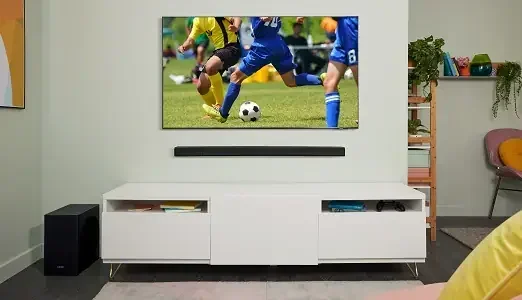
Where you place your Tcl soundbar matters. Put it directly below your TV, centered on your entertainment stand. Keep it as close to ear level as possible when you are seated. If your soundbar comes with a wireless subwoofer, place it in a corner of the room for the deepest bass. Avoid hiding the subwoofer behind furniture, as this can muffle the low-end frequencies.
Step 2: Adjust the Equalizer Settings
Most Tcl soundbars have built-in equalizer or sound mode settings. These let you fine-tune the audio to your liking. Try these modes:
- Standard: A balanced sound for everyday watching
- Movie: Enhanced bass and surround effects for films
- Music: Clear mids and highs for listening to songs
- News: Boosted dialogue for clear speech
- Sports: Enhanced crowd noise and ambient sounds
Experiment with these modes to find what sounds best to you. Your Tcl soundbar remote usually has a dedicated button to cycle through sound modes quickly.
Step 3: Enable Dialogue Enhancement
If you struggle to hear dialogue in movies and shows, turn on the dialogue enhancement feature. This setting boosts the mid-range frequencies where human voices sit. It makes conversations crisp and easy to understand, even during loud action scenes. This feature is especially helpful for older viewers or anyone watching TV at a lower volume.
Step 4: Sync Your Remote Controls
One of the best features of a Tcl soundbar is the ability to control it with your TV remote. To enable this, go to your TV’s audio settings and look for “External Speaker” or “Audio Output.” Set it to the HDMI ARC or optical connection. Then enable CEC or the equivalent feature on your TV. Your TV remote should now control the Tcl soundbar volume without any extra steps.
Troubleshooting Common Tcl Soundbar TV Issues
Even with a simple setup, you might run into occasional issues with your Tcl soundbar and TV. Here are the most common problems and how to fix them quickly.
No Sound from the Soundbar
If your Tcl soundbar is connected but you hear no sound, try these steps:
- Check that the soundbar is powered on and set to the correct input source
- Make sure your TV audio is not muted
- Verify that your TV audio output is set to HDMI ARC or optical, not the TV speakers
- Unplug both the TV and soundbar for 30 seconds, then plug them back in
- Try a different HDMI cable or optical cable to rule out a faulty cable
Soundbar and TV Volume Are Out of Sync
If the volume sync is off, your TV volume might go up but the soundbar stays quiet or vice versa. This is a common CEC control issue. Go to your TV settings and make sure HDMI-CEC is enabled. On some TVs, this feature has a different name, like Anynet+, Bravia Sync, or SimpLink. Enabling it usually fixes the sync problem immediately.
Bluetooth Connection Drops
If you are using Bluetooth and the connection keeps dropping, move your Tcl soundbar closer to your TV. Remove any large metal objects between the devices. Also, make sure no other Bluetooth devices are interfering. Restarting both devices often resolves temporary Bluetooth glitches.
Remote Control Not Working
If your Tcl soundbar remote is not responding, check the batteries first. Replace them with fresh ones if needed. Make sure nothing is blocking the infrared sensor on the soundbar. If the remote still does not work, try resetting the soundbar to factory settings. This usually fixes remote pairing issues.
Tips to Get the Best Sound from Your Tcl Soundbar
Want to squeeze every bit of performance out of your Tcl soundbar? Here are some expert tips that make a real difference.
Use High-Quality Cables
While cheap cables often work fine, a good-quality HDMI cable ensures a stable connection and the best possible audio format support. Look for an HDMI Premium High-Speed cable for HDMI ARC connections. For optical, make sure the cable is the right length and not damaged.
Keep Your Soundbar Firmware Updated
Tcl regularly releases firmware updates for their soundbars. These updates can improve audio formats support, fix bugs, and add new features. Check the TCL app or your soundbar’s settings menu periodically for updates. Keeping your soundbar current ensures the best performance with your TV.
Add Rear Speakers for True Surround
If your Tcl soundbar supports wireless rear speakers, consider adding them. Rear speakers create a true 5.1 channel surround sound experience. You will hear sounds coming from behind you, which makes action movies and video games much more immersive. Many Tcl soundbar bundles include rear speakers at a discounted price.
Experiment with Sound Modes
Do not settle for the default sound settings. Spend a few minutes trying different modes and adjusting the equalizer. Everyone’s ears and room are different. What sounds best to you might be different from someone else. Take the time to personalize your Tcl soundbar settings for the best experience.
Position the Soundbar Correctly
Place your Tcl soundbar on a flat, stable surface directly below your TV. Avoid placing it inside a closed cabinet, as this can block the sound and create echo. If wall-mounting your TV, you can also wall-mount the soundbar using a compatible bracket. The goal is to have the soundbar at ear level when you are seated in your main viewing position.
Use the TCL App for Extra Control
Some Tcl soundbar models work with the TCL app on your smartphone. The app gives you access to advanced settings, sound modes, and firmware updates. It also lets you control your soundbar from your phone, which is handy if you misplace the remote. Download the app and explore the extra features it offers.
Common Mistakes to Avoid
- Forgetting to change the TV audio output: Your TV must be set to send audio to the soundbar, not its own speakers
- Using the wrong HDMI port: Make sure you plug into the HDMI ARC port, not a regular HDMI port
- Hiding the soundbar away: Enclosed spaces muffle the sound and reduce bass performance
- Ignoring firmware updates: Updates can significantly improve performance and fix bugs
- Not using the remote: The Tcl soundbar remote gives you quick access to all sound modes and settings
Is a Tcl Soundbar Worth It for Any TV Setup
The short answer is yes. A Tcl soundbar is worth it for almost any TV setup. Whether you watch movies, sports, or listen to music, a soundbar transforms your audio experience. Tcl soundbars deliver clear dialogue, punchy bass, and immersive surround sound at a price point that is hard to beat. They work with Samsung, LG, Sony, Vizio, and virtually any other TV brand. The setup is simple, the sound is impressive, and the price is affordable.
If you are on the fence about buying a Tcl soundbar, we say go for it. The difference in audio quality compared to built-in TV speakers is dramatic. You will wonder how you ever watched TV without one. And the fact that a Tcl soundbar works with any TV makes it a safe, smart investment for your home entertainment setup.
In summary, you can use a Tcl soundbar with any TV and get great sound. Whether you connect with HDMI ARC, an optical cable, or Bluetooth, your Tcl soundbar will deliver a significant audio upgrade. The setup is easy, the compatibility is broad, and the results are impressive. Follow the tips in this guide, and you will be enjoying theater-quality audio in no time.
Frequently Asked Questions
Can I use a Tcl soundbar with a non-smart TV?
Yes, absolutely. A Tcl soundbar works with any TV that has an HDMI port, optical audio output, or even a 3.5mm headphone jack. You do not need a smart TV to enjoy better audio from your soundbar. The connection method may vary slightly, but the Tcl soundbar will work with older and newer TVs alike.
Do I need a special HDMI cable for my Tcl soundbar?
Not necessarily. A standard high-speed HDMI cable works for most Tcl soundbar setups. However, if you want the best performance and support for advanced audio formats, an HDMI Premium High-Speed cable or an HDMI eARC cable is recommended. These cables ensure a stable connection and the best possible sound quality.
Will my TV remote control the Tcl soundbar volume?
Yes, in most cases. When you connect your Tcl soundbar via HDMI ARC, the CEC (Consumer Electronics Control) feature allows your TV remote to control the soundbar volume. This works with TCL Roku TVs, Samsung TVs, LG TVs, and other brands that support HDMI-CEC. Just make sure the feature is enabled in your TV settings.
Can I connect my Tcl soundbar to a soundbar from another brand?
No, a Tcl soundbar is designed to connect to a TV, not to another soundbar. You cannot daisy-chain or pair two different soundbar brands together. Each soundbar connects directly to your TV or audio source. If you want to expand your audio setup, consider adding wireless rear speakers or a subwoofer that comes with your Tcl soundbar kit.
How do I reset my Tcl soundbar if it stops working with my TV?
To reset your Tcl soundbar, unplug it from the power outlet for at least 30 seconds. Then plug it back in and turn it on. Try reconnecting it to your TV using HDMI ARC or optical cable. If the issue persists, check for firmware updates through the TCL app or the soundbar’s settings menu. A factory reset can also resolve persistent connection problems.
Can I use a Tcl soundbar with a projector or monitor?
Yes, a Tcl soundbar works with projectors and monitors that have HDMI or optical audio outputs. The setup process is the same as with a TV. Just make sure your projector or monitor supports audio output and that you select the correct input on your soundbar. This is a great way to enhance the audio for home theater projectors and computer monitors alike.
=== CONCLUSION ===
Using a Tcl soundbar with any TV is not only possible, it is easy and rewarding. Whether you connect through HDMI ARC, an optical cable, or Bluetooth, your Tcl soundbar will transform your TV audio into something truly impressive. The Tcl soundbar works with Samsung, LG, Sony, Vizio, TCL Roku TVs, and virtually any other brand. The setup takes just minutes, and the sound quality upgrade is immediate and noticeable.
Remember to place your soundbar correctly, adjust the equalizer settings, and keep your firmware updated for the best results. If you run into issues, the troubleshooting tips in this guide will help you get back on track quickly. A Tcl soundbar is one of the best investments you can make for your home entertainment. It brings theater-quality audio to any room without the complexity or cost of a full surround system.
So go ahead, connect your Tcl soundbar to your TV, and enjoy the rich, immersive sound you have been missing. You will wonder how you ever watched your favorite shows and movies without it.