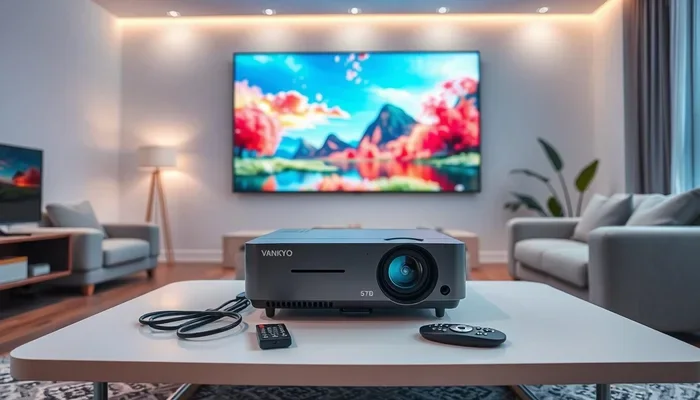
Do All Projectors Connect To Wifi Here Is Your Answer
Not all projectors connect to wifi, but many modern models do. Whether you own a basic home theater projector or a smart projector, your connectivity options depend on the model and brand. This guide breaks down every projector wifi connection method so you can choose the right setup for your needs.
Do all projectors connect to wifi? It is a question that comes up more often than you might think. People buy projectors for home theaters, office presentations, and outdoor movie nights. And they all want the convenience of going wireless.
The short answer is no. Not every projector connects to wifi. But the good news is that there are workarounds for almost every situation. Whether you have a brand new smart projector or an older model collecting dust in the closet, you can still get that wireless connection you want.
In this guide, we will walk through everything you need to know about projector wifi connectivity. We will cover which types of projectors have built in wifi, how to add wireless capability to any projector, and what to look for when shopping for a new one. By the end, you will have a clear picture of your options.
Key Takeaways
- Not all projectors have built-in wifi: Many older and budget models rely solely on wired connections like HDMI.
- Wireless adapters can bridge the gap: You can add wifi to almost any projector with a simple USB or HDMI wireless dongle.
- Smart projectors offer the most convenience: These units come with built-in wifi, apps, and streaming capabilities right out of the box.
- Screen mirroring works with most modern devices: You can cast from phones, tablets, and laptops to compatible projectors easily.
- Wired connections still deliver the best stability: For presentations or gaming, a direct HDMI or ethernet cable often outperforms wireless.
- Bluetooth is a secondary option: Some projectors support Bluetooth for audio streaming but not for screen sharing.
- Check specs before buying: Always verify the connectivity features of a projector before making a purchase decision.
📑 Table of Contents
- Understanding Projector Connectivity Options
- Do All Projectors Connect To Wifi
- How To Add Wifi To Any Projector
- Benefits Of A Wifi Connected Projector
- Common Projector Wifi Problems And Solutions
- What To Look For When Buying A Wifi Projector
- Expert Tips For Setting Up A Wireless Projector
- Comparison: Projectors With Vs Without Built In Wifi
- Final Thoughts
Understanding Projector Connectivity Options
Before diving into wifi specifics, it helps to understand the full range of connectivity options available on projectors today. Different models support different features, and knowing what is available helps you make better decisions.
Wired Connections
Most projectors come with standard wired inputs. These include HDMI ports, USB ports, and VGA connections. HDMI is the most common and carries both video and audio through a single cable. VGA is older but still found on many business projectors.
Wired connections offer reliability. They do not suffer from interference or signal drops. If you are giving a critical presentation or gaming, a wired connection is often the safer bet. However, cables limit your mobility and can create clutter.
Wireless Connections
Wireless projector options have grown dramatically in recent years. Built in wifi is now standard on many mid range and high end models. Some projectors also support Bluetooth for audio streaming to wireless speakers or headphones.
Wireless connections free you from cables. You can place the projector anywhere in the room and still share content from your phone or laptop. The trade off is that wireless signals can be less stable than wired ones, especially in crowded network environments.
Hybrid Options
Many modern projectors offer both wired and wireless capabilities. This gives you the best of both worlds. You can use a cable when you need maximum stability and switch to wireless when convenience matters more. This flexibility is becoming the new standard in projector design.
Do All Projectors Connect To Wifi
The direct answer to this question is no. But the reality is more nuanced than a simple yes or no. Let us break down the different categories of projectors and their wifi capabilities.
Projectors With Built In Wifi
Many modern projectors come with built in wifi right out of the box. These units can connect to your home network without any extra accessories. You can stream content directly from the internet or cast from your devices wirelessly.
Smart projectors are the best example of this category. Brands like Epson, BenQ, Anker, and ViewSonic now offer models with integrated wifi and even built in apps. You can access Netflix, YouTube, and other streaming services directly on the projector. No external devices needed.
If you are shopping for a new projector, look for terms like “wireless connectivity” or “smart projector” in the product description. These models are designed for easy setup and everyday use.
Projectors Without Built In Wifi
Older projectors and many budget models do not have built in wifi. These units rely entirely on wired connections. You will need an HDMI cable or VGA cable to connect your source device directly to the projector.
This does not mean you are stuck with wires forever. There are several ways to add wireless capability to these projectors. We will cover those solutions in detail later in this article. The key takeaway is that even a projector without native wifi support can still go wireless with the right accessories.
Portable Projectors
Portable projectors are a growing category, and many of them do include wifi. These compact units are perfect for travel, camping trips, or impromptu movie nights. Their small size does not mean they lack connectivity features.
However, not all portable projectors have wifi. Some ultra compact models sacrifice wireless features to keep the price low and the size small. Always check the specifications before assuming a portable projector has wireless capabilities.
How To Add Wifi To Any Projector
Even if your projector does not have built in wifi, you are not out of luck. There are several affordable and effective ways to add wireless connectivity to almost any projector. Let us explore the most popular options.
Wireless HDMI Adapters
A wireless HDMI adapter is one of the simplest solutions. These small dongles plug into the HDMI port on your projector and create a wireless link to your source device. You can stream video and audio from your laptop, phone, or streaming stick without any cables.
Popular brands like IOGEAR, Airtame, and Amazon Fire TV Stick offer wireless HDMI solutions. These adapters work with virtually any projector that has an HDMI input. Setup is usually straightforward and takes just a few minutes.
The main advantage is compatibility. You do not need a smart projector or any special software. Just plug in the adapter, connect your device, and you are streaming wirelessly. The downside is that these adapters add extra cost and another device to manage.
USB WiFi Dongles
Some projectors have USB ports that can accept a WiFi dongle. This is a common solution for business projectors from brands like Epson and BenQ. You insert the dongle into the USB port, and the projector connects to your wireless network.
Not all projectors support USB WiFi dongles, so check your manual first. But for models that do, this is a clean and simple way to add wireless capability without extra cables or adapters. The dongle sits inside the projector and stays out of sight.
Screen Mirroring And Casting Devices
Devices like Google Chromecast, Amazon Fire TV Stick, and Apple TV can turn any HDMI projector into a wireless streaming device. You connect the casting device to the projector via HDMI, then stream content from your phone or tablet directly to the projector.
Screen mirroring is another option available on many smart devices. You can mirror your phone or laptop screen to the projector over the same WiFi network. This works well for presentations, photo sharing, and casual viewing.
These casting devices are affordable and versatile. They also add smart features to your projector, like access to streaming apps and voice control through assistants like Alexa or Google Assistant.
Wireless Projector Bulbs And Modules
Some manufacturers offer wireless projector modules that replace the standard bulb or connect internally. These are more common in commercial and education settings. They provide a permanent wireless upgrade for projectors that lack native wifi support.
This option is best suited for organizations or schools that need to upgrade multiple projectors. For home users, the simpler adapter options are usually more practical and cost effective.
Benefits Of A Wifi Connected Projector
Adding wifi to your projector opens up a world of convenience. Here are the biggest benefits of having a wireless projector setup.
Freedom From Cables
The most obvious benefit is the ability to ditch the cables. You can place the projector on a shelf, mount it on the ceiling, or set it up in a completely different room. As long as it is on the same WiFi network, you can share content from anywhere in the space.
Easy Screen Sharing
In office or classroom settings, wireless sharing saves valuable setup time. Multiple people can present from their own devices without swapping cables. This makes meetings and collaborative sessions more efficient and less frustrating.
Access To Streaming Content
With a wifi connected projector, you can access streaming services directly. Many smart projectors have built in apps for Netflix, Hulu, Disney Plus, and more. You do not need a separate streaming device unless you want to access additional content.
Multi Device Flexibility
A wireless projector can connect to multiple devices throughout the day. You can start with a laptop for work, switch to a phone for personal viewing, and then cast from a tablet for a movie night. This flexibility makes a wifi projector incredibly versatile.
Common Projector Wifi Problems And Solutions
Even with the best setup, you may run into wifi connectivity issues with your projector. Here are the most common problems and how to fix them.
Slow Or Buffering Stream
If your video keeps buffering, the wifi signal may be weak. Move the projector closer to your router or use a WiFi extender to boost the signal. Also, make sure your internet speed is sufficient for streaming. A minimum of 10 Mbps is recommended for HD content.
Connection Drops Frequently
Frequent disconnections are often caused by network congestion. If too many devices are sharing the same network, the projector may lose its connection. Try switching to a less crowded WiFi channel or connecting via a wired ethernet adapter for more stability.
Projector Not Detecting WiFi Network
If your projector cannot find your WiFi network, first check that the router is working properly. Restart both the projector and the router. Also, make sure the projector is within range of the wireless signal. Walls and distance can weaken the signal significantly.
Screen Mirroring Not Working
For screen mirroring to work, both the source device and the projector need to be on the same WiFi network. Check that both devices are connected to the same network. Also, update the projector firmware and the casting app to the latest version.
Audio Sync Issues
Sometimes the audio and video get out of sync when streaming wirelessly. This is usually caused by latency in the wireless signal. Using a wired connection or a lower latency wireless adapter can help resolve this issue.
What To Look For When Buying A Wifi Projector
If you are in the market for a new projector with wifi, here are the key features to consider.
Built In Wifi Standards
Check what WiFi standard the projector supports. WiFi 5 (802.11ac) and WiFi 6 (802.11ax) offer faster speeds and better stability than older standards. The newer the standard, the better the wireless performance.
Dual Band Support
Dual band projectors can connect to both 2.4 GHz and 5 GHz WiFi networks. The 5 GHz band is faster and less congested, which means smoother streaming and fewer connection drops. Look for dual band support for the best wireless experience.
Built In Smart Features
Some projectors come with built in operating systems and app stores. These smart projectors let you download and run apps directly on the device. This is a huge convenience if you do not want to rely on external streaming devices.
Bluetooth Capability
Bluetooth is a nice bonus feature on a projector. It allows you to connect wireless speakers, headphones, or soundbars without extra cables. While Bluetooth does not replace WiFi for screen sharing, it adds versatility to your setup.
Multiple Connectivity Ports
Even if you plan to use wifi, having multiple wired ports gives you flexibility. Look for projectors with at least two HDMI inputs, a USB port, and an audio output. These ports allow you to connect multiple source devices and external speakers easily.
Expert Tips For Setting Up A Wireless Projector
Setting up a wireless projector is easier than most people think. Here are some expert tips to ensure a smooth and reliable setup.
- Place your router close to the projector. The closer the router, the stronger the signal. If possible, position the router in the same room or nearby.
- Use a dedicated WiFi network for streaming. If your router supports it, create a separate network for your projector. This reduces interference from other devices.
- Update firmware regularly. Manufacturers release updates that improve connectivity and fix bugs. Check for updates through the projector settings menu.
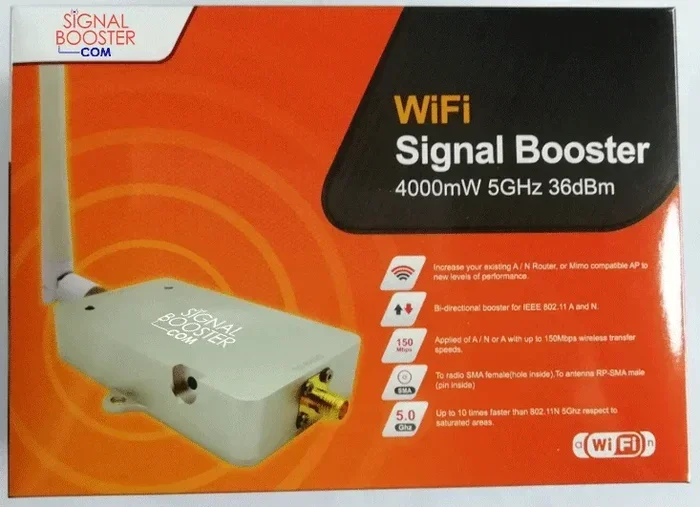
- Use a WiFi extender if needed. For large rooms or outdoor setups, a WiFi extender can boost the signal to the projector and eliminate dead zones.
- Test the connection before important events. Always do a test run before a presentation or movie night. This gives you time to troubleshoot any issues.
- Consider a wired backup. Even with a wireless setup, keep an HDMI cable handy. If the wifi drops, you can quickly switch to a wired connection.
Comparison: Projectors With Vs Without Built In Wifi
| Feature | With Built In Wifi | Without Built In Wifi |
|---|---|---|
| Wireless connectivity | Yes, native support | No, requires adapters |
| Streaming apps | Built in on smart models | Requires external device |
| Setup complexity | Simple, few steps | More steps, extra gear |
| Cost | Slightly higher | Lower upfront cost |
| Flexibility | High, multiple options | Limited without add ons |
| Signal stability | Good, optimized for the device | Depends on adapter quality |
As you can see from the comparison table, projectors with built in wifi offer more convenience and flexibility. However, projectors without wifi can still perform well with the right accessories. The best choice depends on your budget, needs, and how you plan to use the projector.
Final Thoughts
So do all projectors connect to wifi? The answer is no, but that does not mean you are limited. The projector market offers a wide range of connectivity options to suit every need and budget. Whether you choose a smart projector with built in wifi or add wireless capability to an older model, you can enjoy the freedom of a wireless setup.
The key is understanding your options and choosing the right solution for your situation. If you already own a projector without wifi, a wireless HDMI adapter or casting device can transform your setup quickly and affordably. If you are shopping for a new projector, look for built in wifi and smart features that match your lifestyle.
Wireless projector technology continues to improve every year. WiFi 6 support, better screen mirroring protocols, and more seamless casting experiences are making wireless setups more reliable than ever. The days of being tethered to a cable are fading fast.
Take some time to evaluate your needs, check your current equipment, and explore the options available to you. With the right setup, a wifi connected projector can transform how you watch movies, give presentations, and share content with others. The wireless experience is well worth the effort.