Can Micro HDMI Output 4K The Truth Will Surprise You
Can Micro HDMI output 4K? Yes, it can, but only with the right cable and compatible device. Many people assume the tiny connector limits the signal, but modern Micro HDMI cables fully support ultra HD resolution up to 4K. Understanding how this small port works can save you from buying the wrong equipment and help you get the best display quality possible.
Key Takeaways
- Micro HDMI can output 4K: The Micro HDMI Type D connector supports bandwidth speeds up to 10.2 Gbps, which is enough for 4K resolution at 30Hz or 1080p at 60Hz.
- Cable quality matters: Not all Micro HDMI cables are created equal. Only High Speed or Premium High Speed cables reliably deliver 4K video output.
- Device compatibility is key: Your source device must also support 4K output. The cable alone does not guarantee ultra HD resolution.
- Adapters can help: You can use Micro HDMI to HDMI adapters to connect portable devices to larger displays without losing signal quality.
- Common mistakes hurt performance: Using outdated cables, wrong adapters, or ignoring device specs can prevent you from getting true 4K output.
- USB-C is catching up: Many newer devices now use USB-C with DisplayPort Alt Mode instead of Micro HDMI for 4K connections.
📑 Table of Contents
What Is Micro HDMI and How Does It Work?
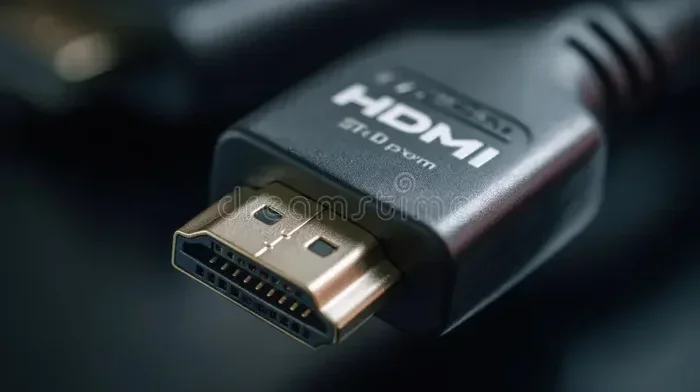
Micro HDMI is a compact digital connector designed for small devices. It delivers both audio and video through a single tiny cable. The official name is HDMI Type D, and it is much smaller than the standard HDMI port you see on TVs and monitors.
So how does it actually work? The Micro HDMI connector carries a digital signal from your device to a display. This signal includes high-definition video and multi-channel audio all in one line. The connector has 19 pins packed into a very small space, which is impressive engineering.
The standard HDMI connector measures about 14 millimeters wide. The Mini HDMI is smaller at about 10.4 millimeters. But the Micro HDMI shrinks down to just 5.8 millimeters. Despite its tiny size, it carries the same digital signal as its larger cousins.
The key to understanding Micro HDMI is the bandwidth it supports. Bandwidth determines how much data can travel through the cable per second. Higher bandwidth means better resolution and frame rates. The original Micro HDMI specification supports up to 10.2 gigabits per second. That is enough for 4K video at 30 frames per second.
Newer versions of the Micro HDMI standard can handle even more data. This opens the door to higher refresh rates and better color depth. But not every cable or device takes advantage of these improvements. That is where things get interesting.
Understanding the Micro HDMI Connector
The Micro HDMI plug is one of the smallest HDMI connectors available. It is about the size of a small USB plug. You will usually find it on portable cameras, action cameras, and some tablets. The connector snaps into place with a secure fit, which helps prevent signal loss from accidental disconnections.
The shape of the connector is different from standard HDMI. It has a thin, flat design with a trapezoidal profile. This makes it easy to plug in even when space is tight. The internal pins are arranged in two rows, and the metal shell provides shielding against electromagnetic interference.
How Micro HDMI Differs from Standard HDMI
The main difference is physical size. The standard HDMI Type A connector is what you plug into your television or gaming console. Micro HDMI Type D is built for portable electronics where every millimeter counts.
Functionally, they work the same way. Both carry digital video and audio signals. Both support the same color formats and resolution standards. The difference is purely in the connector design and the devices they serve.
Here is a quick comparison:
- Standard HDMI (Type A): 14 mm wide. Used on TVs, monitors, and home theater equipment.
- Mini HDMI (Type C): 10.4 mm wide. Found on some DSLRs and older tablets.
- Micro HDMI (Type D): 5.8 mm wide. Used on action cameras, smartphones, and portable media players.
All three connector types carry the same digital signal. The smaller the connector, the more portable the device tends to be. But the small size also means the connector is more fragile and harder to handle.
Can Micro HDMI Output 4K? The Real Answer
Now for the big question. Can Micro HDMI output 4K? The short answer is yes. The longer answer depends on a few important factors that many people overlook.
The Micro HDMI specification supports 4K resolution. The HDMI 1.4 standard, which introduced 4K support, works with Micro HDMI cables. This means a Micro HDMI cable can carry a 3840 by 2160 pixel signal. That is four times the resolution of full HD 1080p.
But here is the catch. The cable must be rated for High Speed HDMI. A standard or basic Micro HDMI cable will not deliver 4K. It will only support 1080p or lower resolutions. This is the most common mistake people make when setting up their devices.
The Technical Capabilities of Micro HDMI
To get 4K output from a Micro HDMI port, you need a cable that meets the High Speed HDMI specification. High Speed cables have a bandwidth of at least 10.2 Gbps. This is the minimum required for 4K video at 30Hz.
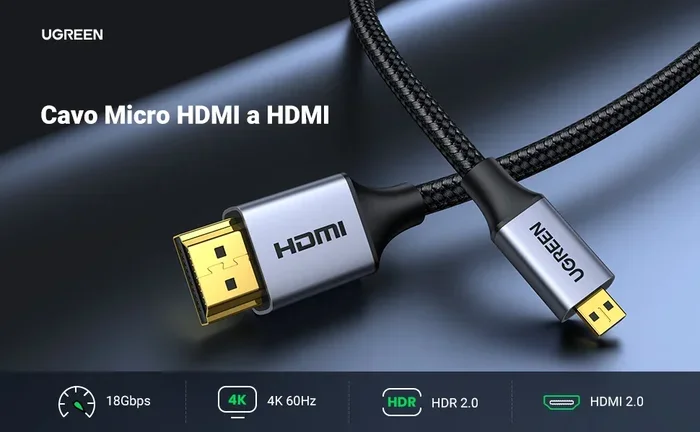
If you want 4K at 60Hz, you need a Premium High Speed HDMI cable. These cables offer 18 Gbps of bandwidth. They also support HDR (High Dynamic Range) and wider color gamuts. Not all Micro HDMI cables meet this standard, so you must check the label carefully.
Here is what different cable speeds can handle:
- Standard HDMI Cable: Up to 1080p. Not suitable for 4K output.
- High Speed HDMI Cable: Up to 4K at 30Hz. Good for most 4K content.
- Premium High Speed HDMI Cable: Up to 4K at 60Hz with HDR support.
- Ultra High Speed HDMI Cable: Up to 8K and 4K at 120Hz with advanced HDR.
So yes, Micro HDMI can output 4K. But only if you use the right cable rated for the bandwidth you need.
Which Micro HDMI Cables Support 4K?
Not all cables labeled Micro HDMI can handle 4K signals. When shopping for a Micro HDMI cable, look for the High Speed or Premium High Speed label on the packaging. The cable should also list its bandwidth capacity on the product description.
Brands like Belkin, Cable Matters, and UGREEN make reliable Micro HDMI cables that support 4K. Always check the product specifications before buying. If the listing does not mention 4K support, assume it will not work for ultra HD output.
One tip that helps: look for cables certified by HDMI Licensing LLC. Certified cables have been tested to meet specific bandwidth and performance standards. This takes the guesswork out of shopping.
Devices That Use Micro HDMI Ports
Micro HDMI ports appear on a variety of portable devices. Knowing which devices use this connector helps you understand when you might need a 4K Micro HDMI connection.
Cameras and Camcorders
Many action cameras and compact camcorders use Micro HDMI for video output. Brands like GoPro and Sony have used Micro HDMI ports on several models. These devices capture video in high resolution and can output that footage directly to a monitor or television.
If you use a camera for video production, a reliable Micro HDMI cable is essential. You want a cable that does not drop frames or introduce signal artifacts. A high-quality cable ensures your display shows the same sharp image your camera captures.
Tablets and Smartphones
Some Android tablets and older smartphones included Micro HDMI ports. Samsung, for example, put Micro HDMI on several Galaxy Tab models. These devices can connect directly to a 4K TV for streaming content or sharing presentations.
Modern smartphones have mostly moved to USB-C. But many portable media players, handheld gaming systems, and budget tablets still use Micro HDMI. If your device has this port, you can absolutely connect it to a 4K display with the right cable.
Portable Gaming Devices
Handheld gaming devices sometimes feature Micro HDMI outputs. This allows gamers to connect to larger screens for a better experience. The Nintendo Switch uses a different connector, but other portable consoles and retro gaming handhelds rely on Micro HDMI.
For gaming, cable quality matters even more. A poor cable can introduce input lag or reduce the refresh rate. If you are gaming on a 4K display, invest in a Premium High Speed Micro HDMI cable for the best experience.
How to Get 4K Output from a Micro HDMI Port
Getting true 4K output from a Micro HDMI setup requires the right combination of cable, device, and display. Here is a step-by-step guide to make it work.
Choosing the Right Cable
Start with the cable. As mentioned earlier, you need a High Speed or Premium High Speed Micro HDMI cable. Look for these specifications on the packaging:
- Bandwidth rating of at least 10.2 Gbps for 4K at 30Hz
- Bandwidth rating of 18 Gbps for 4K at 60Hz
- HDMI certification logo or statement on the product
- Ferrite cores or braided shielding for better signal integrity
Avoid ultra-cheap, no-name cables. They often use thinner wiring and lower-quality connectors. This leads to signal degradation and unreliable 4K output. Spending a little more on a reputable brand pays off in performance and reliability.
Using Adapters and Converters
Sometimes you need more than just a cable. If your device has a Micro HDMI port but your display uses a different input, an adapter helps. Common adapters include Micro HDMI to HDMI, Micro HDMI to VGA, and Micro HDMI to USB-C.
When choosing an adapter, make sure it supports the resolution you need. A basic Micro HDMI to HDMI adapter should pass through 4K signals without problems. But cheaper adapters may limit the resolution or introduce signal loss. Look for adapters that are specifically rated for 4K bandwidth.
Active adapters are better than passive ones for long cable runs. An active adapter has a built-in signal amplifier. This boosts the digital signal and reduces the chance of dropped frames or artifacts.
Checking Your Device’s Specifications
Before buying any cable or adapter, check your device’s user manual or manufacturer website. Look for the output resolution specifications. Some devices have a Micro HDMI port but only support 1080p output, regardless of the cable you use.
This is an important step many people skip. The cable can only carry the signal the device produces. If your device maxes out at 1080p, no cable will magically unlock 4K. Always verify the source device’s capabilities first.
Common Problems and How to Fix Them
Even with the right equipment, you might run into issues when trying to get 4K output from a Micro HDMI connection. Here are the most common problems and their solutions.
Signal Issues and Resolution Limits
If your display shows a lower resolution than expected, the cable is usually the culprit. A standard HDMI cable connected to a Micro HDMI port will not carry a 4K signal. Replace it with a High Speed or Premium High Speed cable.
Another common issue is the display auto-negotiating a lower resolution. This happens when the device and display cannot agree on a supported resolution. Try manually setting the output resolution in your device’s display settings. Look for 3840 by 2160 or 2160p as an option.
Cable Quality Matters More Than You Think
The quality of your Micro HDMI cable directly affects the signal. Cheap cables with thin copper cores and poor shielding can cause several problems:
- Flickering or intermittent signal
- Reduced color accuracy
- Audio dropouts
- Inability to sustain 4K resolution
- Interference from nearby electronic devices
Invest in a well-shielded cable with gold-plated connectors. Gold plating prevents corrosion and ensures a stable connection over time. Braided outer jackets also protect the cable from physical damage, which extends its lifespan significantly.
Micro HDMI vs Other Connection Types for 4K
Micro HDMI is not the only way to get 4K output from a portable device. Let us compare it to other popular connection types.
Micro HDMI vs Mini HDMI
Mini HDMI (Type C) is slightly larger than Micro HDMI (Type D). Both connectors support 4K output at the same bandwidth levels. The difference is purely physical. Mini HDMI is found on some DSLR cameras and older tablets, while Micro HDMI is on more compact devices.
Neither connector type is inherently better for 4K. Both work equally well when paired with the right cable. The choice between them depends entirely on your device’s port.
Micro HDMI vs USB-C and Thunderbolt
USB-C with DisplayPort Alt Mode has become the new standard for 4K output on portable devices. USB-C supports higher bandwidth than Micro HDMI. A USB-C cable can deliver 4K at 60Hz or even 8K at 60Hz with the right specification.
Thunderbolt 3 and Thunderbolt 4 connections go even further. They support multiple 4K displays from a single port and offer even higher bandwidth speeds. Many newer laptops and tablets have replaced Micro HDMI with USB-C entirely.
However, Micro HDMI still has an advantage in simplicity. You do not need to worry about USB-C alternate modes or docking stations. A Micro HDMI cable connects directly to any HDMI display. This makes it a reliable plug-and-play solution for many users.
| Connection Type | Max 4K Support | Bandwidth | Common Devices |
|---|---|---|---|
| Micro HDMI | 4K at 30Hz (High Speed) / 4K at 60Hz (Premium) | 10.2 – 18 Gbps | Cameras, tablets, handheld devices |
| USB-C (DisplayPort Alt Mode) | 4K at 60Hz / 8K at 60Hz | Up to 40 Gbps (Thunderbolt) | Laptops, smartphones, tablets |
| Mini HDMI | 4K at 30Hz (High Speed) / 4K at 60Hz (Premium) | 10.2 – 18 Gbps | DSLRs, older tablets |
| Standard HDMI | 4K at 60Hz / 8K at 60Hz (Ultra High Speed) | Up to 48 Gbps | TVs, monitors, home theater |
Final Verdict
So, can Micro HDMI output 4K? Absolutely. The truth is both simple and nuanced. The Micro HDMI connector itself fully supports 4K resolution. The limitation comes down to the cable quality and device compatibility. Use a certified High Speed or Premium High Speed Micro HDMI cable, verify your device supports 4K output, and you will enjoy ultra HD video on your big screen.
Do not let the small size of the connector fool you. This tiny port carries a powerful digital signal capable of stunning display quality. Whether you are connecting a camera to a 4K monitor or streaming content from a tablet to your television, Micro HDMI gets the job done.
The key is knowing what to look for. Choose the right cable, check your device specs, and use quality adapters when needed. With these steps, you will unlock the full 4K potential of your Micro HDMI setup. It is simpler than most people think, and the results are well worth the effort.
Frequently Asked Questions
Can any Micro HDMI cable output 4K?
No, not every Micro HDMI cable supports 4K. You need a High Speed or Premium High Speed Micro HDMI cable to carry a 4K signal. Standard or basic cables will only support 1080p or lower resolutions. Always check the cable specifications before purchasing.
What devices have Micro HDMI ports?
Many portable devices use Micro HDMI. Action cameras like GoPro, compact camcorders, some Android tablets, and handheld gaming devices often include Micro HDMI ports. Always check your device manual to confirm the port type before buying a cable or adapter.
Does cable length affect 4K output over Micro HDMI?
Yes, cable length can affect signal quality. Longer cables may experience signal degradation, especially at higher resolutions. For reliable 4K output, keep your Micro HDMI cable under 6 feet (about 2 meters). If you need a longer run, use an active cable or a signal booster.
Can I use a Micro HDMI to HDMI adapter for 4K?
Yes, a Micro HDMI to HDMI adapter can pass through a 4K signal. Make sure the adapter is rated for High Speed or Premium High Speed bandwidth. Cheap adapters may limit the resolution or introduce signal loss, so choose a quality brand.
Is Micro HDMI being replaced by USB-C?
USB-C with DisplayPort Alt Mode is replacing Micro HDMI in many newer devices. USB-C offers higher bandwidth and more versatility. However, Micro HDMI is still widely used on cameras and portable media players. Both connectors can deliver 4K output when paired with the right equipment.
Why is my 4K display showing a lower resolution with Micro HDMI?
This usually happens when the cable does not support enough bandwidth for 4K. Replace your cable with a certified High Speed or Premium High Speed Micro HDMI cable. Also check your device’s display settings to ensure 4K output is enabled. A weak or damaged cable can also cause the display to fall back to a lower resolution automatically.