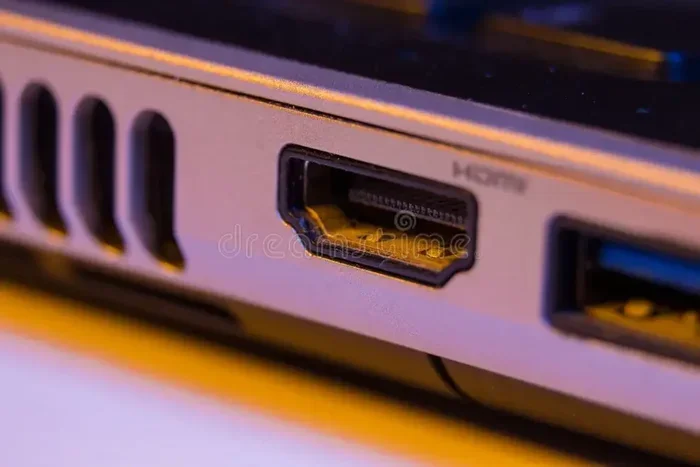
Can I Use Hdmi 2 1 On 2 0 B Port Everything You Need
Yes, you can physically plug an HDMI 2.1 cable into an HDMI 2.0b port, and it will work. However, you will not get all the advanced features that HDMI 2.1 offers, like 8K resolution or 120Hz refresh rates. The connection will simply fall back to the capabilities of the 2.0b standard. Understanding this difference helps you make smarter buying decisions for your home entertainment setup.
Have you ever plugged in a shiny new HDMI 2.1 cable and wondered whether it would actually work with your older HDMI 2.0b port? You are not alone. This question comes up all the time, especially as gaming consoles, TVs, and graphics cards start supporting faster speeds and higher resolutions.
The short answer is yes. You can use an HDMI 2.1 cable on an HDMI 2.0b port. It fits perfectly and carries a signal. But the full story is a bit more nuanced. Let us walk through everything you need to know about this topic so you do not waste money or end up with disappointing performance.
In this guide, we will cover what happens when you connect HDMI 2.1 to HDMI 2.0b, which features work and which do not, and how to make the best decision for your setup. Whether you are a gamer, a movie lover, or just someone trying to get the best picture quality, this article has you covered.
Key Takeaways
- Physical Compatibility: HDMI 2.1 cables fit into HDMI 2.0b ports without any issues.
- Feature Limitations: You will only access features supported by the 2.0b standard when using a 2.1 cable on a 2.0b port.
- Bandwidth Cap: HDMI 2.0b supports up to 18 Gbps, while HDMI 2.1 jumps to 48 Gbps.
- 4K at 60Hz Works: You can still enjoy 4K resolution at 60Hz on a 2.0b port.
- No Damage Risk: Using a newer cable on an older port will not harm your devices.
- Future-Proofing: Buying HDMI 2.1 cables now prepares you for future upgrades.
- Check Your Device: Always verify what your TV, console, or PC actually supports before purchasing cables.
📑 Table of Contents
- What Is HDMI 2.1 and Why Does It Matter?
- Can You Physically Plug HDMI 2.1 Into HDMI 2.0b Ports?
- HDMI 2.0b vs HDMI 2.1: A Side-by-Side Comparison
- Does HDMI 2.1 Cable Quality Make a Difference on 2.0b Ports?
- Common Mistakes People Make with HDMI Ports and Cables
- Should You Upgrade Your HDMI 2.0b Setup?
- Expert Tips for Getting the Best Performance
- Frequently Asked Questions
- Final Thoughts
What Is HDMI 2.1 and Why Does It Matter?
HDMI 2.1 is the latest version of the High-Definition Multimedia Interface standard. It was released in 2017 and brought a huge leap in performance compared to earlier versions. The big selling point is bandwidth. HDMI 2.1 supports up to 48 Gbps, which is a massive jump from the 18 Gbps offered by HDMI 2.0b.
Why does bandwidth matter? Think of it like a highway. More lanes mean more cars can pass through at the same time. More bandwidth means your cable can carry more data. This translates to higher resolutions, faster refresh rates, and richer color.
Key Features of HDMI 2.1
HDMI 2.1 introduced several exciting features that changed the gaming and home theater landscape. Here are some of the most important ones:
- 4K at 120Hz: Smooth, ultra-fast motion for gaming and sports.
- 8K at 60Hz: Ultra-high resolution for future-proof displays.
- Variable Refresh Rate (VRR): Reduces screen tearing during gameplay.
- Auto Low Latency Mode (ALLM): Automatically switches to low-latency mode for gaming.
- Dynamic HDR: Adjusts HDR settings frame by frame for better contrast.
- eARC (Enhanced Audio Return Channel): Supports uncompressed audio formats like Dolby Atmos.
- Quick Frame Transport (QFT): Reduces latency for smoother gaming.
These features sound amazing. And they are. But here is the catch. Your devices need to support HDMI 2.1 for you to enjoy these benefits. And that brings us to the next important question.
Can You Physically Plug HDMI 2.1 Into HDMI 2.0b Ports?
Yes, you can. The HDMI connector shape has not changed between versions. An HDMI 2.1 cable uses the same Type A connector as HDMI 2.0b cables. So physically, there is no difference. You can plug an HDMI 2.1 cable into any HDMI 2.0b port, and it will connect without any problem.
This backward compatibility is one of the smartest design decisions the HDMI Forum made. It means you do not need to buy new cables every time a new version comes out. Your existing HDMI 2.0b cables will still work with HDMI 2.1 devices, and vice versa.
However, just because the cable fits does not mean you will get all the features of HDMI 2.1. The port itself determines what the connection can do. If your port is HDMI 2.0b, the maximum bandwidth you can get is 18 Gbps. That is the hard limit of the port.
What Happens When HDMI 2.1 Meets HDMI 2.0b
When you plug an HDMI 2.1 cable into an HDMI 2.0b port, the connection negotiates the highest common standard. In this case, that is HDMI 2.0b. Your devices will communicate and automatically adjust to the best shared capability.
Here is what this means in practice:
- Your 4K TV will still display a picture.
- You can watch 4K content at 60Hz without any issues.
- Standard HDR content will work just fine.
- But you will not get 4K at 120Hz or 8K resolution.
- Features like VRR and ALLM may not be available through HDMI 2.0b.
Think of it like putting premium fuel in a car designed for regular fuel. The fuel goes in, the engine runs, but you do not get the extra performance the premium fuel was designed to provide. The car (or port) simply cannot use it.
HDMI 2.0b vs HDMI 2.1: A Side-by-Side Comparison
Understanding the differences between these two standards helps you set realistic expectations. Let us compare them directly.
Detailed Comparison Table
| Feature | HDMI 2.0b | HDMI 2.1 |
|---|---|---|
| Maximum Bandwidth | 18 Gbps | 48 Gbps |
| Max 4K Resolution | 4K at 60Hz | 4K at 120Hz |
| Max 8K Resolution | Not Supported | 8K at 60Hz |
| Variable Refresh Rate | Not Supported | Supported |
| Auto Low Latency Mode | Not Supported | Supported |
| Dynamic HDR | Not Supported | Supported |
| eARC Support | Not Supported | Supported |
| Quick Frame Transport | Not Supported | Supported |
| Backward Compatible | Yes | Yes |
| Connector Type | Type A (Standard) | Type A (Standard) |
As you can see, HDMI 2.1 is a significant upgrade. But if your port is HDMI 2.0b, you are limited to the left column. This does not mean HDMI 2.0b is bad. It still handles 4K at 60Hz beautifully, which is enough for most streaming and console gaming.
Does HDMI 2.1 Cable Quality Make a Difference on 2.0b Ports?
This is a question many people ask. Does buying a more expensive HDMI 2.1 cable give you better performance on an HDMI 2.0b port? The answer is no. The cable quality does not change what the port can do.
HDMI 2.1 cables are built to handle 48 Gbps of data. HDMI 2.0b cables are built for 18 Gbps. Both carry the same signal on a 2.0b port. The extra capability of an HDMI 2.1 cable simply goes unused when connected to a 2.0b port.
That said, HDMI 2.1 cables are often better built. They may have thicker shielding, better connectors, and more durable construction. So buying one is not a waste. You are just paying for build quality and future compatibility, not extra performance on your current port.
What to Look for in an HDMI Cable
When shopping for cables, look for the following labels:
- Ultra High Speed HDMI: This is the official HDMI 2.1 certification label. It guarantees 48 Gbps bandwidth.
- High Speed HDMI: This is the HDMI 2.0 standard label. It supports up to 18 Gbps.
- Premium High Speed HDMI: A middle ground that handles 4K at 60Hz with HDR.
If you plan to upgrade your TV or console in the future, an Ultra High Speed HDMI cable is a smart buy now. You will be ready for HDMI 2.1 when you upgrade your display or device.
Common Mistakes People Make with HDMI Ports and Cables
There are several mistakes that people make when dealing with HDMI connections. Avoiding these can save you a lot of frustration.
Assuming All HDMI Ports Are the Same
Not all HDMI ports on your TV are the same version. Some ports might be HDMI 2.0b while others are HDMI 2.1. Check your TV manual or look for labels on the back of the TV. Often, the HDMI ports that support 4K at 120Hz are labeled as HDMI 2.1 ports.
Thinking a New Cable Fixes Everything
A new cable will not magically add HDMI 2.1 features to an HDMI 2.0b port. The bottleneck is the port, not the cable. If your TV only has HDMI 2.0b ports, no cable will give you 120Hz at 4K.
Ignoring Device Compatibility
Even if you have an HDMI 2.1 cable and an HDMI 2.1 port, both devices need to support HDMI 2.1 features for them to work. Your PlayStation 5, Xbox Series X, or PC graphics card must also support the specific feature you want to use.
Using the Wrong Cable for the Job
Using a standard HDMI cable for 4K content can result in a blank screen or poor image quality. Always make sure your cable matches or exceeds the bandwidth requirements of your setup.
Should You Upgrade Your HDMI 2.0b Setup?
This depends on what you want to do. If you are happy with 4K at 60Hz and standard HDR, your HDMI 2.0b setup is perfectly fine. Many people enjoy excellent picture quality without ever needing HDMI 2.1.
But if you are into competitive gaming or want the smoothest possible experience, HDMI 2.1 features like VRR and 120Hz refresh rates make a noticeable difference. The same goes for 8K content, which is becoming more available.
Here is a simple way to decide:
- Stick with HDMI 2.0b if: You watch regular 4K content, play casual games, or your devices do not support HDMI 2.1 features.
- Upgrade to HDMI 2.1 if: You own an HDMI 2.1 TV, play next-gen games at high refresh rates, or want future-proofing for your setup.
The best approach is to evaluate your current setup and your near-term plans. You do not need to rush out and buy new cables or devices if your current setup works well for you.
Expert Tips for Getting the Best Performance
Want to squeeze every bit of performance out of your HDMI setup? Here are some practical tips from experienced users and tech professionals.
Check Each Port on Your TV
Not all HDMI ports on your television support the same features. Some might be HDMI 2.0b while others are HDMI 2.1. Plug your 4K gaming console into the right port to unlock features like 120Hz and VRR.
Keep Your Cables Short When Possible
Longer cables can degrade signal quality, especially at higher bandwidths. For HDMI 2.1 setups, keep your cables under 3 meters (about 10 feet) for the best performance.
Update Your Device Firmware
Sometimes, HDMI features are added through firmware updates. Keep your TV, console, and other devices updated to ensure you have access to the latest capabilities.
Use Certified Cables
Look for the Ultra High Speed HDMI certification logo on the cable packaging. This guarantees the cable has been tested to handle 48 Gbps. Cheap uncertified cables may not perform reliably at high speeds.
Test Your Setup
After connecting everything, go into your TV settings and check the display information. Most modern TVs show the current resolution, refresh rate, and HDR status on screen. This helps you confirm everything is working as expected.
Frequently Asked Questions
Can I use an HDMI 2.1 cable on an HDMI 2.0b port without damaging anything?
Absolutely. HDMI 2.1 cables are fully backward compatible with HDMI 2.0b ports. There is no risk of damage to your devices. The connection will simply operate at the HDMI 2.0b standard, which is perfectly safe and functional.
Will I lose any features if I use HDMI 2.1 on a 2.0b port?
You will not lose anything that your HDMI 2.0b port does not already support. You simply will not gain the extra features of HDMI 2.1, like 4K at 120Hz, VRR, or 8K resolution. Your connection will work at the 2.0b level, which still handles 4K at 60Hz and standard HDR very well.
Do I need an HDMI 2.1 cable for 4K gaming at 60Hz?
No. An HDMI 2.0b cable is perfectly fine for 4K gaming at 60Hz. You only need an HDMI 2.1 cable if you want to push beyond 60Hz or use features like VRR and ALLM that require the higher bandwidth of HDMI 2.1.
How can I tell if my TV has HDMI 2.1 ports?
Check your TV manual or look for labels on the back of the TV. Many manufacturers print “HDMI 2.1” next to the compatible ports. You can also search for your TV model online to find the specifications. If the port supports 4K at 120Hz, it is likely an HDMI 2.1 port.
Can I use HDMI 2.0b devices with an HDMI 2.1 TV?
Yes, you can. HDMI 2.1 TVs are backward compatible with HDMI 2.0b devices. Your older devices will work, but they will operate at HDMI 2.0b speeds. You will not get HDMI 2.1 features unless both the source device and the display support them.
Is it worth buying HDMI 2.1 cables now if I have HDMI 2.0b ports?
It can be worth it if you plan to upgrade your TV or console soon. HDMI 2.1 cables are backward compatible, so you can use them now and get the full benefit when you upgrade. However, if you are not planning any upgrades, your existing HDMI 2.0b cables will work just fine.
Final Thoughts
Using an HDMI 2.1 cable on an HDMI 2.0b port is perfectly fine. It works, it is safe, and it gives you a solid connection. But you will not unlock the full power of HDMI 2.1 unless your port also supports it.
The key takeaway is simple. The port version determines what your connection can do. The cable version determines what it is capable of doing in the future. When both match, you get the best possible experience.
So before you buy a new cable, take a moment to check what your devices support. If your TV and console both have HDMI 2.1 ports, go ahead and grab an Ultra High Speed HDMI cable. If they are still on HDMI 2.0b, there is no rush. Your current setup will serve you well.
Technology moves fast, and HDMI standards will keep evolving. But the fundamentals remain the same. A good cable, a compatible port, and a little knowledge go a long way toward building a great home entertainment experience. Now you know everything you need about using HDMI 2.1 on HDMI 2.0b ports, and you are ready to make the best choice for your setup.